Plans & limits
Your plan controls two limits how many sandboxes can be active at once, and how much total storage they can use plus whether you can keep sandboxes permanently.
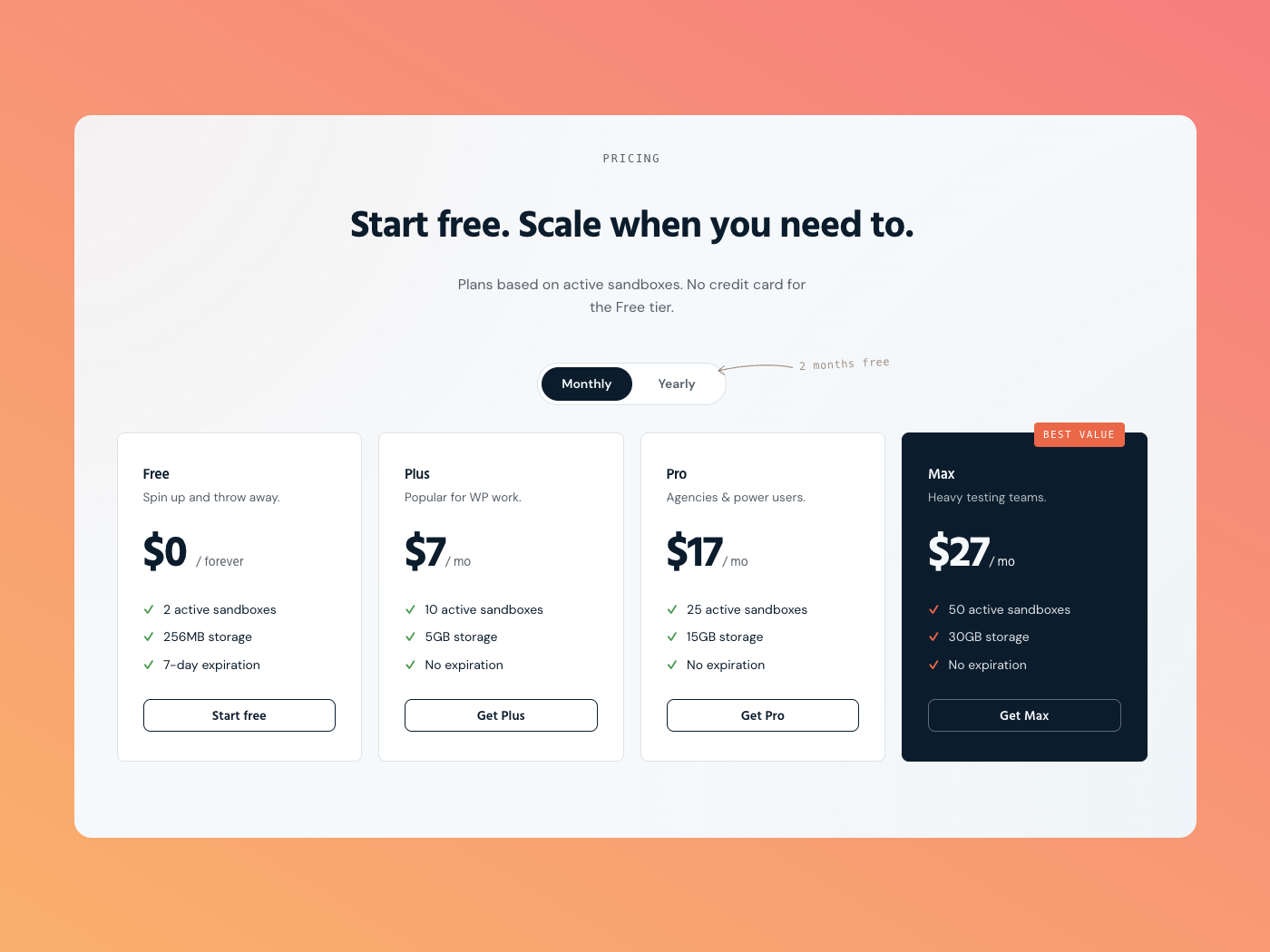
Plans at a glance
| Plan | Price | Active sandboxes | Storage | Permanent |
|---|---|---|---|---|
| Free | $0 | 2 | 250 MB | — |
| Plus | $9/mo | 10 | 5 GB | ✓ |
| Pro | $19/mo | 25 | 15 GB | ✓ |
| Max | $29/mo | 50 | 30 GB | ✓ |
| Workspace Starter · 10 seats | $49/mo | 70 | 60 GB | ✓ |
| Workspace Agency · 25 seats | $99/mo | 150 | 125 GB | ✓ |
| Workspace Scale · 60 seats | $199/mo | 350 | 250 GB | ✓ |
Workspace plans pool limits across their members. Additional seats are $3/month or $30/year each; billing remains owner-only.
Active sandbox limit
This caps how many sandboxes you can have running at the same time. Expired sandboxes don't count against it. If you hit the limit when creating a sandbox, SandyWP prompts you to either delete one or upgrade to a plan with a higher limit.
Storage
Storage is the combined size of all your sandboxes. Each sandbox row shows its current size, and your total versus your limit appears in the account menu. If a new sandbox (or a clone or template) would push you over the limit, SandyWP prompts you to upgrade.
Permanent sandboxes
Every paid plan includes permanent sandboxes ones that never expire. On the free plan, attempting to make a sandbox permanent prompts an upgrade.
Upgrade or manage billing
- Upgrade: open the account menu, click Account, then go to Billing and click Choose a plan. Upgrade prompts shown when you reach a limit or open a paid feature use the same checkout flow.
- Manage billing: paid customers can click Manage billing on the same tab to update their subscription, payment method, and invoices.
Billing and checkout are handled securely through our payment provider.
Check your current usage
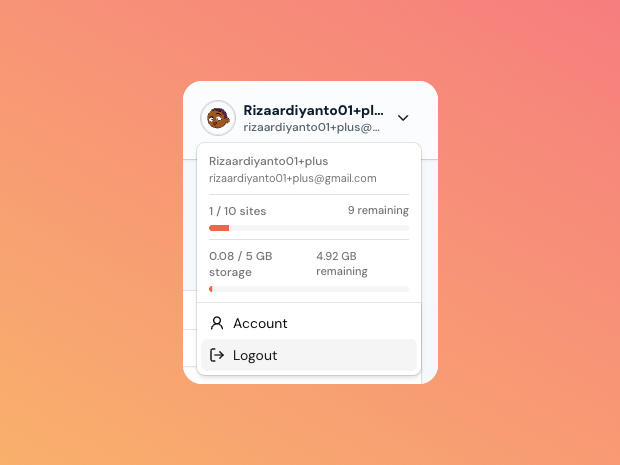
Click your profile in the top-right of the dashboard. The account menu shows your active sandbox count and storage, each with how much you have remaining.
Next steps
- Lifespan & permanence keep sandboxes forever.
- API keys automate sandbox creation within your plan.