Clone a site
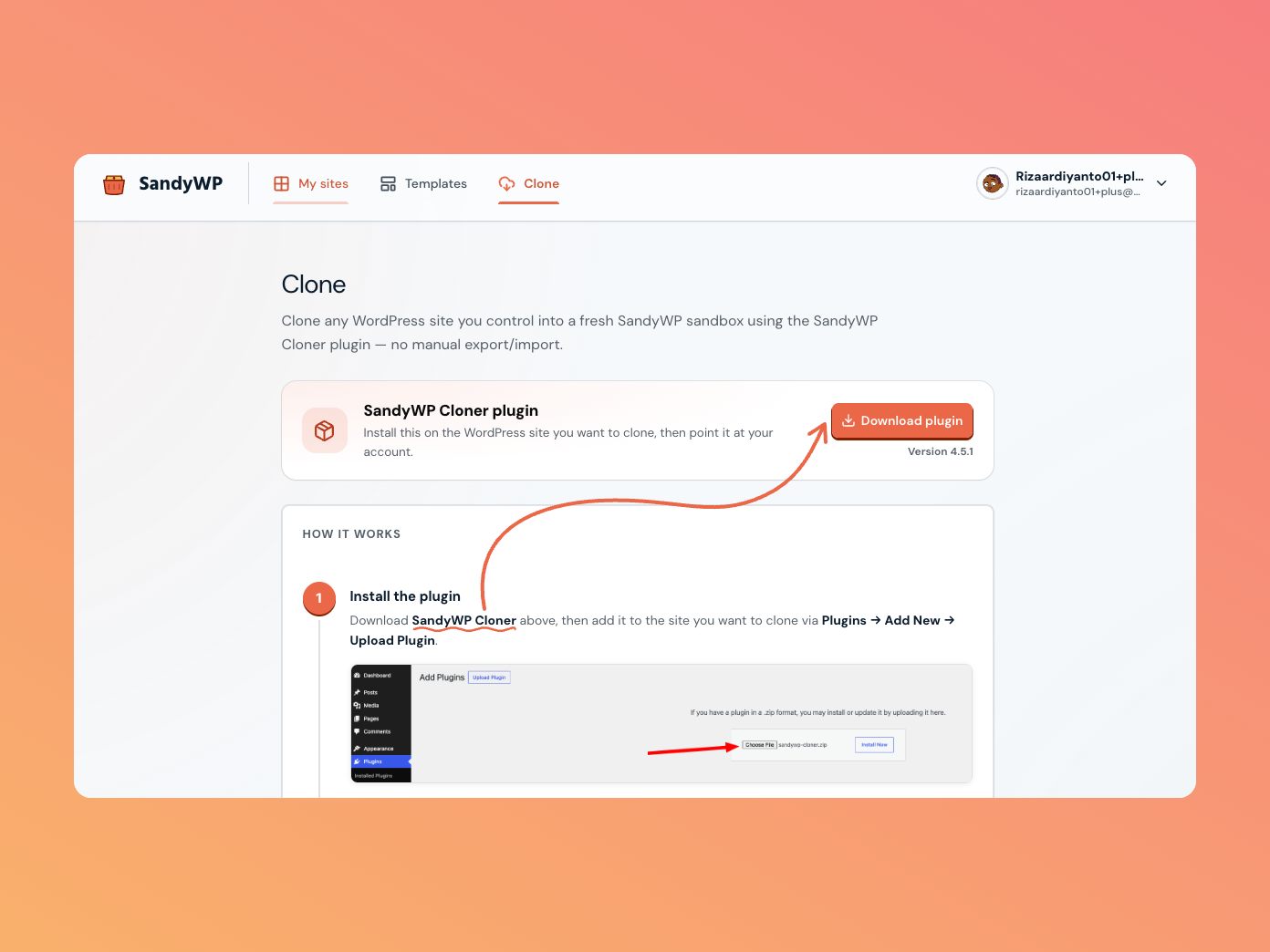
Copy an existing WordPress site you control into a fresh SandyWP sandbox, using the SandyWP Cloner plugin no manual export/import, no zip wrangling.
Before you start
- You need a SandyWP account and admin access to the WordPress site you want to clone.
- Open Clone in the top nav of your dashboard to find the plugin link and watch imports land.
Step 1 Install the Cloner plugin
On the Clone page, click Get plugin on WordPress.org to open the SandyWP Cloner listing. On the WordPress site you want to clone, go to Plugins → Add New, search for "SandyWP Cloner", then install and activate it (or upload the zip you downloaded from wp.org).
Step 2 Connect your account
Go to WP-Admin → Tools → SandyWP Cloner and click Connect to SandyWP. You'll be sent to authorize the connection no API token to create or paste. (An API token is still available as a fallback via Connect with an API token instead.)
Step 3 Start the clone
Back in Tools → SandyWP Cloner, click Clone to SandyWP. The plugin packages the site and uploads it to your account.
Step 4 Watch it land
The new import appears on the Clone page (and in the plugin). It moves through these statuses:
| Status | Meaning |
|---|---|
| Waiting for upload | The import was created; the plugin is about to send the archive. |
| Uploading | The archive is transferring to SandyWP. |
| Uploaded | The archive arrived and is queued to restore. |
| Restoring | SandyWP is building a sandbox from your site. |
| Ready | The clone is a live sandbox click Open site. |
| Failed | Something went wrong; a reason is shown on the row. |
After the clone
A cloned site is a normal sandbox it shows up in My sites with the same lifespan, tools, and limits as any other. Open it from the import row, or from your dashboard. Deleting an import row only cleans up the import history; the sandbox itself is independent and stays in My sites.
Notes & limits
- Cloned archives can be up to 24 GB.
- You can cancel an import while it's still uploading or restoring.
- The clone counts toward your active sandbox and storage limits.
Next steps
- Templates turn a clone into a reusable starting point.
- Open wp-admin jump into the cloned site.