PHP settings
Tune the PHP runtime for a sandbox: switch the PHP version and adjust common php.ini values no SSH, no editing config files.
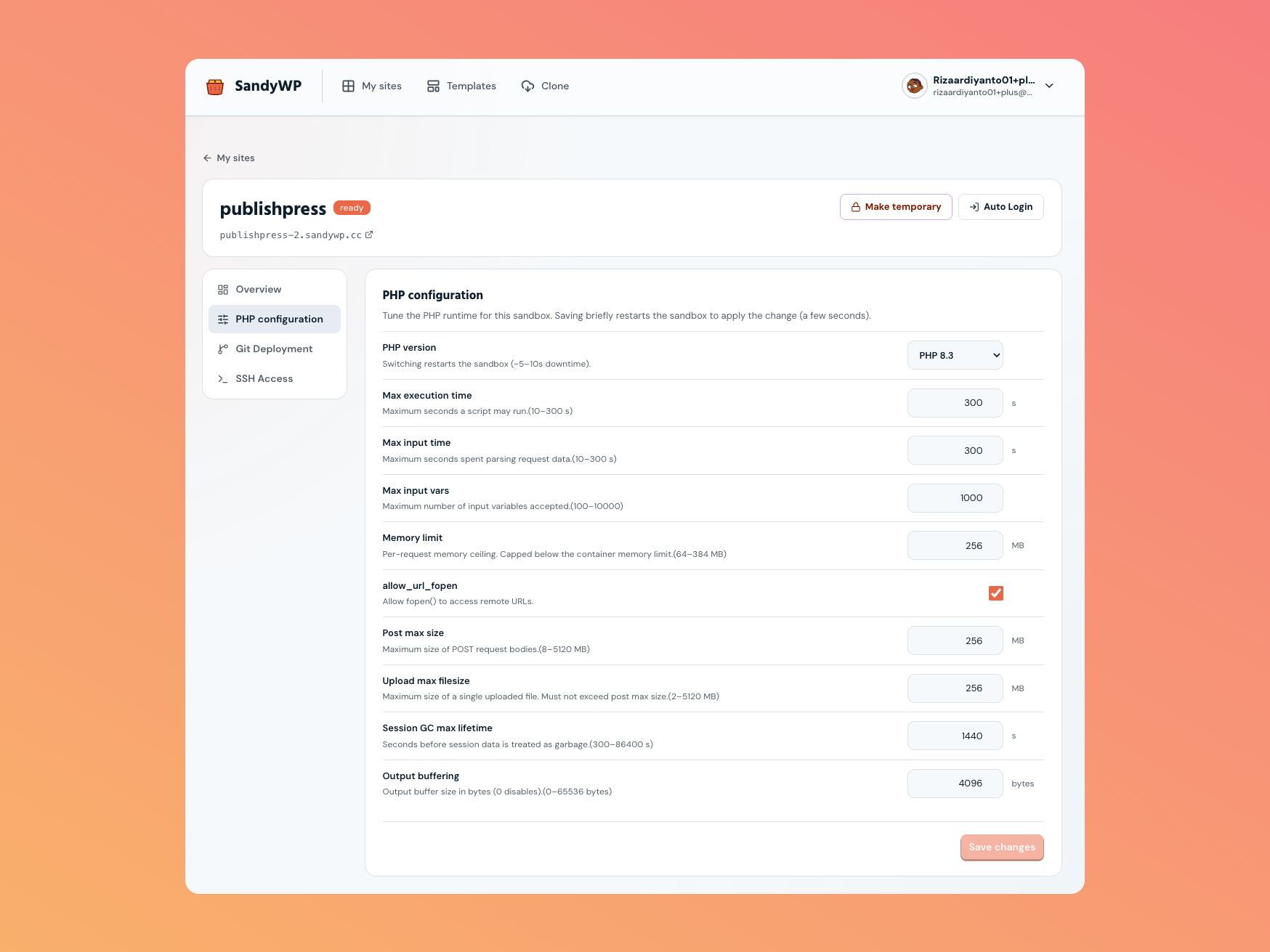
Open PHP settings
From your dashboard, open a sandbox's Site settings (the actions menu →
Site settings, or click the sandbox), then choose PHP configuration in the
side nav. It's available once the sandbox is ready.
Switch the PHP version
Pick a different PHP version (8.5, 8.4, 8.3, 8.2, 8.1, or 7.4) from the dropdown. Switching the version restarts the sandbox to swap the runtime, which means a few seconds of downtime (~5–10s). Your files and database are untouched.
PHP 8.5, 8.4, and 7.4 are available through cold provisioning; they do not use the warm pool.
Tune php.ini values
Adjust any of the settings below and click Save changes. Saving briefly restarts the sandbox to apply the new values (a few seconds).
| Setting | Default | Range | What it controls |
|---|---|---|---|
| Max execution time | 300 s | 10–300 s | Longest a script may run. |
| Max input time | 300 s | 10–300 s | Longest spent parsing request data. |
| Max input vars | 1000 | 100–10000 | How many input variables are accepted. |
| Memory limit | 256 MB | 64–512 MB | Per-request memory ceiling (capped below the container's memory). |
| allow_url_fopen | On | On / Off | Whether fopen() can read remote URLs. |
| Post max size | 256 MB | 8–5120 MB | Largest POST request body. |
| Upload max filesize | 256 MB | 2–5120 MB | Largest single uploaded file (must not exceed post max size). |
| Session GC max lifetime | 1440 s | 300–86400 s | How long before session data is treated as garbage. |
| Output buffering | 4096 bytes | 0–65536 bytes | Output buffer size (0 disables it). |
How it applies
A single Save changes applies your php.ini edits and, if you also
changed the version dropdown, switches the PHP version both land together. The dashboard
waits for the change to take effect and confirms when it's done.
Next steps
- Create a sandbox pick the PHP version up front, and enable debug tooling.
- File Manager pair PHP tweaks with file edits.