sandywp / plugins / wp-font-awesome
WP Font Awesome
This plugin allows you to easily embed Font Awesome icon to your site with simple shortcodes.
Ready in seconds.
v1.8.0 10,000+ installs WP 3.2+ PHP 5.6+
What you get inside
7 screens-
Shortcodes
-
Shortcodes result
-
Larger Icon
-
Menu
-
Widget
-
Superscript
About this plugin
This plugin allows you to easily embed Font Awesome icon to your website using HTML or built-in shortcode handlers.
Features
- Shortcode support. Example: For Font Awesome 5
[wpfa5s icon=""],[wpfa5r icon=""],[wpfab icon=""], and for Font Awesome 4.7+[wpfa icon=""] - Use Larger Icon:
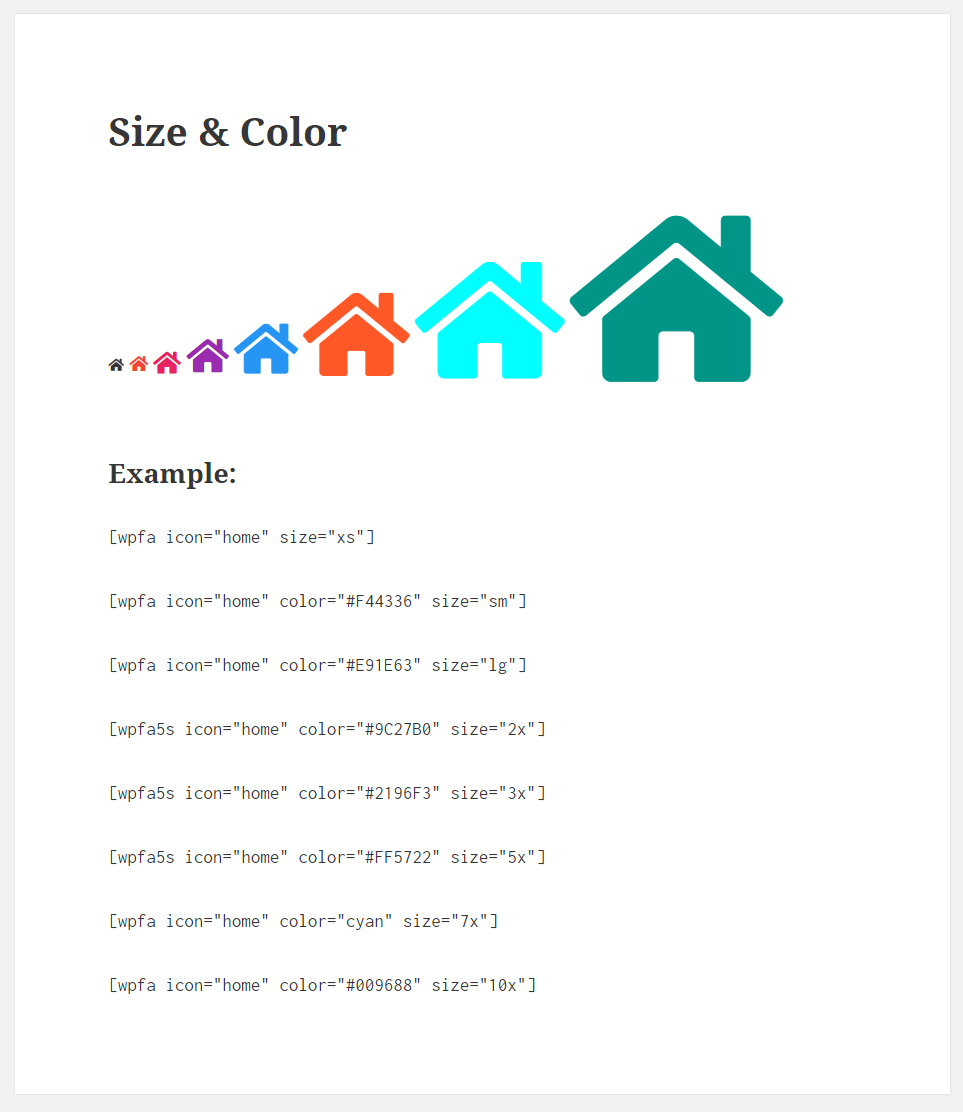
[wpfa icon="" size="2x"]. Sizes:xs,sm,lg,2x,3x,5x,7x,10x - Add Font Awesome icon in Menu with shortcode.
- Support shortocde in Widgets.
- Support post and page title.
- Font Awesome version 6
- Support Font Awesome version 5.+ and 4.7.0
- Add Font Awesome icon from editor Toolbar button.
Shortcodes
Introduced three new shortcode for Font Awesome support.
Font Awesome v6 & v5
[wpfa5s icon=”home”] for Solid style.
[wpfa5r icon=”user”] for Regular style. support only in few icon.
[wpfa5b icon=”wordpress”] for Brands.
Font Awesome 4.7+
[wpfa icon=””].
Note
The fa prefix has been deprecated in version 5. The new default is the fas solid style far regular style and the fab style for brands.
WP Font Awesome plugin still support Font Awesome version 4
Questions
- Usage
Font Awesome v6 & v5
[wpfa5s icon="home"]or[wpfa5s icon="fa-home"]for Solid style.[wpfa5r icon="user"]or[wpfa5r icon="fa-user"]for Regular style. support only in few icon.[wpfa5b icon="wordpress"]or[wpfa5b icon="fa-wordpress"]for Brands.
Font Awesome 4.7+
Use the
[wpfa icon="fa-home"]or[wpfa icon="home"]shotcode to add an icon.Sizes
Sizes:xs,sm,lg,2x,3x,5x,7x,10x.
Example:[wpfa5b icon="wordpress" size="3x"]Color
[wpfa ….. color=”#336699″]Superscript
[wpfa ….. sub=”yes”]- How to use shortcode in Widget title
Font Awesome v6 & v5
[wpfa5s icon=”home”] for Solid style.
[wpfa5r icon=”user”] for Regular style. support only in few icon.
[wpfa5b icon=”wordpress”] for Brands.Font Awesome 4.7+
[wpfa icon=””].Note: Don’t use double quotes
(" ")on shortcode in Widget title.
sandywp / also on the shelf
Try another plugin

Menu Icons by Themeisle – Add Icons to Navigation Menus
4.9 · 100K+ installs
Add icons to WordPress navigation menus easily — pick from Font Awesome, Dashicons, image icons & more. Style menu items with…

Advanced Custom Fields: Font Awesome Field
4.9 · 90K+ installs
Adds a new 'Font Awesome Icon' field to the popular Advanced Custom Fields plugin.

4.5 · 60K+ installs
Font Awesome 5 Free icons for WordPress with shortcodes, HTML, TinyMCE, automatic metadata updates, backwards compatibility, and…
Spin up a real WordPress site in seconds.
Test plugins, build a demo, hand a client a link — then squash it and start again. No local setup, no Docker.