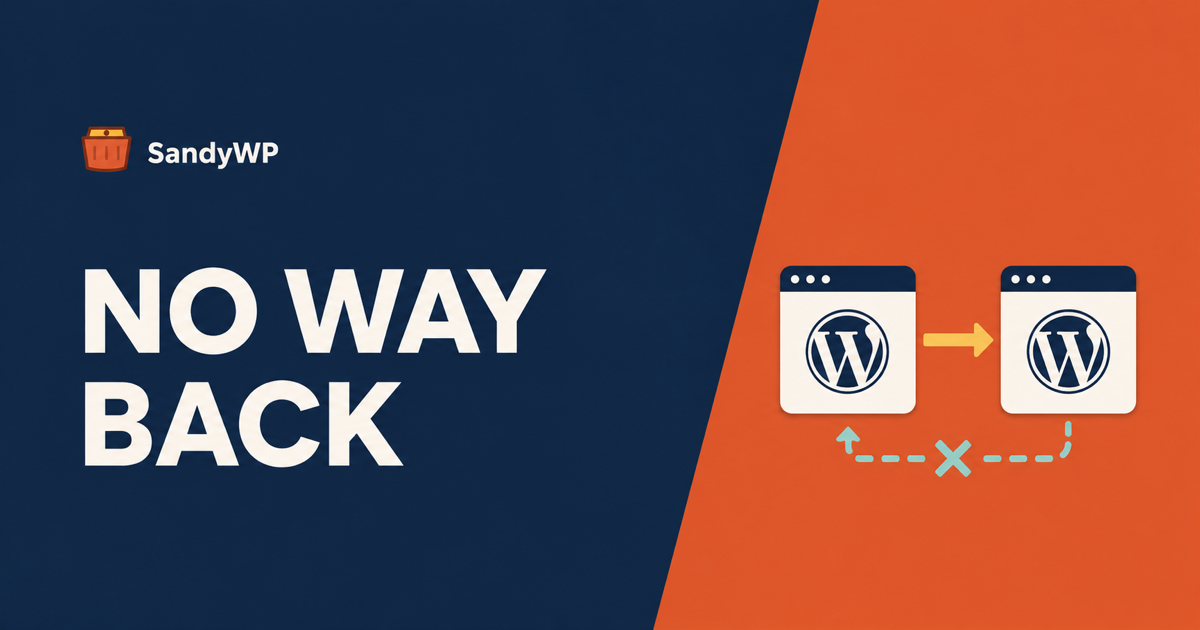
A WordPress staging site is a private copy of your live site where you test changes before they reach visitors. The part almost nobody explains is the return trip: the moment you create that copy, its database and your live database start diverging, and WordPress databases cannot be merged.
That is not a limitation of your host's staging button. It is a property of the schema, and it decides which jobs staging is safe for.
We fetched the guides ranking for this phrase before writing (WP Engine at roughly 3,200 words, Jetpack at roughly 4,200, WP Rocket at roughly 2,800, all read 2026-09-08). Between about 10,000 words, WP Engine has no warning at all, Jetpack has one sentence scoped to WooCommerce orders, and WP Rocket has one line in a cheat sheet.
None of the three explains the mechanism, and the mechanism is the whole decision. This post is that part.
If you want the setup side, we covered how to create a WordPress staging site and the parity gaps that make "it worked on staging" less reassuring than it sounds. This post assumes the copy already exists.
Why two WordPress databases cannot be merged
Open WordPress core's own schema file, wp-admin/includes/schema.php, and look at how rows are identified:
CREATE TABLE $wpdb->posts (
  ID bigint(20) unsigned NOT NULL auto_increment,
  ...
auto_increment appears on every primary key that matters: ID in wp_posts and wp_users, comment_ID in wp_comments, option_id in wp_options, and meta_id in each of the meta tables (WordPress core, read 2026-09-08).
Auto-increment means the database hands out the next free number. It does not mean the number is unique across two copies of the same site.
So the day you clone production, both databases sit at, say, post ID 4,180. Then live takes six orders and you draft four pages on staging.
Live now has posts 4,181 to 4,186. Staging has posts 4,181 to 4,184. Same primary keys, completely different rows, and nothing in either database records that the other one exists.
There is no shared identity to match on, no change log, and no timestamp of record for a row that was only ever edited on one side. A merge needs all three.
That is why "push staging to live" is never a merge. It is a replacement, and the only question is how much it replaces.
The three kinds of change, and only one is safe to push
Once you see the divergence problem, the decision gets simple. Sort what you did on staging into three buckets.
Code lives in files, and files are safe. Theme edits, a plugin you built, a functions.php change, a new template part. These have no database identity, so copying them over is a normal file deploy and carries none of the merge problem.
Settings live in the database, but you can re-apply them by hand. A plugin's configuration screen, a menu you rebuilt, permalinks, a widget layout. Pushing wp_options wholesale is dangerous, but there are usually a handful of settings and re-entering them on live takes ten minutes and destroys nothing.
Records are the danger. Posts, pages, orders, comments, users, form submissions, subscribers. These are rows the live site is still creating while you work, and there is no safe way to push them back.
Almost every staging disaster is someone treating the third bucket like the second.
What your host's push button actually does
Hosts vary, and the good ones are more careful than the phrase "one-click push" suggests. Several let you push files only, or select which tables to copy.
Selecting tables helps, and it is the right feature. It still is not merging.
If you push wp_posts because you wrote four pages on staging, every order, comment and post created on live since the clone goes with it, because they live in the same table. If you push wp_options you also push the site URL, active plugin list and any cron schedule that drifted.
The honest version of the feature is: choose the smallest set of tables that carries your change, accept that everything else in those tables gets overwritten, and take a backup of live first that you have actually tested restoring. We wrote separately on why an untested backup is not a backup.
The rule that keeps you out of trouble
Decide one thing before you start work, not after: is the live site taking writes while I do this?
If the answer is no, a quiet brochure site, a client project not launched yet, staging is straightforward. Work on it, push the whole thing, move on.
If the answer is yes, and it is yes for any store, any blog with comments, any site with a contact form, then staging is for testing the change, not for authoring it. You verify on staging that the change works, then make the change again on live, by hand or as a file deploy.
That sounds like doing the work twice, and sometimes it is. It is still far cheaper than reconstructing a day of orders from email receipts.
When a staging site is the wrong shape entirely
Staging earns its keep when you need to test a change and then ship that exact change. The deploy-back path is the reason it exists, even with the caveats above.
A lot of the work people put on staging never needs a return trip at all. Reproducing a bug a customer reported, checking whether two plugins conflict, seeing what a theme update does to the layout, showing a client a design: none of those changes end up on production as data.
For those, a permanent second site is the wrong shape. It accumulates real credentials, drifts out of date, and gives you exactly one of it when the question needs three.
A disposable copy fits better. SandyWP Cloner reads your database and files to build the archive and modifies nothing on the live site, so the copy has no write path back by construction. That is a deliberate limitation, not a missing feature: there is no push button to misuse.
The same holds for sandywp push, which sends a local site up to a sandbox and is explicitly one-way. Nothing in the product will move a database onto your production site, because we do not think that operation can be made safe.
If you launch the same environment repeatedly, a template captures the WordPress and PHP versions, plugins, themes and settings, so each test starts from a known state instead of from whatever the staging site drifted into. Agencies and teams doing upgrade testing generally want both: one staging site for the change they are going to deploy, and throwaway copies for everything they only need to look at.
The honest limits of this advice
An environment cannot solve the merge problem, and neither can we. If you genuinely need to author content on a copy and move it to a live site, you are looking at content-level export and import, post by post, with new IDs assigned on arrival. That is a real workflow and it is nobody's favourite.
Nor does any of this help with the parity gaps. A staging site can run a different PHP version, a different cache, or no real email path, and a change that pushes cleanly can still behave differently once it lands. That is a separate problem and we covered it here.
The short version
- A staging copy's database diverges from live the moment it is created, and
auto_incrementprimary keys mean the two sets of IDs collide rather than match. - Pushing staging to live is a replacement, never a merge. No host's button changes that.
- Files are safe to push. Settings are safer to re-apply by hand. Records should never go back.
- Ask before you start whether live is taking writes. If it is, staging is where you test the change, not where you make it.
- Work that never needs a return trip does not need a staging site. A disposable copy with no write path back is a better fit and a smaller blast radius.