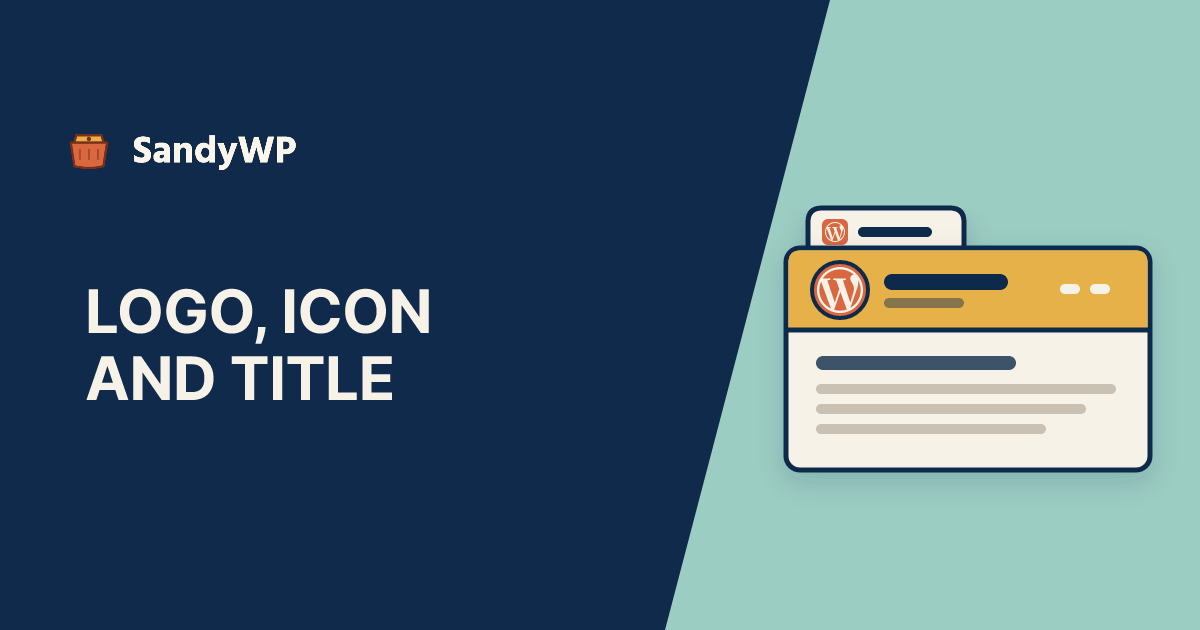
To change the logo in WordPress, open Appearance, Editor, select the Site Logo block in your header and click Replace. In a classic theme, go to Appearance, Customize, Site Identity and click Change logo.
The favicon (WordPress calls it the Site Icon) is set in Settings, General, and the site title is the first field on that same screen.
Those are the clicks every guide covers. None of the three we read (Hostinger, Tonjoo and Jetpack's favicon guide) explains where these settings are stored, and that is what explains the complaints: the logo became the favicon on its own, the logo is not in the header at all, the old favicon still shows in Google, or the logo disappeared after a theme change.
Everything below is checked against the WordPress 7.1.4 source and the Twenty Twenty-Five 1.5 theme.
Where is the logo stored in WordPress?
In one place for the whole site: the site_logo option, which holds the attachment ID of the image in your Media Library.
Classic themes historically saved the logo as a per-theme setting, the custom_logo theme mod.
Since WordPress 5.8, core keeps the two in sync. Saving custom_logo in the Customizer also writes site_logo, and reading custom_logo returns site_logo whenever that option exists (wp-includes/blocks/site-logo.php).
So the logo now follows you across themes. Switch from one theme to another and the new theme shows the same image, as long as it displays a logo at all.
You can see both values over SSH:
wp option get site_logo
wp theme mod get custom_logo
wp post get "$(wp option get site_logo)" --field=guid
How do I change the logo in a block theme?
- Go to Appearance, Editor and open the template or template part that holds your header.
- Click the Site Logo block.
- Click Replace in the toolbar and pick or upload the new image.
- Click Save.
Clicking Save writes the new attachment ID to site_logo. The block does not store the image itself, so every Site Logo block on the site (header, footer, a landing page) changes together.
The width you drag the logo to is different. That is a block attribute, saved in the template part you edited, so the header and footer copies can have different sizes.
Why is there no logo in my header?
Because your theme's header may not have a Site Logo block in it. Twenty Twenty-Five, the current default theme, ships a header with the Site Title only.
Its only Site Logo block is in the footer pattern.
Setting a logo therefore changes nothing in the Twenty Twenty-Five header. You have to add the block: open the header template part, insert Site Logo next to the title, and save.
Once you do, that header is saved in the database and overrides the theme's parts/header.html, so theme updates no longer reach it. We covered that mechanism in detail in how to edit the footer in WordPress; headers work the same way.
The Site Logo block also renders nothing when no logo is set. That is why an empty logo slot leaves no gap or placeholder on the live site.
How do I change the logo in a classic theme?
- Go to Appearance, Customize, Site Identity.
- Click Change logo (or Select logo), choose the image and crop it if prompted.
- Click Publish.
The Logo control only appears if the theme declares add_theme_support( 'custom-logo' ). If Site Identity shows the title and tagline but no logo, your theme does not support one, and the honest options are a different theme, a child theme that adds the support, or a page builder header.
Block themes usually have no Customize link at all. WordPress hides it for them unless a plugin or the theme hooks into the Customizer, so a block theme guide pointing you to Customize will not match your screen.
Why did my logo become the favicon?
The Site Logo block has a Use as Site Icon toggle. When you pick a logo for the first time and the site has no Site Icon yet, the block switches it on for you and sets the same image as the icon.
That is often what you want. If your logo is a wide wordmark, though, it becomes a squashed square in the browser tab.
To separate them, select the Site Logo block, turn Use as Site Icon off, and set a proper square icon in Settings, General. The block's own help text says the same: "To use a custom icon that is different from your site logo, use the Site Icon settings."
How do I change the favicon in WordPress?
- Go to Settings, General.
- Under Site Icon, click Choose a Site Icon (or Change Site Icon).
- Pick a square image at least 512 by 512 pixels and crop it.
- Click Save Changes.
Classic themes also show a Site Icon control under Customize, Site Identity. Both write the same site_icon option.
From that one image WordPress generates crops at 270, 192, 180, 64 and 32 pixels (class-wp-site-icon.php). It then prints four tags into the page head and the login screen:
<link rel="icon" href="...-32x32.png" sizes="32x32" />
<link rel="icon" href="...-192x192.png" sizes="192x192" />
<link rel="apple-touch-icon" href="...-180x180.png" />
<meta name="msapplication-TileImage" content="...-270x270.png" />
A theme or SEO plugin can change these through the site_icon_meta_tags filter, so check page source if the tab shows something you did not set.
Why is my old favicon still showing?
Usually because something is serving /favicon.ico before WordPress gets the chance.
When a browser or crawler asks for /favicon.ico and no such file exists, WordPress handles the request. It redirects to the 32 pixel Site Icon, or to a grey WordPress logo if you have no Site Icon (do_favicon() in wp-includes/functions.php).
If an old favicon.ico file sits in the site root, the web server returns that file directly and WordPress never runs.
Changing the Site Icon then updates every page's tags, but not the file some browsers, feed readers and crawlers ask for. Delete or replace the file:
ls -la favicon.ico
rm favicon.ico   # after checking it is not the icon you want
After that, the usual suspects are caching layers.
Browsers cache favicons stubbornly, so test in a private window, and purge any page cache and CDN. Our guide to clearing the WordPress cache lists each layer.
Google's results pick up favicon changes on its own crawl schedule, which you cannot speed up from WordPress.
Can I upload an SVG logo?
Not by default.
SVG is not in WordPress's list of allowed upload types, because an SVG file can carry scripts. The upload fails with "Sorry, you are not allowed to upload this file type."
You need a plugin that sanitises SVG uploads.
That is a real security decision for a site where several people can upload, so try it on a copy first rather than on the live site.
For the Site Icon, use PNG regardless; WordPress generates its crops from a raster image.
How do I change the site title in WordPress?
Go to Settings, General, edit Site Title, and click Save Changes. The Tagline field below it works the same way.
The title is stored in the blogname option, and the tagline in blogdescription.
In a block theme you can also click the Site Title block in the Site Editor and type over it. That edit is not local to the block: it saves the site-wide blogname option, the same as the Settings screen.
The site title is used in more places than the header:
- the browser tab and the
<title>tag, throughwp_get_document_title() - RSS feeds
- the subject prefix of WordPress's own emails, such as
[Acme Studio] Password Reset - the logo's alt text, when the logo image has no alt text of its own (
get_custom_logo())
That last one is worth knowing.
If you rename the site and your logo has no alt text, screen readers announce the new name automatically. If you set alt text on the image, it wins.
From the command line:
wp option update blogname "Acme Studio"
wp option update blogdescription "Plumbing in Leeds since 1998"
Why did my logo disappear?
Three things in core remove it, and only one of them is obvious:
- You deleted the image from the Media Library. The logo setting points to an attachment. Delete the attachment and the logo has nothing to display. Deleting the Site Icon's image clears the
site_iconoption outright. - You removed the logo in the Customizer. Removing
custom_logoalso deletessite_logo, so the logo goes for every theme, not just the one you were customising. - Something reset the theme's settings. When a theme that supports
custom-logohas all its theme mods deleted, core deletessite_logotoo. A "reset theme options" button in a theme or plugin can take the site-wide logo with it.
The third one catches people because it looks unrelated. You reset a theme's colours and the logo disappears from a different theme you used to run.
Test logo changes on a copy
A logo change is low risk, but the changes around it are not.
Adding a Site Logo block forks your header from the theme.
Allowing SVG uploads changes who can put scripts on the site. Deleting a stale favicon.ico assumes you know what else references it.
If you want to see the result before visitors do, clone the live site into a sandbox. The cloner only reads production, copies the database and wp-content, and rewrites the URLs, so the attachment IDs behind site_logo and site_icon point at the same images in the copy.
Then make the change there, check the header, the footer, the tab and the login screen, and inspect the options over SSH with WP-CLI. When it looks right, repeat the clicks on the live site.
If you build themes, our theme developer setup gives you a disposable site per branch for exactly this kind of header work.