sandywp / plugins / wpide

WPIDE – File Manager & Code Editor
WPIDE is a powerful file manager and code editor for WordPress with tabs, code completion, and full access to the entire wp-content folder.
Ready in seconds.
v3.5.8 40,000+ installs WP 5.0+ PHP 7.4.0+
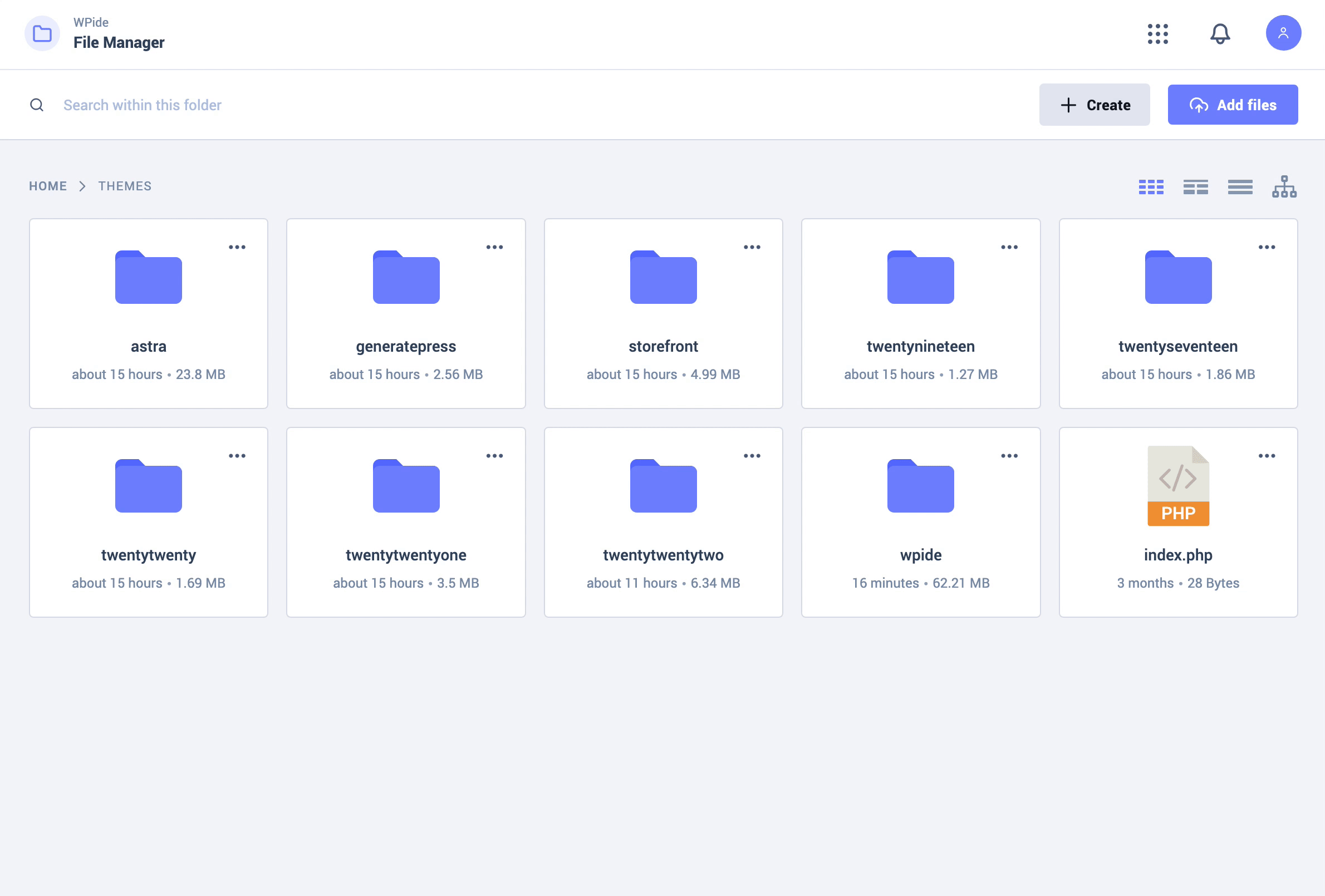
What you get inside
6 screens-
File Manager
-
Code editor + Auto Complete Reference
-
Image Gallery Viewer
-
Video Player Viewer
-
Files & Folders Deep Search
-
File Recovery Wizard
About this plugin
WPIDE is an Advanced File Manager and Code Editor plugin for WordPress that you can use completely for free.
The Code Editor lets you edit any file within your wp-content folder, not just plugins and themes.
The included code completion will help you remember your WordPress/PHP commands providing function reference along the way. Edit multiple files with the tabbed editor.
The File Manager lets you copy, move, duplicate, create archives, download, upload, edit, delete, preview files & directories without FTP or cPanel access.
WPIDE uses a very modern, clean and easy to use interface to make managing and editing your files a breeze! It comes with 6 different themes and a dark mode to reduce blue light exposure.
Did you know?
More than 700,000 WordPress websites were attacked during September 2020.
Malicious bots are looking to exploit vulnerable versions of WP file manager plugins.
Fortunately, WPIDE is built with security in mind and comes with this vulnerability fixed! So rest assured! WPIDE poses no risk to you!
▶️ VIDEO OVERVIEW
https://www.youtube.com/watch?v=wF0PUz8wfRM
⚡️ FEATURES
- Advanced File Manager
- File Tree Browser
- Smart context menu
- Customizable Root Path
- Create new files and directories
- Download files / folders (Batch support)
- Upload files / folders using drag n drop (Batch support)
- Zip / Unzip files and folders (Batch support)
- Deep search for files / folders by keyword
- Calculate folder size
- Advanced File Editor
- Editor Line numbers
- Editor Find + Replace
- Editor Syntax highlighting
- Editor Highlight Matching Parentheses
- Editor Automatic Indentation + Code Folding
- Editor keyboard commands / shortcuts
- Tabbed interface for editing multiple files
- WordPress and PHP code auto-completion
- PHP code parsing and validation
- PHP file backup before saving
- File Recovery Wizard
- Using WordPress filesystem API
- Beautiful Image Gallery
- Video / Audio Media Player
👉 WPIDE PRO
⭐️ PRO FEATURES
File Editor
- Auto Save Feature: While editing, files will be auto saved every X seconds to a draft file. Original files are not affected. If you ever close the page by mistake without saving a file, you will be able to restore from the auto saved file.
- Auto Saved Quick Diff: You can view and compare differences between the auto saved and the current file using the Quick Diff Viewer, then decide if you wish to restore from the auto saved or keep the current file.
- Toggle Full Screen: This will allow you to toggle full screen the editor area by itself, giving you more space while editing on smaller screens.
File Manager
- Advanced Mode Option: When enabled, all files and folders will be available for editing including core WordPress files and the wp-config.php file.
Config Manager
- View all defined constants within wp-config.php
- Add / Update / Remove constants
- Prevent Duplicated Constants
Advanced Image Editor
- Resize / Crop Images
- Apply filters
- Add Frames / Corners
- Add Text / Stickers
- Add Patterns / Gradients
Database Manager
- View Tables
- Create New Tables
- Add / Update / Delete Rows
- Update Table Structure
- Update Column Indexes
- Safe Editing Enabled
Questions
- What is in place to stop me from breaking my website – “The white screen of death”
When you edit a PHP file, before that file is saved to the filesystem it is syntax checked to make sure there isn’t something obvious that will break your site.
Every file that you edit is backed up before your first save to the filesystem and then on subsequent saves WPIDE will try and make a backup. It will save a maximum of files for up to 5 days to the server.
As you edit or more specifically save PHP files, in case of a fatal error, the File recovery Wizard will appear and a restore button will display which will allow you to restore the most recent backup.
If your WordPress install is fully functional then you can use the file manager to browse all of your backed up files (/upload/wpide/backups/), if your WordPress install isn’t responding then restoring the file directly via FTP/SSH is the only way.
The backed up PHP files cannot be accessed/restored from the web directly without the 40 digit nonce/key so should not pose a security concern.
- Can I override the default file permissions when creating files/directories on the local filesystem
Yes you can use the below WordPress settings in wp-config.php which will affect files created with WPIDE and files added during the WordPress upgrade process.
define(‘FS_CHMOD_DIR’, (0755 & ~ umask()));
define(‘FS_CHMOD_FILE’, (0644 & ~ umask()));- I get an error notification on the bottom right saying ‘something went wrong, unknown error’. How can I fix this ?
Some hosts might disable direct access to PHP files which will block the plugin from accessing them.
Some users reported this issue on Cloudways, and they were able to fix it by enabling Direct PHP File Access under application settings within Cloudways dashboard.
This option might be available on other hosting platforms as well.
sandywp / also on the shelf
Try another plugin

4.5 · 20K+ installs
WP Editor is a plugin for WordPress that replaces the default plugin and theme editors as well as the page/post editor.

HTML Editor for Contact Form 7
5.0 · 1K+ installs
Add HTML editor to Contact Form 7 with code highlighter and extended form options.

10+ installs
A TinyMCE code editor with Prism syntax highlighting.
Spin up a real WordPress site in seconds.
Test plugins, build a demo, hand a client a link — then squash it and start again. No local setup, no Docker.