sandywp / plugins / wp-protect-content

WP Protect Content
A very useful wordpress plugin to give extra protection for your website content. This plugin give you an option to Disable Copy content or prevent co …
Ready in seconds.
v2.8 1,000+ installs WP 6.0+ PHP 8.0+
What you get inside
3 screens-
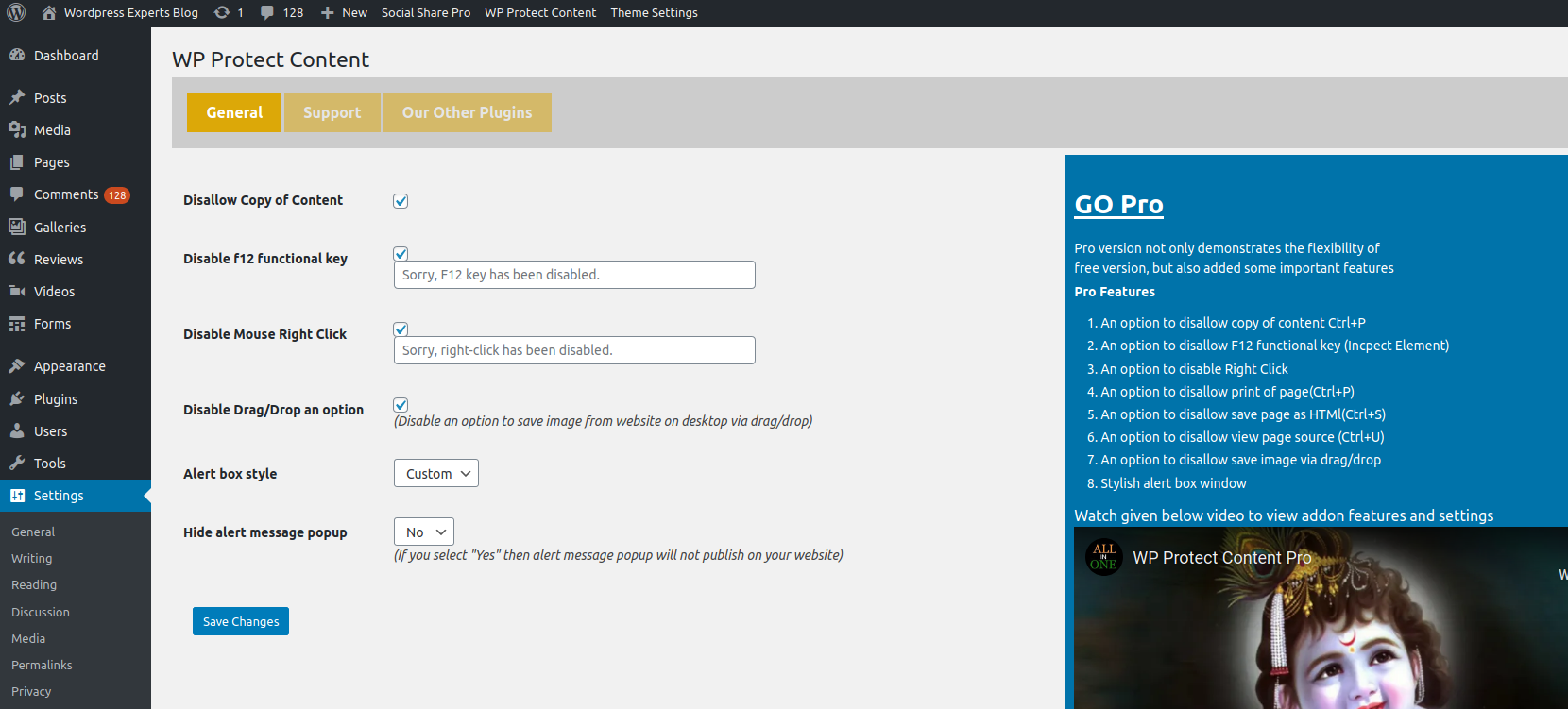
Plugin Settings Page
-
Pro Settings Page
-
Front End
About this plugin
A very useful wordpress plugin to give extra protection for your website content. This plugin give you an option to Disable Copy content or prevent copy, Disable Right Click, Disable F12 functional key, Allow right click for links, Disable print page(Ctrl+P), Disable save page(Ctrl+S), Disable view page source(Ctrl+U) and Disable save image via drag/drop. In this plugin you will have an option to disable restriction for some specific pages.
Features
* Disable Copy Content
* Disable Mouse Right Click
* Disable F12 Functional Key (Inspect Element)
* Modern Alert Popup Box
* Disable Alert Message Box
* Debug Mode (Disable Restriction for Registered User)
Note: If you are using any cache plugin on your website then please clear site cache after enable/update plugin settings
Please don’t forget to leave your valuable feedback and suggestions to make our plugin much better compared to other plugins.
Have you any suggestion? share it
Video Tutorial:
We have released an Add-on of this plugin which not only demonstrates the flexibility of free version, but also added given below important features:
FLAT 15% DISCOUNT ON ADDON! No Coupon Code Required. Hurry! Limited Time Offer!
= Pro Features =
* Disable Copy Content(Ctrl+C)
* Disable F12 Functional Key(Inspect Element)
* Disable Right Click
* Allow Right Click for Links
* Disable Print Page (Ctrl+P)
* Disable Save Page HTML (Ctrl+S)
* Disable View Page Source (Ctrl+U)
* Disable Save Image via Drag/Drop
* Page Specific Settings
* Stylish Alert Box Window
* Faster Support
Add-on Features Video Tutorial:
Questions
- Can I disallow copy of my website pages content?
* Yes, you need to check the corresponding check box from the plugin settings page.
- Can I disallow right click on a website?
* Yes,you need to check the corresponding checkbox from the plugin settings page.
- Can I disallow f12/Inspect Element?
* Yes,you need to check the corresponding checkbox from the plugin settings page.
- Can I disallow the Drag/Drop option to save images on the local computer?
* Yes, This feature is available in add-on of plugin, click here to download addon file
- Can I disallow printing pages ( Ctrl+P)?
* Yes,This feature is available in add-on of plugin, click here to download addon file
- Can I disallow to view page source ( Ctrl+U)?
* Yes, This feature is available in add-on of plugin, click here to download addon file
- Can I disallow to save pages ( Ctrl+S)?
* Yes, This feature is available in add-on of plugin, click here to download addon file
- Can I add page specific conditions?
* Yes, You can update the settings for any individual page. i.e If you want to allow copy content for any specific page then you can do it easily But This feature is available in plugin add-on , Click here to download add-on
sandywp / also on the shelf
Try another plugin

4.3 · 1M+ installs
Import your demo content, widgets and theme settings with one click. Theme authors! Enable simple theme demo import for your…

4.3 · 80K+ installs
Control the appearance of WordPress post excerpts

2.7 · 20K+ installs
Make your website look like the live demo of the theme with a click!
Spin up a real WordPress site in seconds.
Test plugins, build a demo, hand a client a link — then squash it and start again. No local setup, no Docker.