sandywp / plugins / wp-health

WP Umbrella
Security Backup Restore & Monitoring
Everything you need to sell WordPress maintenance and manage multiple sites effortlessly: backup, update, uptime monitoring, and security.
Ready in seconds.
v2.27.2 80,000+ installs WP 5.8+ PHP 7.4+
What you get inside
8 screensAbout this plugin
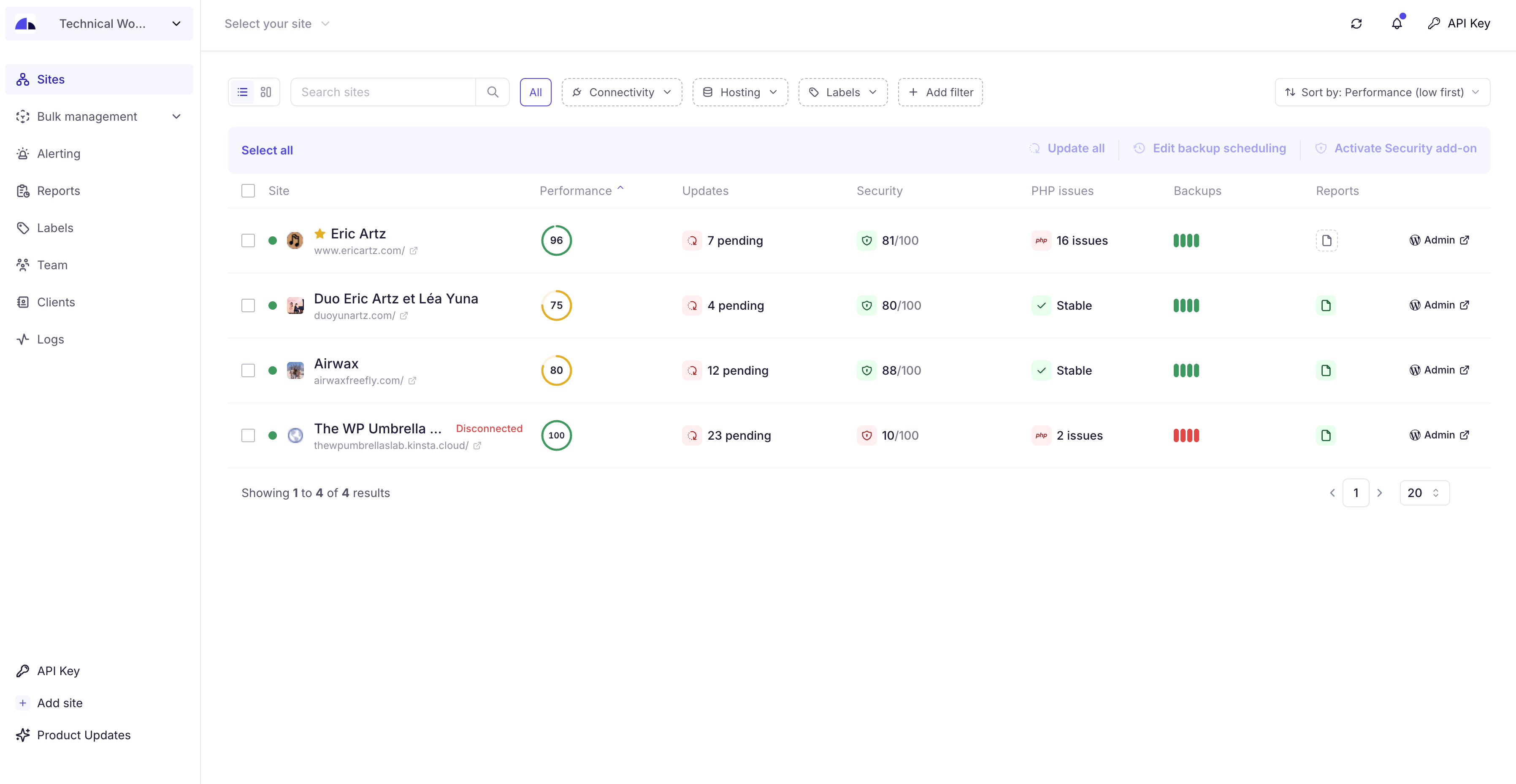
WP Umbrella empowers agencies and WordPress developers to master WordPress maintenance, and manage multiple sites effortlessly. Key features include:
- Dashboard: Monitor, update, and backup all your sites from a single dashboard.
- Automated Cloud Backup: Secured, incremental backup with GDPR compliance, ensuring your data’s safety and easy backup restoration. WP Umbrella provide with GDPR Backup.
- One-Click Updates: Update core, themes, and plugins, maintaining security and performance. Update Rollback available. Exclude update and ignore updates too.
- Uptime Monitoring: Stay informed with alerts on uptime, downtime, and site performance, including Google Page Speed monitoring.
- Error Tracking: Monitor PHP errors to maintain a safe website.
- Security monitoring: monitor vulnerabilities and security metrics.
- Reports: automate your reporting on update, GDPR backup, uptime, etc.
WP Umbrella is the best alternative to ManageWP, MainWP, WP Remote, InfiniteWP and ModularDS.
WordPress Management Features
- Multiple Sites Management: manage and log into your WordPress sites with a unified dashboard.
- Update Management: Bulk update plugins, and themes in 1-click. Rollback included.
- Backup and Restoration: automated and scheduled backups. Backup WordPress now!
- Comprehensive Monitoring: From uptime to WordPress errors.
Premium / Freemium
Create an account and enjoy 14 day trial with all features (backup, uptime monitoring, safe update, etc). Then you only have access to our health check.
Questions
- Why do I need WP Umbrella ?
WP Umbrella is an all-in-one tool for managing multiple WordPress sites. Save time with centralized backup, monitoring, updates, and restoration. Perfect for developers and agencies managing multiple sites.
- Is WordPress maintenance needed?
Routine maintenance keeps WordPress sites secure, updated, and optimized. WP Umbrella makes site management simple with automated backups, uptime monitoring, and bulk updates.
- How does WP Umbrella handle backups?
WPumbrella offers GDPR-compliant backups on Google Cloud servers in Europe. Our GDPR backup system store your backups during 50 days. Our GDPR backups are incremental and the backup encrypted.
- How can I bulk update WordPress ?
WP Umbrella’s update manager lets you update all plugins, themes, and WordPress core across multiple sites in one click. Rollback, Enable or disable automatic updates as needed.
- What do you monitor?
WP Umbrella includes uptime and downtime alerts, performance checks, and Google PageSpeed insights. Get notified instantly for any site issues, allowing quick resolutions. Read our guide about WordPress monitoring! for more info.
- How can I manage multiple WordPress sites?
We suggest you to read our guide about How to manage multiple WordPress sites easily
- Does WP Umbrella work with multisite ?
Yes, WP Umbrella fully supports Multisite networks, allowing backups, updates, and monitoring across all sites in a network.
- How are you better than ManageWP?
WP Umbrella is faster, and more reliable than alternatives like ManageWP, MainWP, and WP Remote. Features include accurate monitoring (no false positives), GDPR backups, and a user-friendly dashboard.
sandywp / also on the shelf
Try another plugin

All-in-One WP Migration and Backup
4.5 · 5M+ installs
Trusted by 60M+ sites: The gold standard for WordPress migration and backup. Migrate, backup, and restore your WordPress site…

UpdraftPlus: WP Backup & Migration Plugin
4.8 · 3M+ installs
Backup, restore or migrate your WordPress website to another host or domain. Schedule backups or run manually. Migrate in minutes.

Jetpack – WP Security, Backup, Speed, & Growth
3.7 · 3M+ installs
Improve your WP security with powerful one-click tools like backup, WAF, and malware scan. Includes free tools like stats, CDN…
Spin up a real WordPress site in seconds.
Test plugins, build a demo, hand a client a link — then squash it and start again. No local setup, no Docker.