sandywp / plugins / wp-graphql

WPGraphQL
WPGraphQL adds a flexible and powerful GraphQL API to WordPress, enabling efficient querying and interaction with your site's data.
Ready in seconds.
v2.22.0 30,000+ installs WP 6.0+ PHP 7.4+
What you get inside
2 screens-
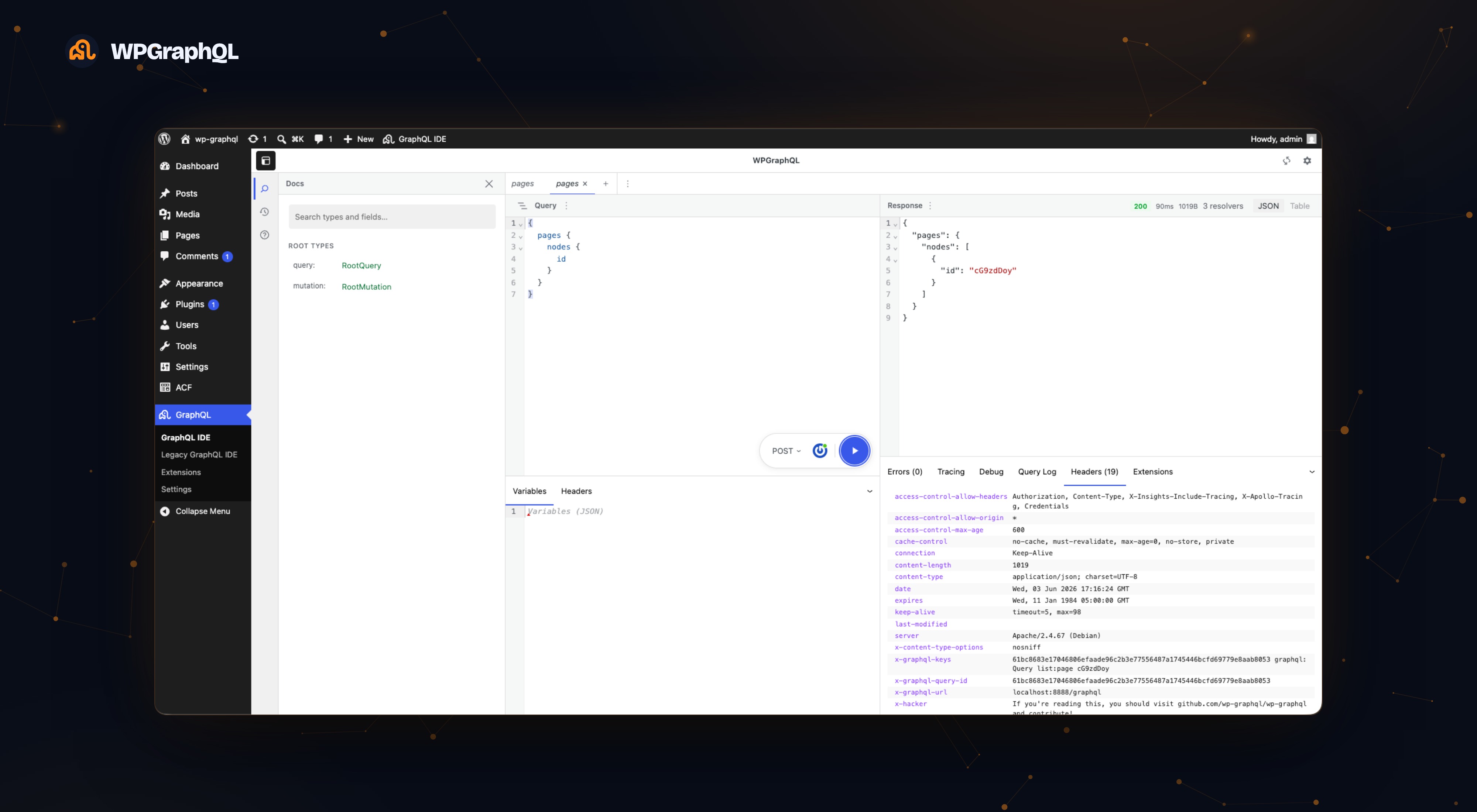
The WPGraphQL IDE — write a GraphQL query with schema-aware autocomplete, run it, and inspect the JSON response, timing, resolver count, and response headers.
-
WPGraphQL settings — configure the GraphQL endpoint, batch queries, query depth limiting, debug mode, and more.
About this plugin
WPGraphQL is a free, open-source WordPress plugin that provides an extendable GraphQL schema and API for any WordPress site.
Get Started
- Install WPGraphQL:
wp plugin install wp-graphql --activate - Try it out: Live Demo
- Read the Quick Start Guide.
- Join the Community on Discord and Star the Repo!
Key Features
- Flexible API: Query posts, pages, custom post types, taxonomies, users, and more.
- Extendable Schema: Easily add functionality with WPGraphQL’s API, enabling custom integrations.
- Compatible with Modern Frameworks: Works seamlessly with Next.js, Astro, SvelteKit, and more.
- Optimized Performance: Fetch exactly the data you need in a single query. Boost performance with WPGraphQL Smart Cache.
WPGraphQL is becoming a Canonical Plugin on WordPress.org, ensuring long-term support and a growing community of users and contributors.
Upgrading
It is recommended that anytime you want to update WPGraphQL that you get familiar with what’s changed in the release.
WPGraphQL publishes release notes on Github.
WPGraphQL has been following Semver practices for a few years. We will continue to follow Semver and let version numbers communicate meaning. The summary of Semver versioning is as follows:
- MAJOR version when you make incompatible API changes,
- MINOR version when you add functionality in a backwards compatible manner, and
- PATCH version when you make backwards compatible bug fixes.
You can read more about the details of Semver at semver.org
Privacy Policy
WPGraphQL uses Appsero SDK to collect some telemetry data upon user’s confirmation. This helps us to troubleshoot problems faster and make product improvements.
Appsero SDK does not gather any data by default. The SDK starts gathering basic telemetry data only when a user allows it via the admin notice.
When you opt in, each telemetry request is sent to Appsero and a duplicate is sent in a non-blocking request to WPGraphQL-operated infrastructure at https://telemetry.wpgraphql.com (the same categories of data as described for Appsero below).
Learn more about how Appsero collects and uses this data.
Questions
- How is WPGraphQL funded?
WPGraphQL is free and open-source. It is supported by contributors, backers, and sponsors, including Automattic, which provides significant support as WPGraphQL becomes a Canonical Plugin.
Learn more about supporting WPGraphQL on Open Collective.
- Can I use WPGraphQL with xx JavaScript framework?
Yes! WPGraphQL works with any client that can make HTTP requests to the GraphQL endpoint. It integrates seamlessly with frameworks like Next.js, Gatsby, Astro, and more.
- Where can I get support?
You can join the WPGraphQL Discord community for support, discussions, and announcements.
- How does WPGraphQL handle privacy and telemetry?
WPGraphQL uses the Appsero SDK to collect telemetry data only after user consent. This helps improve the plugin while respecting user privacy. When telemetry is enabled, the same payloads are also mirrored to WPGraphQL-operated infrastructure at https://telemetry.wpgraphql.com.
sandywp / also on the shelf
Try another plugin

1K+ installs
Modern GraphQL IDE for WPGraphQL — schema-aware editor, execution history, saved queries, and a public endpoint mode.

5.0 · 1K+ installs
Faust.js™ transforms your traditional WordPress installation into a flexible headless CMS.

CoCart – Headless REST API for WooCommerce
4.9 · 900+ installs
Ship your headless WooCommerce storefront faster. CoCart is the REST API built for Next.js, React, Vue, and any modern frontend —…
Spin up a real WordPress site in seconds.
Test plugins, build a demo, hand a client a link — then squash it and start again. No local setup, no Docker.