sandywp / plugins / tidy-related-posts

Tidy Related Posts
Contextual Related Posts & Internal Links
Contextual related posts scored on categories, tags, wording and freshness, plus inline "Read also" internal links. No external service.
Ready in seconds.
v1.1.4 WP 6.0+ PHP 8.2+
What you get inside
4 screens-
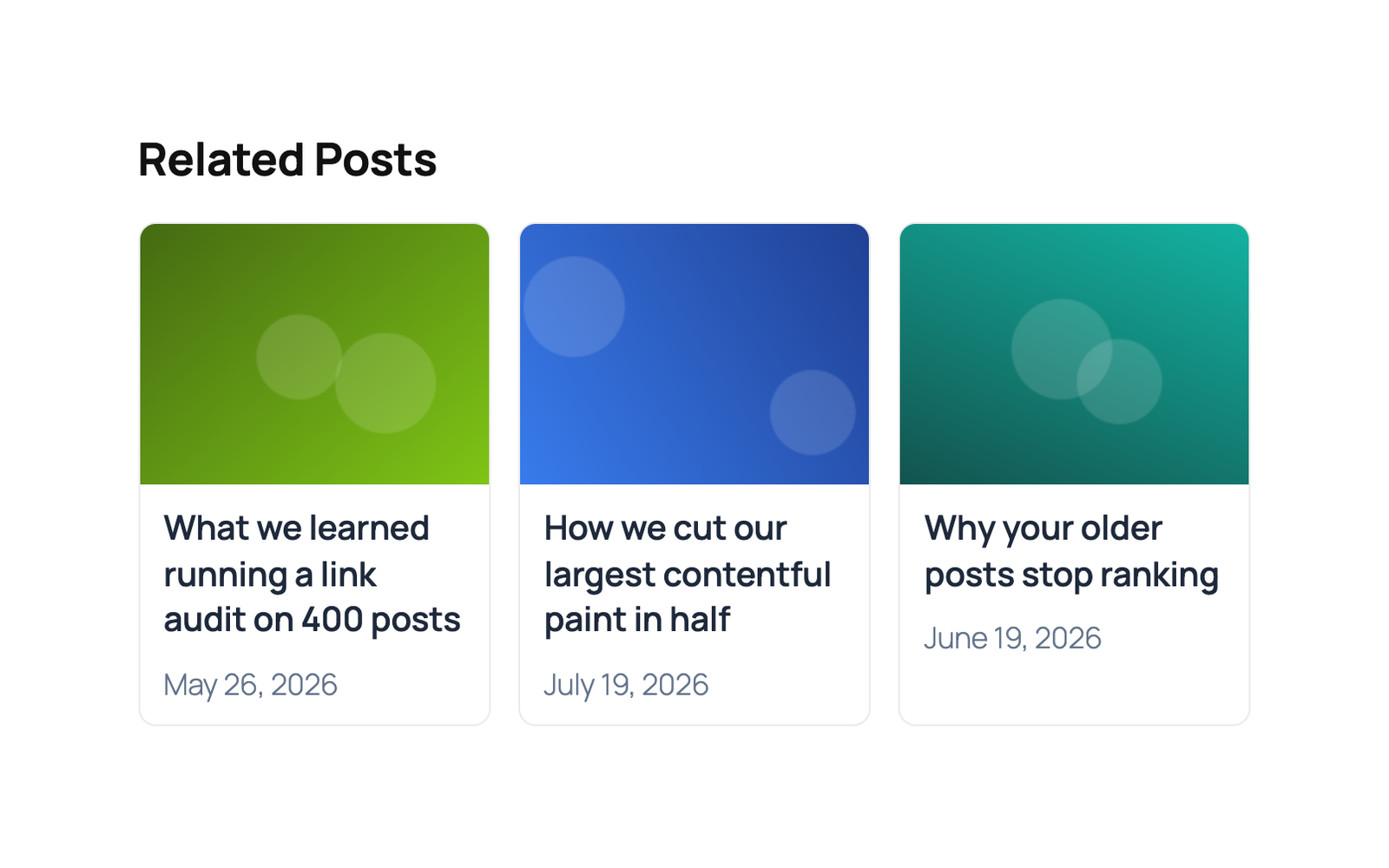
Related posts at the end of an article, in the grid layout with featured images and dates
-
Scoring — tune how much categories, tags, title, content and freshness each count
-
End of post — pick a layout (list, cards, grid, minimal) and what each card shows
-
Inline links — drop contextual internal links inside the article body automatically
About this plugin
Most related-posts plugins show whatever shares a category. That is why the same three articles follow readers around your whole site.
Tidy Related Posts scores every pair of posts on five signals — categories, tags, title wording, body content and freshness — and you decide how much each one counts. The result is a suggestion block that actually matches what someone just read, which keeps readers on the site and spreads internal links across your archive instead of piling them on the same few posts.
How the scoring works
Each signal contributes a weight you control in the settings:
- Categories and tags — shared taxonomy terms, scored with the Jaccard index
- Title and content — TF-IDF analysis of the actual wording, so two posts about the same subject match even when they were filed differently
- Freshness — a nudge towards recent articles, so old posts do not dominate forever
Scores are computed in the background by WP-Cron and cached, so visitors never wait for the calculation.
Display
- Four layouts: list, cards, grid and minimal
- Show or hide the featured image, publication date and excerpt
- Insert automatically after the content, or place it yourself with the Gutenberg block or the
[tidy_related_posts]shortcode - Override the templates from your theme if you want full control of the markup
Inline internal links
Beyond the end-of-post block, the plugin can drop contextual links inside the article body — after a given number of paragraphs, in a “Read also” line or as a visual card. Posts already linked inline are excluded from the block at the end, so the same article is never suggested twice on one page.
What it does not do
No external service, no account, no data leaves your site. Nothing is added to your pages until you enable it.
More from Tidy Plugins
If you like this plugin, take a look at the rest of the Tidy suite:
- Tidy Table of Contents — automatic, accessible table of contents
- Tidy Draft Share — share drafts via secure, expiring preview links
- Tidy Author Box — author bio box with avatar and social links
- Tidy Broken Link Scan — find broken links and images, no external service
Questions
- Why do I see no related posts on a new site?
Scores are computed in the background by WP-Cron, and a post needs something to be compared against. On a site with only a handful of articles, or right after activation, there may be nothing close enough to suggest yet. Publish a few more posts, or open Related Posts and run the calculation manually.
- Can I change how much categories count compared to the article text?
Yes, that is the point of the Scoring tab. Each of the five signals has its own weight and the totals should add up to 1.0. If your categories are broad, lower their weight and let the title and content analysis do the work.
- Does it slow down my site?
No. Nothing is computed while a visitor is loading a page: scores are calculated by WP-Cron and stored, then the rendered block is cached for 24 hours by default. You can change the cache duration in the Advanced tab.
- Can I exclude some posts or categories?
Yes. You can exclude whole categories, individual tags, or specific post IDs, and you can turn the block off per post from the editor.
- Does it work with custom post types?
Yes. Tick the post types you want in the Scoring tab; the plugin will index and suggest across them.
- Can I place the block somewhere other than the end of the post?
Yes. Use the Gutenberg block or the
[tidy_related_posts]shortcode anywhere in your content, or switch the automatic position to before the content. You can also disable automatic insertion entirely.- Will it style itself like my theme?
The layouts inherit your theme’s fonts and colours. If you need to go further, copy the template files into your theme and edit the markup directly.
- Does it send anything to an external server?
No. All the analysis runs on your own site and no data is sent anywhere.
sandywp / also on the shelf
Try another plugin

YARPP – Yet Another Related Posts Plugin
4.8 · 100K+ installs
The best WordPress plugin for displaying related posts. Simple and flexible, with a powerful proven algorithm and inbuilt caching.

4.8 · 50K+ installs
Keep visitors on your site longer with intelligent, fast-loading, contextually related posts. Block, shortcode, custom post type…
-
Related Posts Plugin to improve Traffic & Bounce-Rate with Superior Algorithm. ZERO Server Load & Highly Configurable…

Spin up a real WordPress site in seconds.
Test plugins, build a demo, hand a client a link — then squash it and start again. No local setup, no Docker.