sandywp / plugins / simplybook

SimplyBook.me
Booking and reservations calendar
Simply add a booking calendar to your site to schedule bookings, reservations, appointments and to collect payments.
Ready in seconds.
v3.5.0 30,000+ installs WP 6.6+ PHP 7.4+
What you get inside
5 screens-
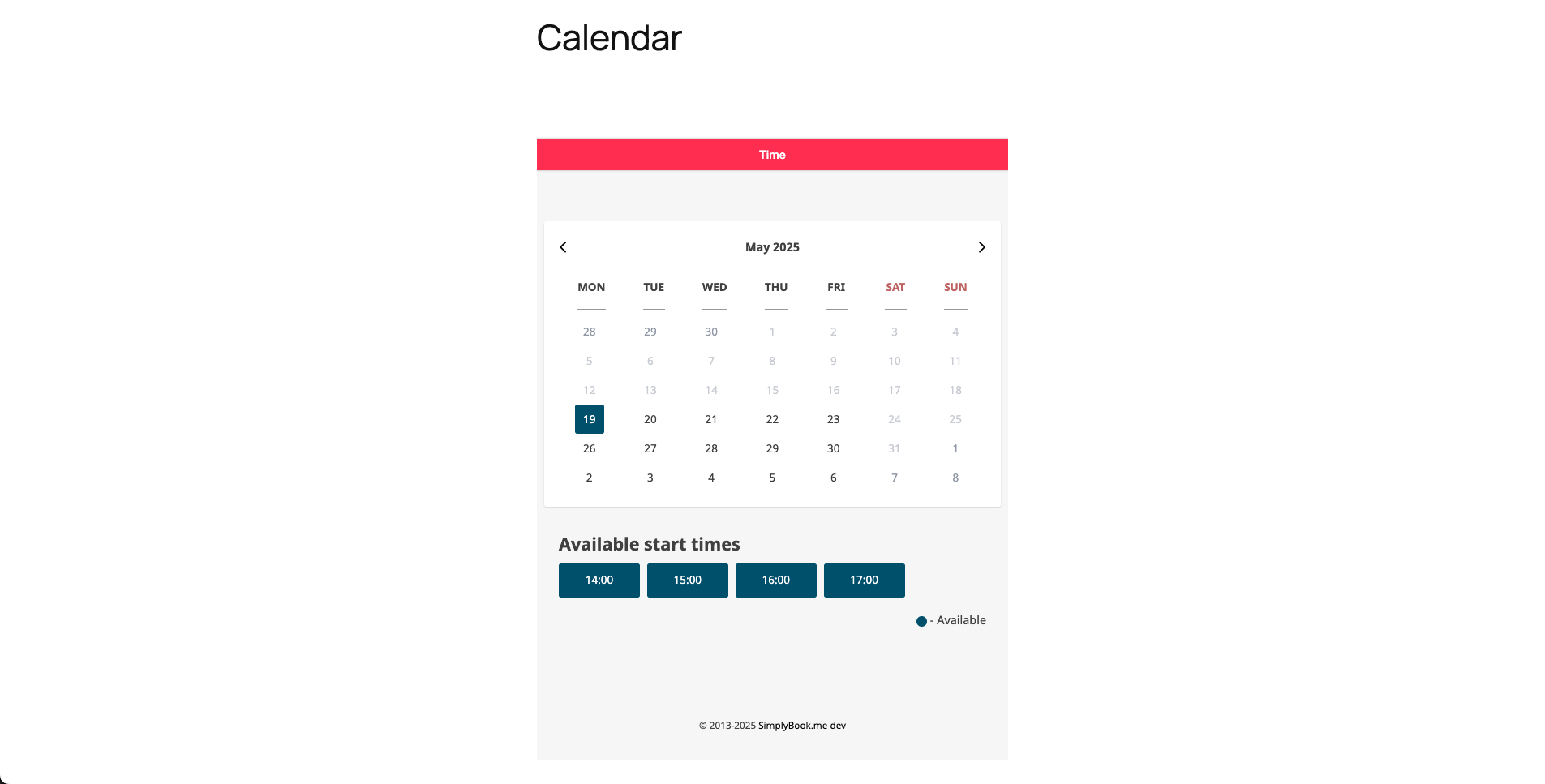
The booking widget on the frontend of your site
-
Booking widget - Confirmation step
-
Simple configuration - Design your booking calendar in a few steps
-
Keep track of your bookings via the simple plugin dashboard
-
Your appointments schedule is also accessible via the mobile app!
About this plugin
SimplyBook.me is the easiest way to start collecting bookings on your WordPress website. The plugin will allow you to register your free account and immediately publish your booking calendar on the front-end of your site. With a few clicks, you can easily add your services and service providers, and design the most beautiful booking widget. You will be collecting appointments and reservations in no-time!
- Easy appointment scheduling
- Simple plugin onboarding and configuration
- Manage your calendar and bookings using the powerful mobile app (iOS and Android)
- Accept touchless payments via the app on your onsite checkout
- High email deliverability for reservation confirmations and appointment reminders.
- Create multiple services, providers, categories and locations
- Send email and SMS notifications to your customers for their bookings
- Add “Book now” buttons on your Instagram, Facebook and Google Business Profile
- Sell Memberships, packages & gift cards
- Manage bookings for Classes & Events
- Increase sales by offering products and service add-ons in the booking process
- Marketing campaigns by emails and push notifications
- Waiting Lists and “Make me look busy” features
- Offer Coupons and a Loyalty System to enhance brand loyalty
- Insights and statistics about your bookings, reservations, cancellations, workload and revenues
- Adjust time zone settings if you have clients in different time zones
- Create individual schedules for staff
- Create multiple users related to providers
- Accepting payments and/or deposits to confirm the bookings in the booking process
- Easily implement your booking widget with a block in the Block Editor, an Elementor widget or a shortcode
SimplyBook.me can be used for free up to 50 appointments per month. In addition, you can use one of the Special features for free! After creating an account, you will automatically be signed up for a Free 14-day trial, which allows you to test the Special Features without any restrictions, including advanced scheduling tools. When the trial ends, you can select the Free plan on the Plans & Prices page and keep using SimplyBook.me for free.
Why SimplyBook.me?
SimplyBook.me is the online booking system behind the plugin. Your clients book your services on your site at any time. You manage the bookings in the plugin dashboard, the SimplyBook.me admin panel or the mobile app.
- Fewer no-shows. SimplyBook.me sends automatic email and SMS reminders for every booking.
- No double bookings. Services, providers and schedules live in one calendar. Clients only see free time slots.
- Insight into your business. See statistics on bookings, cancellations, workload and revenue.
- More revenue per booking. Offer service add-ons, products, memberships, packages and gift cards during booking.
- Fill quiet days. Send email campaigns and offer coupons or loyalty points to your clients.
- Manage on the go. Accept, move or cancel bookings in the mobile app for iOS and Android.
Thousands of businesses all over the world use SimplyBook.me. Read more at SimplyBook.me.
This is the official SimplyBook.me plugin. SimplyBook.me and Really Simple Plugins develop it together. SimplyBook.me is ISO 27001 certified. The plugin stores your settings, bookings and client data on SimplyBook.me through its API. Read the External services section below for each service the plugin connects to, the data it sends, and the privacy policy and terms of each service.
What the plugin does for you
The plugin brings SimplyBook.me into your WordPress dashboard. You do not need to leave WordPress to get started.
- Start in minutes. Register a free SimplyBook.me account from the plugin onboarding, or log in with an existing account. Custom domains and 2FA are supported.
- Place the widget anywhere. Add the booking calendar with the SimplyBook.me block in the Block Editor, with the SimplyBook.me widget in Elementor, or with a shortcode in any page, post or template.
- Match your theme. The plugin reads your theme colors and uses them as the default widget style. Adjust colors and layout in the settings.
- Manage services in WordPress. Create and edit services, service providers and their details from the plugin.
- Keep track. The plugin dashboard shows your recent bookings and open setup tasks.
External services
This plugin is a bridge between your WordPress site and your SimplyBook.me booking system. It connects to the SimplyBook.me API to log you in, to save your company settings, and to load your bookings and statistics in the plugin dashboard. With each request it sends your site URL and the plugin, WordPress and PHP version to SimplyBook.me. The Plans & Prices page loads a subscription script from SimplyBook.me.
The booking widget shows the booking form to your visitors. It sends the IP address of the visitor when a page with the widget loads, and the booking data when the visitor books. Without a connected account, a demo widget on demowidgetwpplugin.simplybook.it receives the IP address instead.
During onboarding, the plugin can create a SimplyBook.me account for you. It sends your site URL and plugin installation data to the Really Simple Plugins account service (simplybook.rsp-auth.com) together with your account details when you submit the account form. Google reCAPTCHA Enterprise protects this form and receives the IP address and browser data of the admin. The same step shows a tutorial video from YouTube, which receives your IP address and browser data. No cookies are set before you play the video.
For more information:
- SimplyBook.me: Terms and Conditions & Privacy Policy
- Really Simple Plugins: Terms of Use & Privacy Statement
- Google reCAPTCHA: Terms of Service & Privacy Policy
- YouTube: Terms of Service & Privacy Policy
Source code
This plugin contains compiled JavaScript in react/build/ and assets/block/build/. The uncompiled source code is publicly available at https://github.com/Really-Simple-Plugins/simplybook. The source of the admin app is located in react/src/ and the source of the block is located in assets/block/src/.
To build the admin app, run npm install and npm run build in the react/ directory. To build the block, run npm install and npm run build in the assets/block/ directory.
About Really Simple Plugins
Really Simple Plugins is the creator of several widely used plugins, including Really Simple Security and Complianz. With a total of ~5 million installs, we focus on making the most user-friendly and easy-to-use plugins. We work with SimplyBook.me to make the most powerful booking system available directly in your WordPress dashboard.
Questions
- Is SimplyBook.me free to use?
Yes. The plugin is free and SimplyBook.me offers a free plan. You do not need to enter credit card details to create an account. On the Free plan you can publish the booking widget, manage your bookings in the SimplyBook.me mobile app for iOS and Android, and accept up to 50 bookings per month. You can also use one of the SimplyBook.me Special Features on the Free plan.
- Can I try the Special Features before subscribing?
Yes. Every new account automatically gets a 14-day trial with all Special Features, unlimited service providers and unlimited bookings. After the trial you can select the Free plan on the Plans & Prices page in the plugin, or choose a paid plan if you want to use more Special Features or need more than 50 bookings per month.
- Do I need to register for an account?
Yes. Your bookings are processed through the SimplyBook.me API, so the plugin needs to connect your site to a SimplyBook.me account. This is what makes features like the mobile app, email and SMS reminders and payment collection possible. The plugin guides you through a short onboarding, or you can register at SimplyBook.me first.
- What if I already have a SimplyBook.me account?
Skip the onboarding and log in with your existing credentials. Custom SimplyBook.me domains and email two-factor authentication (2FA) are supported at login.
- How do I add the booking calendar to my site?
The plugin creates a “Book now” page for you during onboarding. You can also place the booking widget anywhere on your site with the SimplyBook.me block in the Block Editor, the SimplyBook.me Elementor widget or a shortcode.
- Will the booking widget match my theme?
Yes. The plugin reads your theme colors and uses them as the default widget style. You can change the colors and layout at any time in the plugin settings.
- Where do I manage my bookings?
Wherever suits you. The plugin dashboard in WordPress shows your recent bookings and open setup tasks. You can also manage everything in the SimplyBook.me admin or accept, move and cancel bookings on the go in the mobile app for iOS and Android.
- Can I manage my services and staff from WordPress?
Yes. You can create and edit services, service providers and their details directly in the plugin. More advanced options, such as multiple locations, categories and individual staff schedules, are available in the SimplyBook.me admin.
sandywp / also on the shelf
Try another plugin

Booking for Appointments and Events Calendar – Amelia
4.6 · 90K+ installs
Amelia is a powerful booking plugin for appointments and events. Manage scheduling, calendars, and availability with an…

Events Manager – Calendar, Bookings, Tickets, Appointments and more!
4.2 · 60K+ installs
Events calendar and booking system: bookings, reservations, appointments, scheduling, event registration, tickets and recurring…

Online Scheduling and Appointment Booking System – Bookly
4.4 · 60K+ installs
Appointment booking system for WordPress — schedule appointments, manage calendars, send reminders, take payments. Start booking…
Spin up a real WordPress site in seconds.
Test plugins, build a demo, hand a client a link — then squash it and start again. No local setup, no Docker.