sandywp / plugins / popups-for-divi

Popups for Divi
A quick and easy way to create Popup layers inside the Divi Visual Builder!
Ready in seconds.
v3.2.8 100,000+ installs WP 4.0.0+ PHP 7.0+
What you get inside
5 screens-
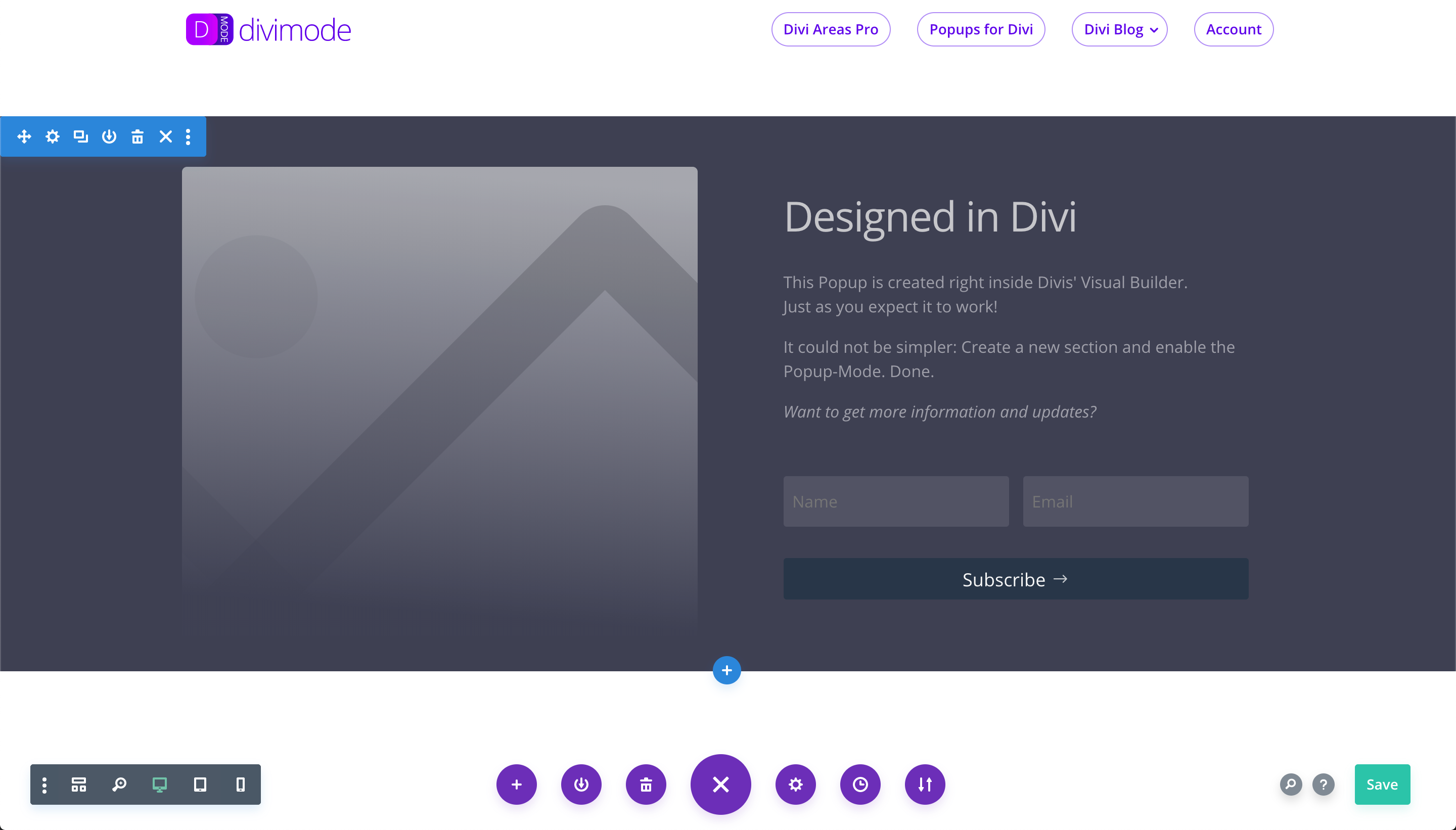
Step 1: Prepare your Popup inside a normal Divi Section, right on your page.
-
Step 2: Open the Section Settings, enable the "This is a Popup" flag and define a unique Popup ID.
-
Step 3: That's how the final Popup is displayed to a visitor.
-
Check out the extensive API documentation and popup samples on divimode.com
-
Our free email course walks you through every aspect of the plugin - from the basics to advanced use-cases and techniques.
About this plugin
After the plugin is activated, the Visual Builder displays a new tab called “Popup” in the Section Settings modal. In the “Popup” tab, you can turn a regular Section into a Popup!
It’s super simple, as you can see on the plugins Demo Page: divimode.com/divi-popup/demo
ℹ️ How it works
First, activate the plugin (no configuration needed!)
- Open up your Visual Builder and edit a Section – you’ll see a new “Popup” tab in the Section Settings.
- Toggle the option “This is a Popup” and set the “Popup ID” to something (e.g., “
newsletter-optin“). Close the Section Settings. - Add a Button Module somewhere else on the page and set the “Link URL” to your Popup ID, with a leading “#” hash (e.g. “
#newsletter-optin“) - That’s all. Save the page and exit the Visual Builder! Click on the button, and you’ll see your Popup. Congratulations!
⭐️ Additional details
Check out the Plugin website for more details. You’ll find:
- Examples
- CSS class options
- JS API documentation
- WP filter documentation
Tested in all major browsers on Windows and Mac: Chrome, Firefox, Safari, IE 11, Edge!
Popups for Divi Course
During the past years, we’ve added a ton of features and have created a stable and powerful marketing plugin.
To celebrate the anniversary, we have created a six-day course that teaches you everything about the plugin. It walks you through the basics of creating your first Popup, shows possible ways to customize your Popup layouts and goes into advanced techniques and usages of the plugin.
“The instruction emails really helped me to understand how to use the plugin correctly!”
The course is available in your wp-admin Dashboard right after you install and activate the plugin. Check out the screenshots to see the form. Also, have a look in the FAQ section, if you want to disable this feature.
🥳 Want more?
If you want to get the most out of Divi, you need to have a look at Divi Areas Pro to get additional features:
- An admin UI to create and configure your popups
- Choose between 4 Area Types: Popup, Inline, Fly-in, Hover
- A beautiful UI that blends in perfectly with Divi
- Add advanced triggers to your Areas:
- On click
- On hover
- On scroll
- After delay
- On Exit
- Customize the Area Display
- Show on certain pages
- Show on certain devices
- Show for certain user roles or guests
- Customize Area Behavior
- Show/Hide the Close button
- Display the Area once per hour, day, week, …
- Flexible position for Inline Areas
- Replace/extend the page header
- or Footer
- or Comment section
- or actually any Divi section inside the page content
- It comes with an extended version of the JS API
- Great documentation built into the plugin and an online knowledge base
- and much more…
👉 Learn more about Divi Areas Pro (with screenshots!)
Questions
- How do I use Popups for Divi to create a popup?
- How much performance does Popups for Divi need?
Actually none! We designed it with maximum page performance in mind. Our tests did show literally no change in page loading speed.
The plugin will add a single line of CSS to the page output and load two files that currently are only about 31 kb in size (9kb gzipped). Both files are cached by the browser and used on all other pages of your website.
Those two files are the JS API and the popup CSS rules that center the popup, dim the background, etc.
- Is Popups for Divi compatible with Caching plugins?
Yes, absolutely! There is no dynamic logic in the PHP code like other popup plugins have. Popups for Divi is a little bit of PHP but the main logic sits inside the small javascript library it provides. It works on the client-side and therefore is not restricted by caching plugins.
- Is this plugin compatible with every Divi version?
This plugin is kept compatible with the latest Divi release.
We did test it with all releases since the initial Divi 3.0 release. Possibly it will also work with older versions
- Does this plugin also work with other themes/site builders?
Yes, actually it will! But out of the box it is optimized to work with Divi 3.0 and later. If you use any other theme or site builder then you need to change the default options of the plugin via the
evr_divi_popup-js_datafilter.For more details visit divimode.com/divi-popup
- Does this plugin display any ads?
No. This plugin is free and does not display any ads. In fact, the plugin does not have a UI at all.
Popups for Divi is just that – a plain popup plugin, not our marketing strategy!
Since version 1.6.0 we now offer a six-day email course that shows you how the plugin works. You will see a notification in your wp-admin dashboard right after activating the plugin.
- Do you collect any details from my website?
No, we do not collect or transmit any data from your website.
Since version 1.6.0 there is one exception: We now offer an email course that shows you how the plugin works. You will see a notification in your wp-admin dashboard right after activating the plugin. When you opt-in to receive the onboarding emails we will transmit the details you entered (your name and email address) to the plugin website to add you to our onboarding email-list.
- Is there a way to hide the onboarding notice?
Yes, there is!
Since 1.6.0 the plugin offers an onboarding course that consists of 6 emails. We offer this course right after plugin activation in your wp-admin “Dashboard” page (nowhere else).
This onboarding notice is displayed to administrator users only. Once the user clicks on the “Dismiss” button, the message is never displayed again for them.
You can also globally disable the onboarding notice by defining the constant
DISABLE_NAG_NOTICESin your wp-config.php or themes function.php
sandywp / also on the shelf
Try another plugin

Supreme Modules Lite – Divi Theme, Extra Theme and Divi Builder
4.8 · 200K+ installs
Divi Supreme lite plugin enhances the experience and features found on Divi and extend with custom creative modules to help you…

4.7 · 50K+ installs
41 free Divi 5 modules: Image Carousel, Logo Carousel, Accordion, Tabs, Modal Popup, Tooltip, and more. Built natively for the…

Divi Carousel – Image, Logo & Video Carousel for Divi Theme
4.8 · 30K+ installs
Free carousel modules for the Divi Theme and Divi Builder. Build a Divi image carousel, logo carousel, video carousel or slider…
Spin up a real WordPress site in seconds.
Test plugins, build a demo, hand a client a link — then squash it and start again. No local setup, no Docker.