sandywp / plugins / breadcrumbs-divi-module

Breadcrumbs Divi Module
A simple lightweight plugin that adds a breadcrumbs module in the Divi theme.
Ready in seconds.
v2.0.0 10,000+ installs WP 5.0+ PHP 8.0+
What you get inside
2 screensAbout this plugin
The Divi Breadcrumbs plugin enhances your website by adding a customizable Breadcrumbs module to the Divi Builder. Breadcrumbs improve user experience by providing a clear navigational path, helping visitors understand their location within your site and easily backtrack to previous sections.
Features
- Visual Builder Supported: Enjoy seamless integration with Divi’s Visual Builder. You can drag and drop the Breadcrumbs module into your layout.
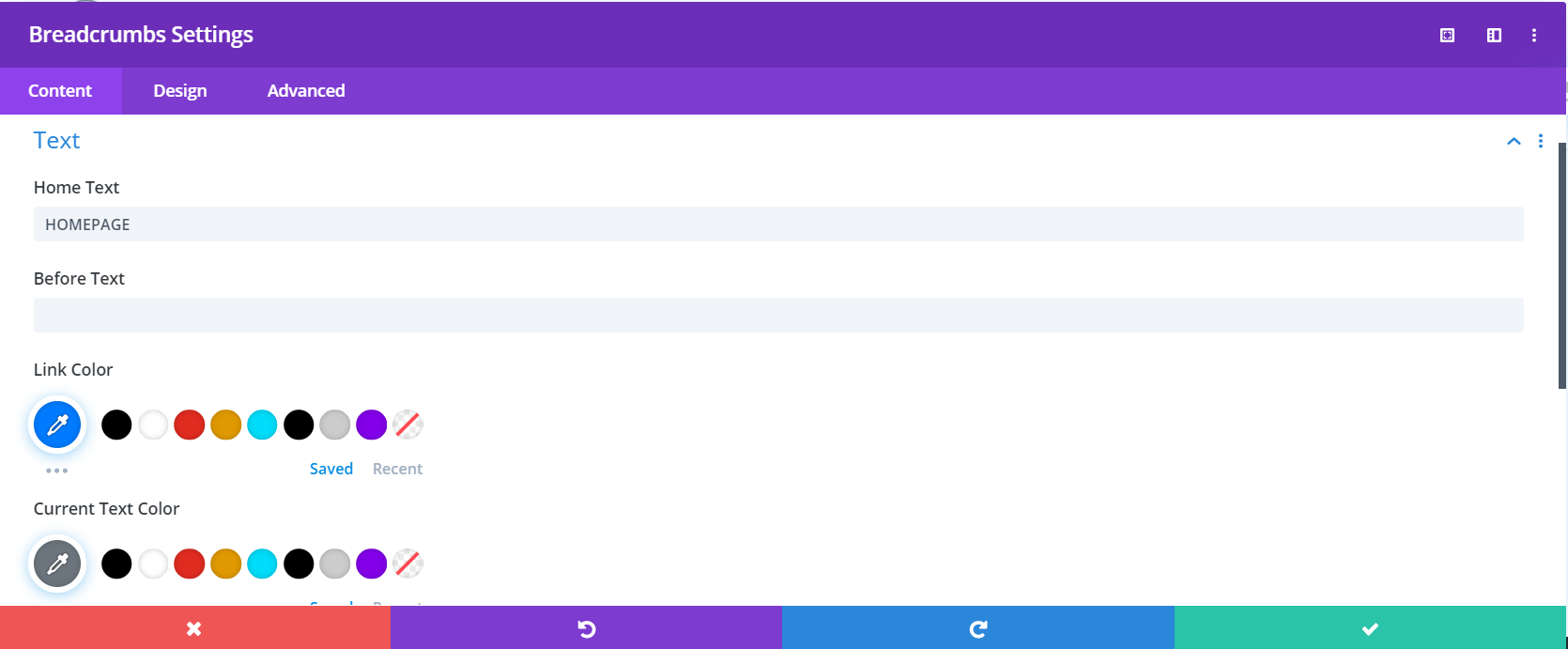
- Customizable Home Text: Define your own text for the home link in the breadcrumbs, offering more flexibility in how you label the starting point.
- Before Text Option: Add a custom text that appears before the breadcrumbs, providing additional context to your breadcrumbs.
- Icon Options: Choose from Divi’s icon library to use as the separator between breadcrumb links. You can also add a custom icon before the breadcrumbs to further personalize their appearance.
- Custom Home Link: If you need to link the home breadcrumb to a custom URL, this option allows you to do so.
- Color Customization: Tailor the colors of your breadcrumbs to align with your site’s design:
- Link Color: Set a custom color for breadcrumb links and define a different color for the hover state, ensuring your breadcrumbs.
- Separator Color: Customize the color of the separator icon.
- Current Text Color: Specify a color for the text of the current page, helping users easily identify their current location.
For a live demonstration and to see the Breadcrumbs module in action, visit Breadcrumbs Demo Page.
The content generated in the Visual Builder is only for preview. Part of the Breadcrumbs in the Visual Builder is dummy data but don’t worry you will see the correct breadcrumbs on the front end after you exit the builder.
More Free Divi Plugins
- Divi Contact Form DB
- Divi Post Carousel Module
- Divi Overlay on Images Module
- Divi Menu Cart Module
- Divi Flip Cards Module
- Divi Breadcrumbs Module
- Divi Image Carousel
If you have any questions or feature ideas please create a new thread in Support.
Questions
- Where can I access the module?
After you activate the plugin a module should automatically appear in the module list. The name of the module is Breadcrumbs
- Why does the Breadcrumbs content in the Visual Builder look different from the front end?
The content generated in the Visual Builder is only for preview purposes and includes dummy data. This is to help you visualize how the Breadcrumbs will look in the layout. However, the actual Breadcrumbs that appear on the front end of your site will reflect the correct hierarchy of your pages or categories once you exit the builder.
- What is the purpose of the ‘Home Text’ setting in the Breadcrumbs module?
The ‘Home Text’ setting allows you to customize the text that is displayed for the home link in the breadcrumbs. By default, it is set to ‘Home’.
- What does the ‘Before Text’ setting do?
The ‘Before Text’ setting allows you to specify any text that you want to display before the breadcrumbs.
- How can I change the icon used as a separator in the breadcrumbs?
You can change the separator icon in the breadcrumbs by using the ‘Separator Icon’ setting. This setting allows you to select an icon from the available options.
- What is the ‘Add Before Icon’ setting used for?
The ‘Add Before Icon’ setting allows you to add an icon before the breadcrumbs. You can choose the icon from the available options.
- How can I use a custom link for the Home item in the breadcrumbs?
You can use a custom link for the Home item by enabling the ‘Use Custom Home Link’ setting and then providing the link in the ‘Custom Home Link’ setting.
- How can I change the color of the links, separator, and current text in the breadcrumbs?
You can change the color of the links, separator, and current text in the breadcrumbs module by using the ‘Link Color’, ‘Separator Color’, and ‘Current Text Color’ settings respectively. These settings allow you to choose a custom color for each element.
sandywp / also on the shelf
Try another plugin

4.6 · 700K+ installs
Adds breadcrumb navigation showing the visitor's path to their current location.

4.7 · 10K+ installs
Flexy Breadcrumb is a lightweight, responsive, and SEO-optimized breadcrumb plugin that makes navigating page hierarchies…

Breadcrumb – Breadcrumb for WooCommerce and Custom Post Types
4.6 · 10K+ installs
Super light weight & easy breadcrumb navigation for wordpress site.
Spin up a real WordPress site in seconds.
Test plugins, build a demo, hand a client a link — then squash it and start again. No local setup, no Docker.