sandywp / plugins / instagram-slider-widget

Social Slider Feed
Social Media Feed & Gallery Widgets
Display Instagram, Facebook and YouTube feeds in widgets, posts, pages, or anywhere else on your website.
Ready in seconds.
v2.3.5 10,000+ installs PHP 7.4+
What you get inside
8 screens-
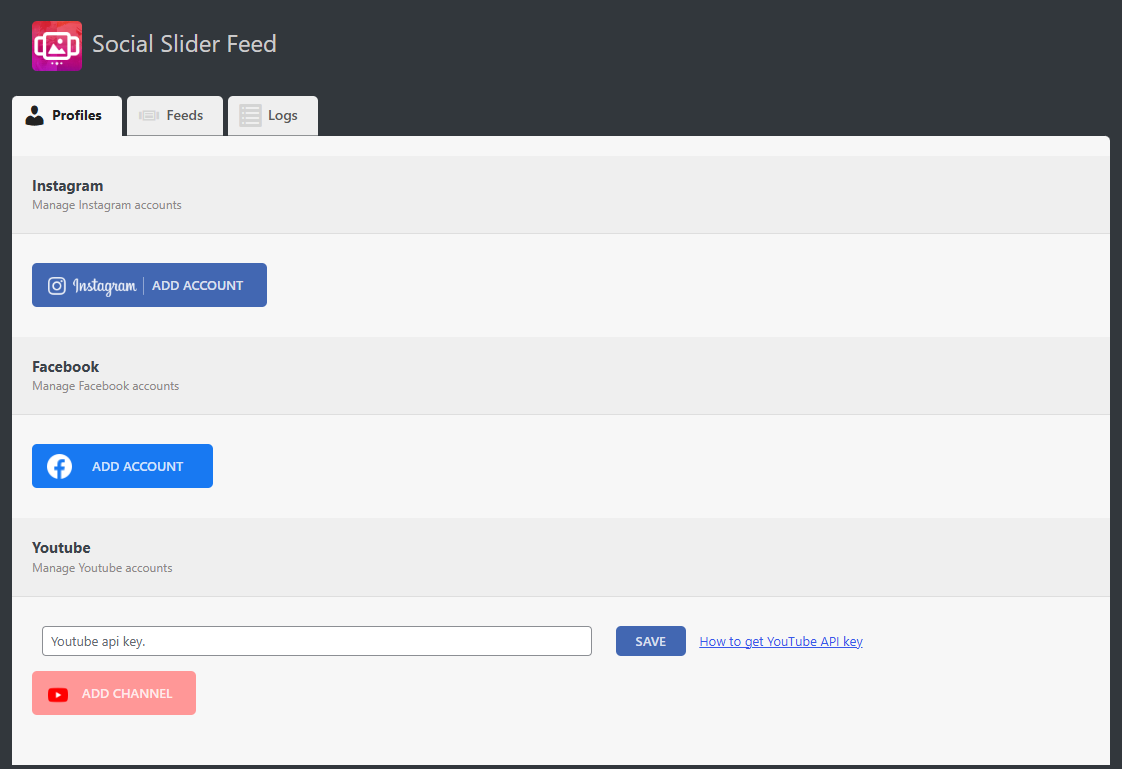
Social profile settings
-
List of social feeds
-
Instagram feed settings
-
Facebook feed settings
-
YouTube feed settings
-
Normal slider layout
-
Thumbnail layout
-
Thumbnail without border layout
About this plugin
Social Slider Feed lets you easily display Instagram, Facebook, and YouTube feeds anywhere on your WordPress site. Create responsive sliders, grids, masonry layouts and more using widgets or shortcodes, with full control over layout, spacing, image sizes, and ordering.
Designed for fast setup and maximum flexibility, Social Slider Feed helps you keep your website engaging by automatically showcasing your latest social content.
Features
- Display Instagram, Facebook, and YouTube feeds anywhere using widgets or shortcodes
- Support for multiple accounts and multiple feeds at the same time
- Multiple layout options: slider, grid, masonry, thumbnails, and more
- Fully responsive with separate layout settings for desktop and mobile
- Show images and videos in a built-in lightbox without leaving your site
- Display post captions
- Sort posts by date, popularity, or randomly
- Show or hide account name and social icons
- Fast setup with intuitive settings and one-click account authorization
How It Works
- Connect your Instagram, Facebook, or YouTube account from the plugin settings
- Create a feed and customize its layout and display options
- Add it to your site using a widget or shortcode
Support
We’re here to help. Feel free to open a new thread on the Support Forum.
Useful Resources
- If you like this plugin, you’re sure to love our other plugins as well.
- Our blog is a great place to learn more about WordPress.
- Get the most out of your website with our helpful WordPress YouTube Tutorials.
Questions
- Images from Instagram are no longer displayed in the widget
Go to the plugin settings and reconnect your instagram account.
Then open the widget settings and select the newly added account.- If you see the message “Instagram requires authorization to view a user profile. Use an authorized account in the widget settings”
Go to the plugin settings and add an Instagram account by clicking Add account.
Then open the widget settings and select the newly added account.- If you see a message ‘No images found’
Go to the plugin settings and reconnect your instagram account.
- Does this plugin support multiple social networks at the same time?
Yes. You can create and display multiple Instagram, Facebook, and YouTube feeds on the same site, each with its own layout and settings.
sandywp / also on the shelf
Try another plugin

Smash Balloon Social Post Feed – Simple Social Feeds for WordPress
4.7 · 200K+ installs
Formerly "Custom Facebook Feed". Display completely customizable Facebook feeds of a Facebook page. Supports Facebook oEmbeds.

Easy Social Feed – Social Photos Gallery and Post Feed for WordPress
4.6 · 30K+ installs
Display Instagram, Facebook, YouTube & X/Twitter feeds with photos, videos, reels, events & galleries. SEO/AEO friendly,…

4.6 · 10K+ installs
The most popular way to display the Facebook Page Plugin on your WordPress website. Easy implementation using a shortcode or…
Spin up a real WordPress site in seconds.
Test plugins, build a demo, hand a client a link — then squash it and start again. No local setup, no Docker.