sandywp / plugins / hyperlink-group-block

Hyperlink Group Block
Combine blocks into a group wrapped with an hyperlink (<a>).
Ready in seconds.
v2.0.5 7,000+ installs WP 6.6+ PHP 7.0.0+
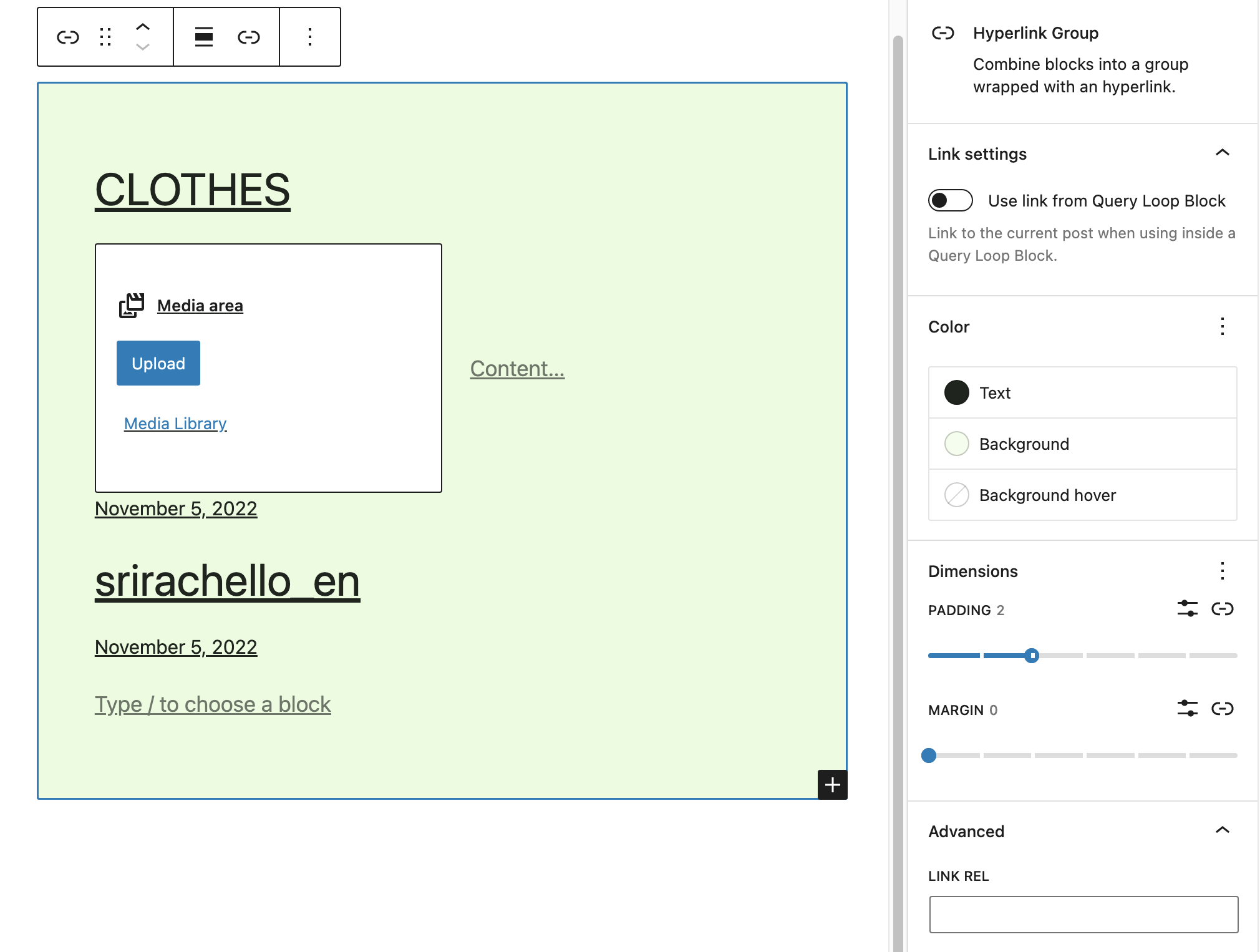
What you get inside
5 screens-
Hyperlink Group Block to group Blocks with an hyperlink.
-
Wrap Blocks with a link.
-
Rendered HTML.
-
Advanced Settings for link target, rel, title and aria-label attributes.
-
Transform Blocks into a group wrapped with an anchor tag
About this plugin
Combine blocks into a group wrapped with an hyperlink (<a>).
After inserting a Hyperlink Group Block, a Block inserter icon will be displayed to allow you to add new Blocks inside that Hyperlink Group Block.
Tip Top Press
We’re Tip Top Press and create Gutenberg Blocks for WordPress. If you want to know about what we’re working on and you are interested in backgrounds then you can read all newes storys on our blog.
Grouping Existing Blocks
It’s also possible to group existing Blocks.
Select the Blocks which should be grouped with a Hyperlink. The Block Toolbar will appear. Click on the Block icon and select the Hyperlink Block to transform the selected Blocks to an Hyperlink Block with some InnerBlocks.
Advanced
On the Advanced Tab set the link’s target, rel, title and aria-label attributes.
Features
- Wrap Blocks with a hyperlink
- Use link from Query Loop Block
- Transform Blocks into a group wrapped with an HTML anchor tag (<a>)
- Set the link href attribute
- Set rel, title and aria-label attributes
- Option open in a new window and set tab name to open in the same tab
- Set hover background color
- Inner anchor elements are automatically deleted
Contribute
While using this plugin if you find any bug or any conflict, please submit an issue at Github (If possible with a pull request).
Questions
- WPML support (translate the anchor)
There are two kinds for WPML translation.
Translate with “WordPress Editor”, not with “WPML Translation Editor”:
WPML > Settings > Translation Editor > Classic Translation Editor
or
Your site in admin / gutenberg mode > right sidebar / Page > language > Translations > WordPress EditorOther option but there is a bug, it doesn’t work for us?
wpml.org/faq / FAQ > How-To > “How can I translate links and HTML attributes in the Advanced Translation Editor?”
Search content: “http” YouTube- Can I use links within the Hyperlink Group Block?
No, that is illegal and causes errors in the renderd HTML.
sandywp / also on the shelf
Try another plugin

4.1 · 2K+ installs
Anchor Block let you generate internal link to any section of your Gutenberg pages.

4.7 · 1K+ installs
Creates anchor links to heading tags in the content of selected posts, just like Github does within the Readme.md files.

3.8 · 1K+ installs
Easily add content anchors to your pages and posts
Spin up a real WordPress site in seconds.
Test plugins, build a demo, hand a client a link — then squash it and start again. No local setup, no Docker.