sandywp / plugins / addon-elementor-container-link

Addon Elementor Container Link
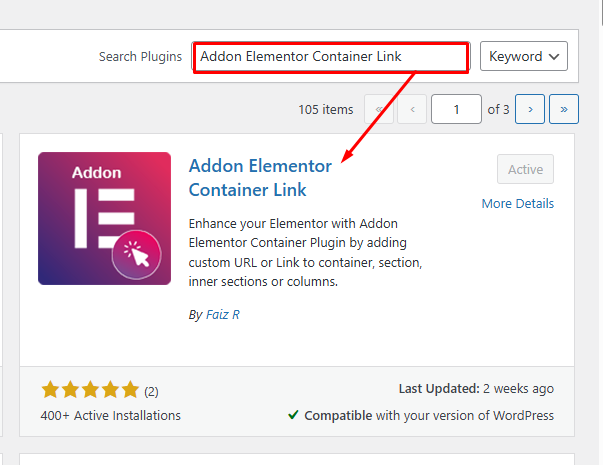
Enhance your Elementor Website Builder with Addon Elementor Container Link by adding custom URL or link support to containers, sections, inner section …
Ready in seconds.
v1.4 2,000+ installs WP 6.0+ PHP 7.4+
What you get inside
4 screens-
Add New Plugin Addon Elementor Container Link
-
Activate Plugin Addon Elementor Container Link
-
Edit Page in Elementor Page Builder -> Layout Tab -> Container Link
-
View the Page and Test the container clickable now
About this plugin
Addon Elementor Container Link extends the functionality of Elementor by introducing an anchor link field within containers, sections, inner sections, and columns. After installing and activating the Addon Elementor Container Link plugin, navigate to your Elementor editor. When editing a container, section, or column, you will find a new option labeled “Container Link” under the Layout tab. Upon activation, you can easily designate these elements as clickable, enhancing user experience and navigation on Elementor-powered websites.
This feature enriches the default capabilities of Elementor, providing users with greater control over interactivity and engagement.
Features
- Add a custom URL to make Elementor containers, sections, inner sections, and columns clickable.
- Enhance user experience by making container elements clickable.
- Support ‘Open in new window’ link options, middle-click, and Ctrl/Cmd+click navigation.
- Accessible: includes keyboard navigation (Tab focus & Enter key) and ARIA link semantics.
- Non-intrusive: preserves child links, buttons, form controls, and user text selection.
- Safe editing: automatically disables links inside the Elementor editor while designing.
- Dynamic tags support (compatible with Elementor Pro).
- Fully compatible with WordPress 6.x and 7.x.
- Fully compatible with Elementor 3.x and 4.x.
Note
Our plugin requires the installation of Elementor for full functionality. Access the anchor or custom URL field option in the Elementor edit page interface to unlock enhanced interactive features.
Questions
- How do I add a link to an Elementor container or column?
After installing and activating the Addon Elementor Container Link plugin, navigate to your Elementor editor. When editing a container, section, or column, you will find a new option labeled “Container Link” under the Layout tab. Enter the desired link URL in the provided field, and the element will become clickable on the frontend.
- Can I customize the appearance of the clickable containers?
Yes, you can customize the appearance of clickable containers using custom CSS or Elementor’s built-in style settings. The plugin automatically adds a pointer cursor and proper semantic link attributes.
sandywp / also on the shelf
Try another plugin

4.3 · 7K+ installs
Make a group of blocks clickable: wrap a card, teaser or post tile with one link (<a>).

4.1 · 2K+ installs
Anchor Block let you generate internal link to any section of your Gutenberg pages.

4.7 · 1K+ installs
Creates anchor links to heading tags in the content of selected posts, just like Github does within the Readme.md files.
Spin up a real WordPress site in seconds.
Test plugins, build a demo, hand a client a link — then squash it and start again. No local setup, no Docker.