sandywp / plugins / hotjar

Hotjar
The fast & visual way to understand your users.
Ready in seconds.
v1.0.16 70,000+ installs WP 4.6+
What you get inside
3 screens-
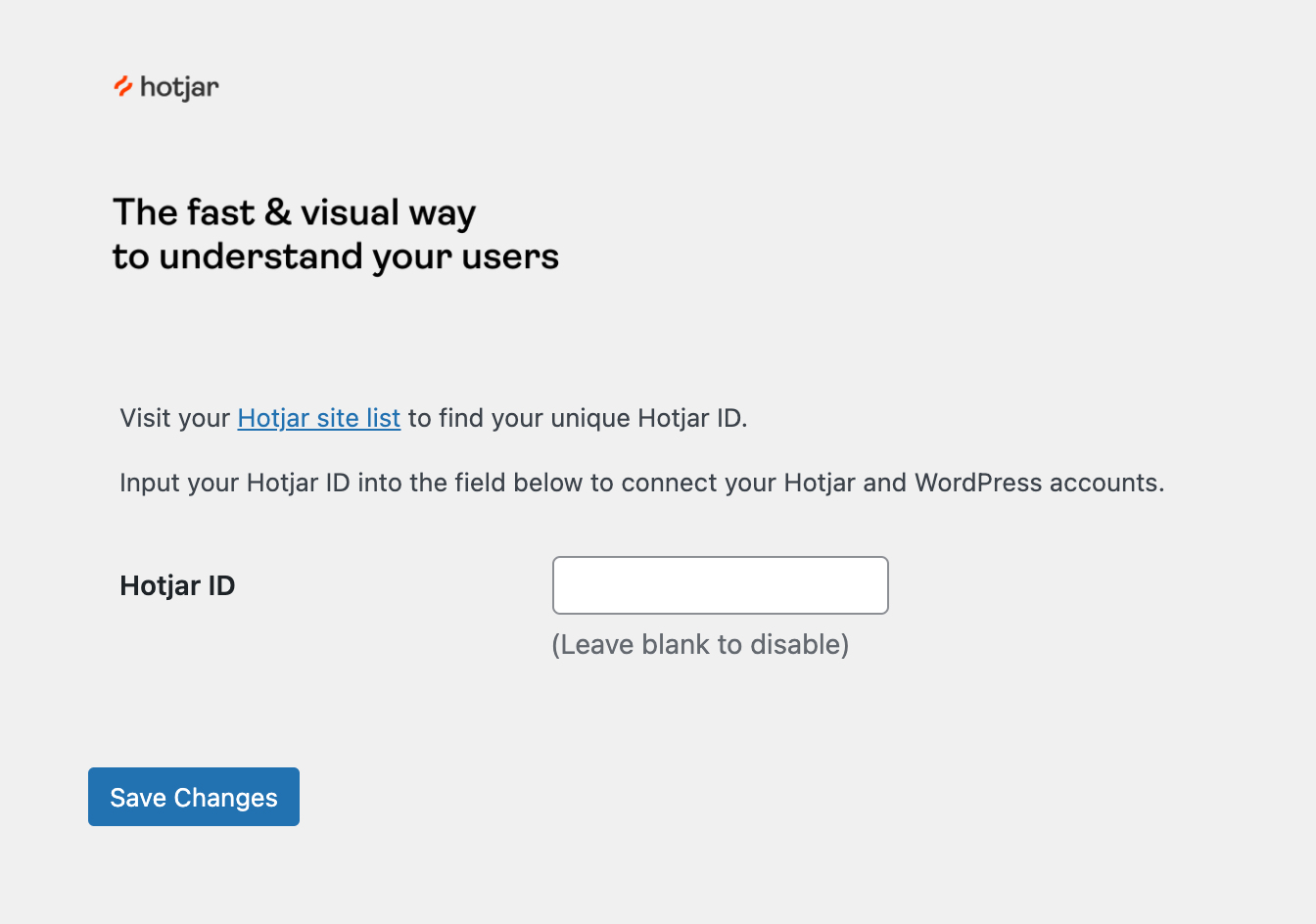
The settings interface. Add your unique Hotjar Site ID to the empty field, and Save Changes to install the Hotjar script for that site.
-
After saving you will see this success message. Click the link to verify your installation was successful.
-
Success! If you see this message Hotjar is installed on your site. Visit Insights to configure the Hotjar tools on your site.
About this plugin
Hotjar helps you to connect the dots between what your users do and why—so you can confidently create and optimize user experiences that convert. See what your users see, ask how they feel, and connect 1:1, all from one powerful and intuitive platform.
Hotjar Observe:
- Visualize user behavior – Heatmaps visually represent where users click, move, and scroll on your site. With this context, you’ll be inspired with simple ways to improve your site.
- Put yourself in their shoes – Watch recordings of real user behavior on your site. See visitors’ clicks, mouse movements, u-turns, and rage clicks. Learn what frustrates users and resolve issues early.
- Measure conversions and learn why users drop off – Visualize your conversion flows with Funnels, and understand where your users are getting stuck by zooming into relevant recordings.
- Explore and understand your metrics – Trends connects the dots between numbers and user behavior insights so you can visualize your most important metrics and find the recordings and heatmaps of the underlying user behavior with a single click.
Hotjar Ask:
- Hear from your users – Surveys bring voice-of-customer to your decision-making. Gathering evidence for a landing page or feature? Use a targeted Survey to validate your ideas and better understand your users.
- Get feedback with context – A real-time suggestion box on your site, Feedback lets users express frustration or delight about individual parts of your site, right down to the page, form, or image they’re looking at.
Hotjar Engage:
- Connect with users – Automate the recruitment, scheduling, and hosting of moderated user interviews, and focus on what matters the most—connecting with users.
Hotjar Platform:
- Stay on top of your user metrics – Use your Dashboard to get a high-level view of user data and spot issues before they become serious, identify trends, and find deeper insights.
- Integrate Hotjar with the tools you love – Connect Hotjar with thousands of popular apps, so you can automate your work and have more time for what matters most—no code required.
This plugin provides a simple installation of Hotjar on your WordPress site. Sign-up for your free trial today!
Questions
- Do I need a Hotjar account to use this plugin?
Yes. You can sign up for a free Hotjar account which provides access to all our features including heatmaps, recordings and feedback tools.
- I’ve set up Hotjar, what now?
You can enable, disable and enable all the Hotjar features from within the Insights app. Any changes will be reflected immediately on the site(s) where you have the Hotjar script installed.
For more information on getting started with Hotjar visit our help center.
- Where can I find out more about Hotjar?
Visit our website to learn more about Hotjar and how you can use it to start gaining insights into how users use your site.
- What are the Hotjar Terms of Service?
The full terms of service are available here together with other legal and privacy documentation. If you have further questions do not hesitate to reach out to our support.
- Is Hotjar GDPR compliant?
We’ve built Hotjar with a privacy by design approach and have developed a number of compliance controls for our customers to be able to use Hotjar in a GDPR compliant manner.
- Can my users opt-out?
Yes. Hotjar respects the Do Not Track header and users can also opt-out on a per-browser basis by visiting Hotjar opt out.
- How do I remove Hotjar from my site?
You can uninstall this plugin at any time to remove Hotjar from your site. Data which has been collected can be removed through the Insights interface, or by deleting your site or account. For more information see our data retention documentation..
sandywp / also on the shelf
Try another plugin

StatCounter – Real Time Visitor Stats, Session Replay & Heatmaps
4.0 · 70K+ installs
Real-time visitor stats, session replay and heatmaps for your WordPress site. See exactly how visitors use your site - and why…

3.8 · 7K+ installs
Mouseflow gives you free and easy-to-use conversion and user experience analytics for your website. Analyze conversion funnels,…

4.3 · 2K+ installs
Less time crunching numbers, more time growing your business.
Spin up a real WordPress site in seconds.
Test plugins, build a demo, hand a client a link — then squash it and start again. No local setup, no Docker.