sandywp / plugins / mouseflow-for-wordpress

Mouseflow for WordPress
Mouseflow gives you free and easy-to-use conversion and user experience analytics for your website. Analyze conversion funnels, heatmaps and even sess …
Ready in seconds.
v5.1.3 7,000+ installs WP 4.5.0+
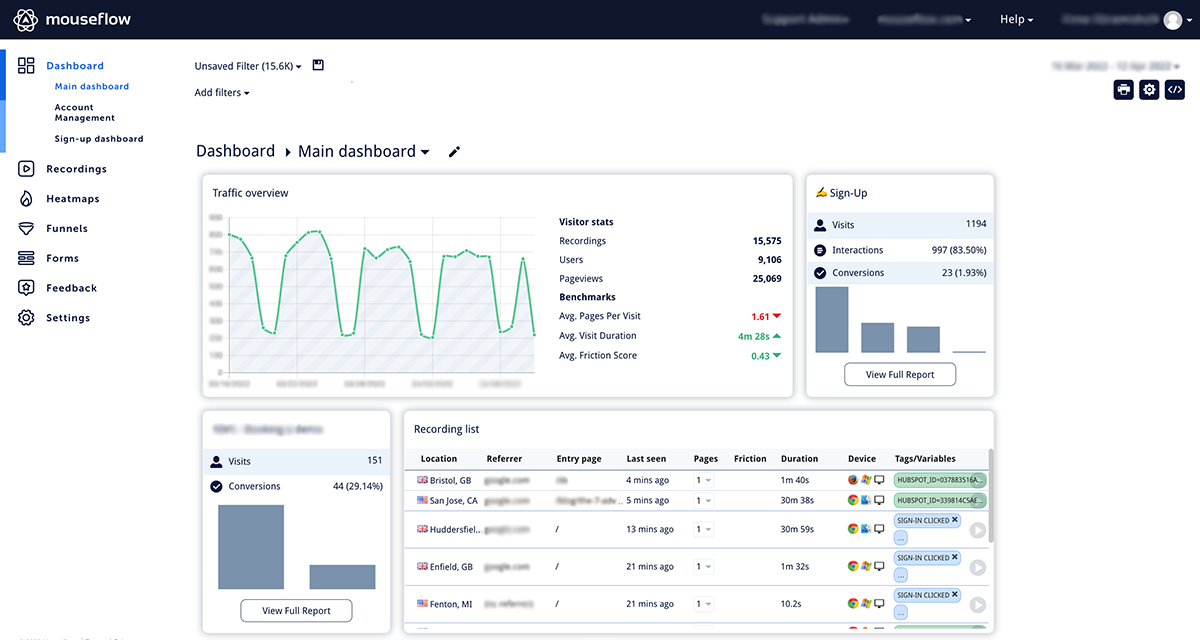
What you get inside
3 screensAbout this plugin
With Mouseflow for WordPress you can access everything Mouseflow has to offer – directly from your WordPress dashboard! Learn more about your visitors by analyzing heatmaps and recordings of user sessions, including mouse movements, clicks, scroll events and more. The plugin makes it quick and easy to install Mouseflow on your WordPress-site.
Questions
- Where do I get the tracking code?
You get the tracking code by signing up on Mouseflow.com. You can easily create an account for free by following this link: https://app.mouseflow.com/sign-up
- The code is not working
- Make sure you’ve inserted the script code in the settings page.
- Check that you have the wp_footer() function in the blog template.
- Check your blog’s html source (Page / View source) and search for “mouseflow”. In case the script found at the end of the section, but still not working, you’re probably running the site from a different domain than the one you entered on your mouseflow account. Make sure that the domains are matching.
- Read more here: https://help.mouseflow.com/en/articles/4278980-recording-status-is-not-installed
- Get in touch: https://help.mouseflow.com/
sandywp / also on the shelf
Try another plugin

Site Kit by Google – Analytics, Search Console, AdSense, Speed
4.2 · 5M+ installs
Site Kit is a one-stop solution for WordPress users to use everything Google has to offer to make them successful on the web.
-
The best free Google Analytics plugin for WordPress. See how visitors find and use your website so you can grow your business…

WP Statistics – Simple, privacy-friendly Google Analytics alternative
4.1 · 600K+ installs
Get website traffic insights with GDPR/CCPA compliant, privacy-friendly analytics. Includes visitor data, stunning graphs, and no…

Spin up a real WordPress site in seconds.
Test plugins, build a demo, hand a client a link — then squash it and start again. No local setup, no Docker.