sandywp / plugins / disable-xml-rpc

Disable XML-RPC
Disables the XML-RPC API in WordPress 3.5+, which is enabled by default.
Ready in seconds.
v1.0.1 200,000+ installs WP 3.5+
What you get inside
3 screens-
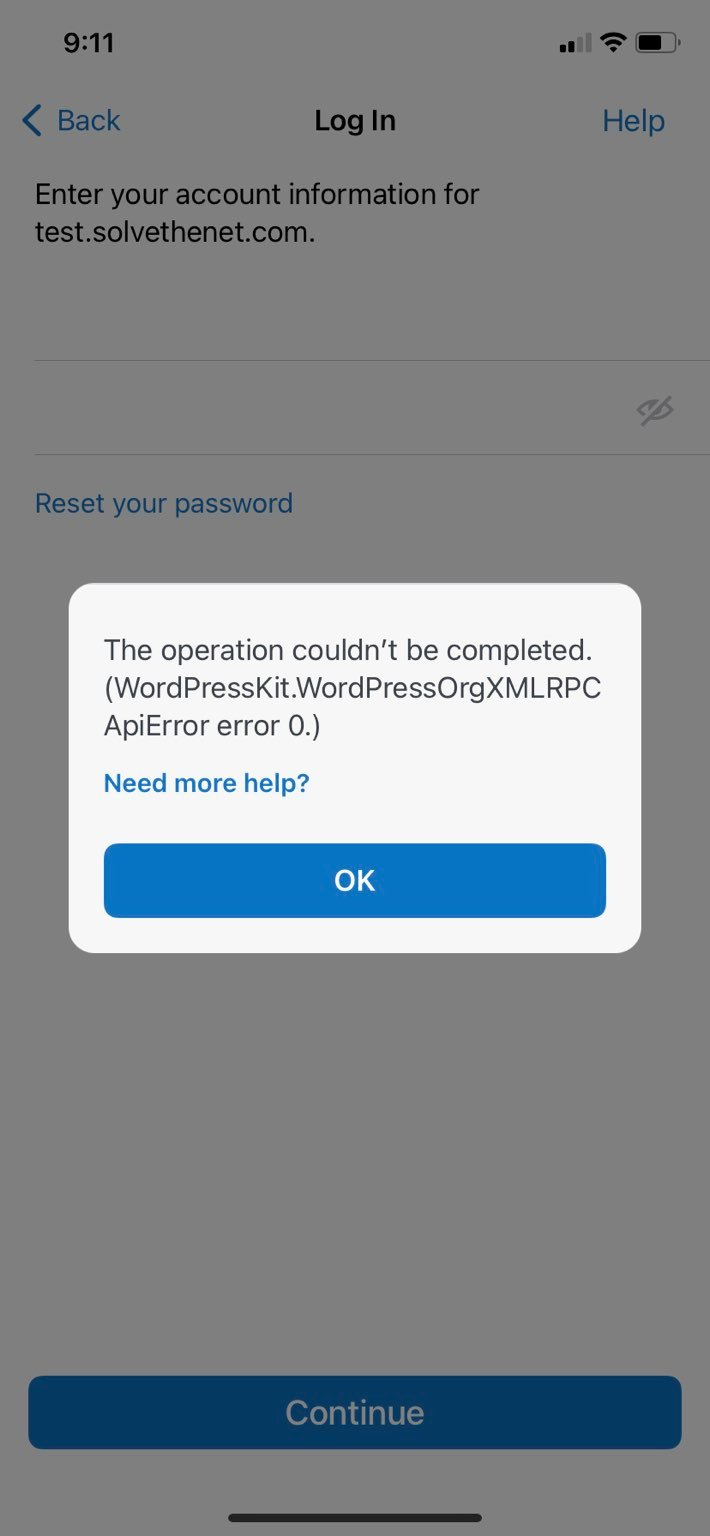
An example of the error that the WordPress mobile app will return when this plugin is enabled. This is expected and indicates that the plugin is working as…
-
An example of a curl command attempting to request data via XML-RPC calls to the site when the plugin is enabled. The error "XML-RPC services are disabled on…
-
An example of the XML-RPC validator run against the site when the plugin is enabled. The error "Method not allowed" is expected and indicates that the plugin…
About this plugin
Pretty simply, this plugin uses the built-in WordPress filter “xmlrpc_enabled” to disable the XML-RPC API on a WordPress site running 3.5 or above.
Beginning in 3.5, XML-RPC is enabled by default. Additionally, the option to disable/enable XML-RPC was removed. For various reasons, site owners may wish to disable this functionality. This plugin provides an easy way to do so.
Questions
- Is there an admin interface for this plugin?
No. This plugin is as simple as XML-RPC is off (plugin activated) or XML-RPC is on (plugin is deactivated).
- How do I know if the plugin is working?
There are a few easy methods for checking if XML-RPC is off:
- Try using an XML-RPC WordPress client, like the official WordPress mobile apps. The WordPress mobile app should tell you that “XML-RPC services are disabled on this site” if the plugin is activated.
- Use the curl command to send an XML-RPC request to your site. If the response contains “XML-RPC services are disabled on this site” then the plugin is working properly and WordPress will not send data back to XML-RPC requests.
- Try the XML-RPC Validation Service for WordPress – the tool is available at https://xmlrpc.blog/. Keep in mind that you want the validator to fail and tell you that XML-RPC services are disabled.
See the screenshots for examples of what these tools will return when the plugin is enabled.
- Something doesn’t seem to be working correctly
If the plugin is activated, but XML-RPC appears to still be working … OR … the plugin is deactivated, but XML-RPC is not working, then it’s possible that another plugin or theme function is affecting the xmlrpc_enabled filter. Additionally, server configurations could be blocking XML-RPC (i.e. blocking access to xmlrpc.php in the .htaccess file).
sandywp / also on the shelf
Try another plugin
4.2 · 100K+ installs
A simple and lightweight plugin to disable XML-RPC API, X-Pingback and pingback-ping in WordPress 3.5+ for a faster and more…

Remove & Disable XML-RPC Pingback
3.0 · 8K+ installs
Prevent pingback, XML-RPC and denial of service DDOS attacks by disabling the XML-RPC pingback functionality.

5.0 · 6K+ installs
Blocks dangerous XML-RPC methods while preserving Jetpack, WooCommerce, and mobile apps compatibility.
Spin up a real WordPress site in seconds.
Test plugins, build a demo, hand a client a link — then squash it and start again. No local setup, no Docker.