sandywp / plugins / dashboard-welcome-for-elementor

Dashboard Welcome for Elementor
Replaces the default WordPress dashboard welcome panel with custom designed Elementor template.
Ready in seconds.
v1.0.11 10,000+ installs WP 6.3+ PHP 7.4+
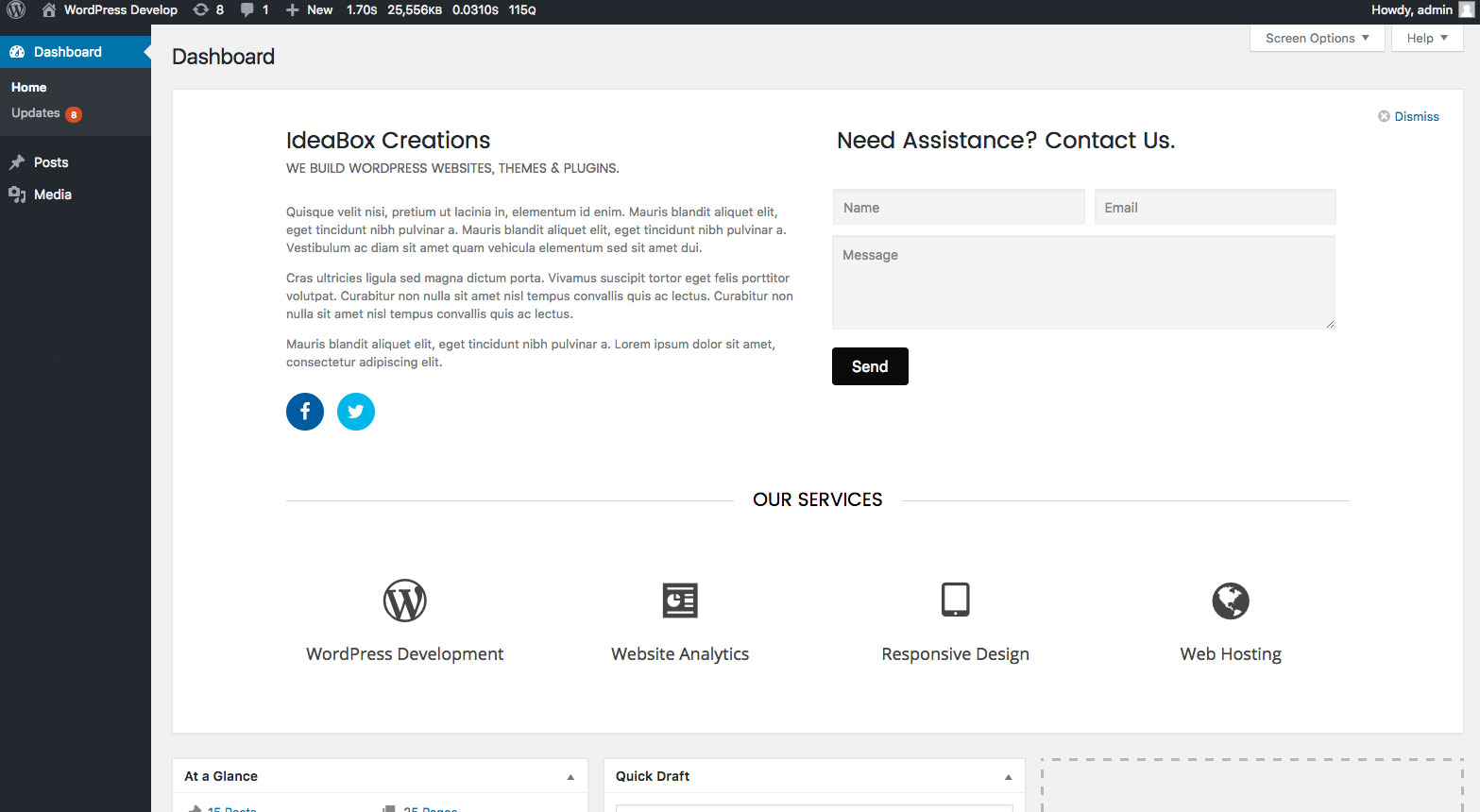
What you get inside
2 screens-
Admin Dashboard - Custom welcome panel
-
Plugin settings - Dashboard Welcome settings
About this plugin
Dashboard Welcome by PowerPack Elements gives you full control over the WordPress welcome panel using Elementor. You can personalize the dashboard with content and design built with Elementor. You can add heading, contact information, form, video, images, affiliate links, etc.
PLUS, you can display a template as per the user role.
How this works?
- Create a layout with Elementor.
- Go to plugin settings and select the layout from dropdown for any user role.
- Save the setting. Done!
Our other Elementor addons
PowerPack for Elementor – Extend Elementor with 50+ Creative Widgets and build beautiful websites.
Questions
- What’s the requirement for using Dashboard Welcome?
You need Elementor plugin installed and activated for Dashboard Welcome to work.
- Do I need coding experience to use Dashboard Welcome?
Not at all! All you need to know about Elementor.
sandywp / also on the shelf
Try another plugin

4.6 · 300K+ installs
Lets you edit the WordPress admin menu. You can re-order, hide or rename menus, add custom menus and more.

4.7 · 200K+ installs
Customise dashboard panels and branding, hide menus plus lots more.

4.6 · 30K+ installs
Disable Dashboard access for users of a specific role or capability. Disallowed users are redirected to a chosen URL. Get set up…
Spin up a real WordPress site in seconds.
Test plugins, build a demo, hand a client a link — then squash it and start again. No local setup, no Docker.