sandywp / plugins / custom-post-type-ui

Custom Post Type UI
Admin UI for creating custom content types like post types and taxonomies
Ready in seconds.
v1.19.3 1,000,000+ installs WP 6.6+ PHP 7.4+
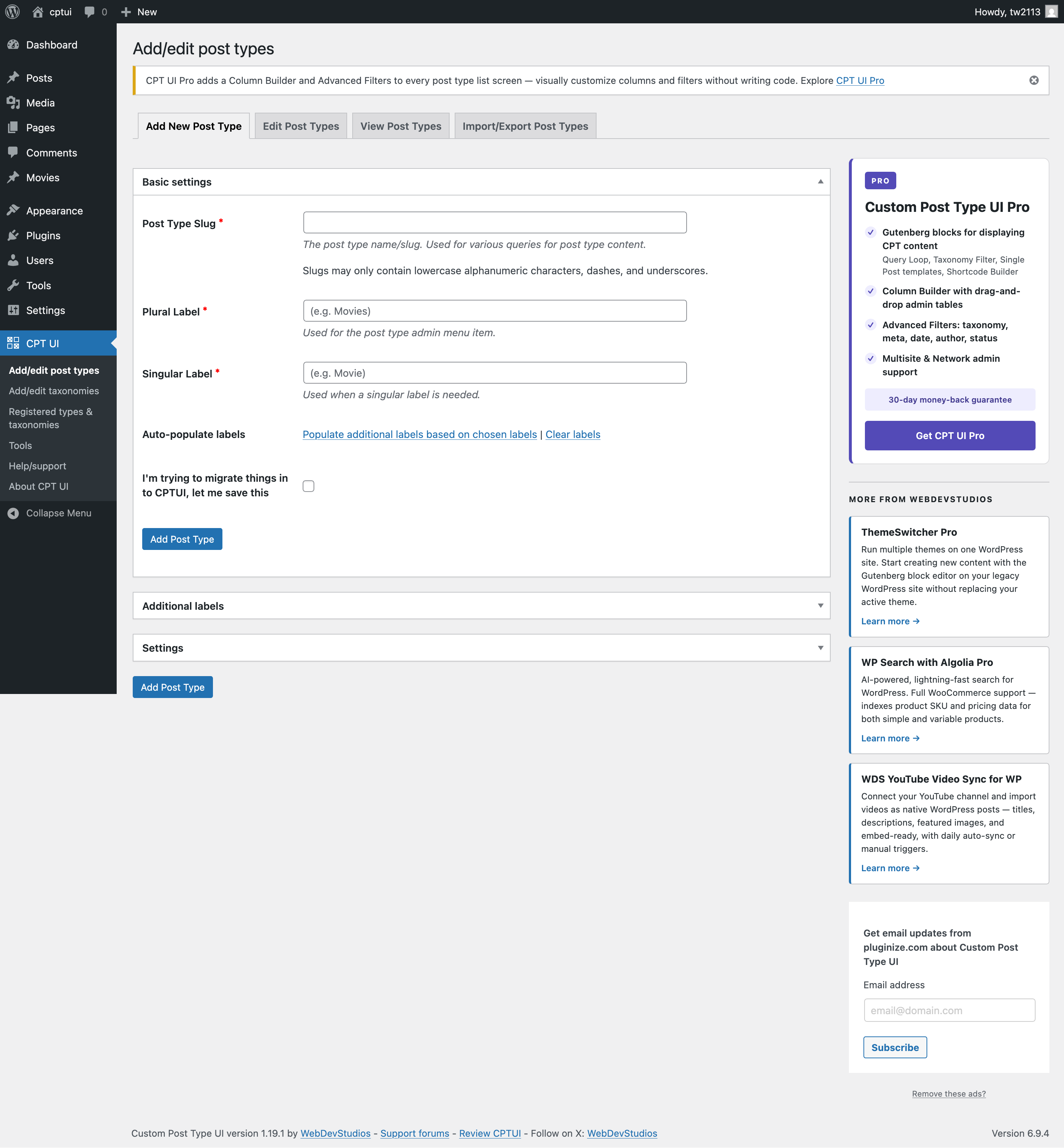
What you get inside
5 screens-
Add new post type screen and tab.
-
Add new taxonomy screen and tab.
-
Registered post types and taxonomies from CPTUI.
-
Tools screen.
-
Help/support screen.
About this plugin
Custom Post Type UI provides an easy-to-use interface for registering and
managing custom post types and taxonomies for your WordPress website — no
coding required.
Used by more than 1,000,000 active WordPress sites, CPTUI is the trusted
foundation for building structured content in WordPress. Whether you are
creating a portfolio, events calendar, product catalog, staff directory, or
any other custom content type, CPTUI gives you the tools to define it quickly
and correctly.
Ready to go further? Meet CPT UI Pro
CPTUI handles registration. CPT UI Pro handles everything else.
CPT UI Pro
is the official premium add-on built by the same WebDevStudios team that
created and maintains this plugin. It extends CPTUI into a complete content
operations stack — front-end display blocks, admin list table controls,
multisite management, and a full developer API.
Front-end display tools
- Ten built-in layout options: Default, List, Single Post Type, Taxonomy
List, Post Slider, Post Cards, Featured Plus, Grid, and Grid With Overlay - Taxonomy Filter Blocks so visitors can filter content by term
- Single Post Block Templates to control individual post output
- Shortcode Builder for reusable, configurable display output
Admin list table management
- Column Builder with drag-and-drop column control for any post type
- Advanced Filters by taxonomy, meta field, date, author, and status
- Screen Options Panel for per-user admin table visibility
Multisite management
- Network-level CPT registration from one central location
- Push config to subsites to keep site structures consistent
- Per-site inheritance control for flexible network governance
Developer-focused workflow
cptui_pro_post_typesfilter to merge, modify, or replace registrations- Auto-discovery hooks so themes and plugins can register CPTs without
manual setup - Programmatic registration API for JSON-driven or CI-driven workflows
- Extended REST API support on top of core CPTUI REST capabilities
Get CPT UI Pro at Pluginize.com
Plugin development
Custom Post Type UI development is managed on GitHub, with official releases
published on WordPress.org. The GitHub repo can be found at
https://github.com/WebDevStudios/custom-post-type-ui.
Please use the WordPress.org support tab for potential bugs, issues, or
enhancement ideas.
Questions
- Where is the user documentation?
Please see https://docs.pluginize.com/tutorials/custom-post-type-ui/
- I registered my post types — how do I display them on the front end?
The free CPTUI plugin handles registration. To display your custom content
with block editor layouts, filters, and templates, check out
CPT UI Pro.- Does CPT UI Pro require this free plugin?
No. CPT UI Pro does not require Custom Post Type UI (free), but pairs great. Your existing post type and taxonomy content integrates automatically
— no migration needed.- Will the free plugin continue to be maintained?
Absolutely. Custom Post Type UI will always be free and actively maintained.
CPT UI Pro is an optional add-on for users who want to go further.- Does CPT UI Pro work with multisite?
Yes. CPT UI Pro includes dedicated multisite support with network-level
registration, config push to subsites, and per-site inheritance controls.
sandywp / also on the shelf
Try another plugin

Pods – Custom Content Types and Fields
4.8 · 100K+ installs
Pods is a framework for creating, managing, and deploying customized content types and fields for any project.

3.7 · 20K+ installs
Essential Content Types allows you to feature the impressive content through different content/post types on your website just…
5.0 · 30+ installs
A developer tool displaying all registered post types w/ the benefit of exposing CPT's to AI tools and admin clients via the…
Spin up a real WordPress site in seconds.
Test plugins, build a demo, hand a client a link — then squash it and start again. No local setup, no Docker.