sandywp / plugins / calorie-calculator

Calorie Calculator
Estimate daily calories with BMI, BMR, TDEE, and lose/gain guidelines. GDPR-ready privacy consent. Embed via block, shortcode, Elementor, or widget.
Ready in seconds.
v3.8.86 100+ installs WP 5.8+
What you get inside
8 screens-
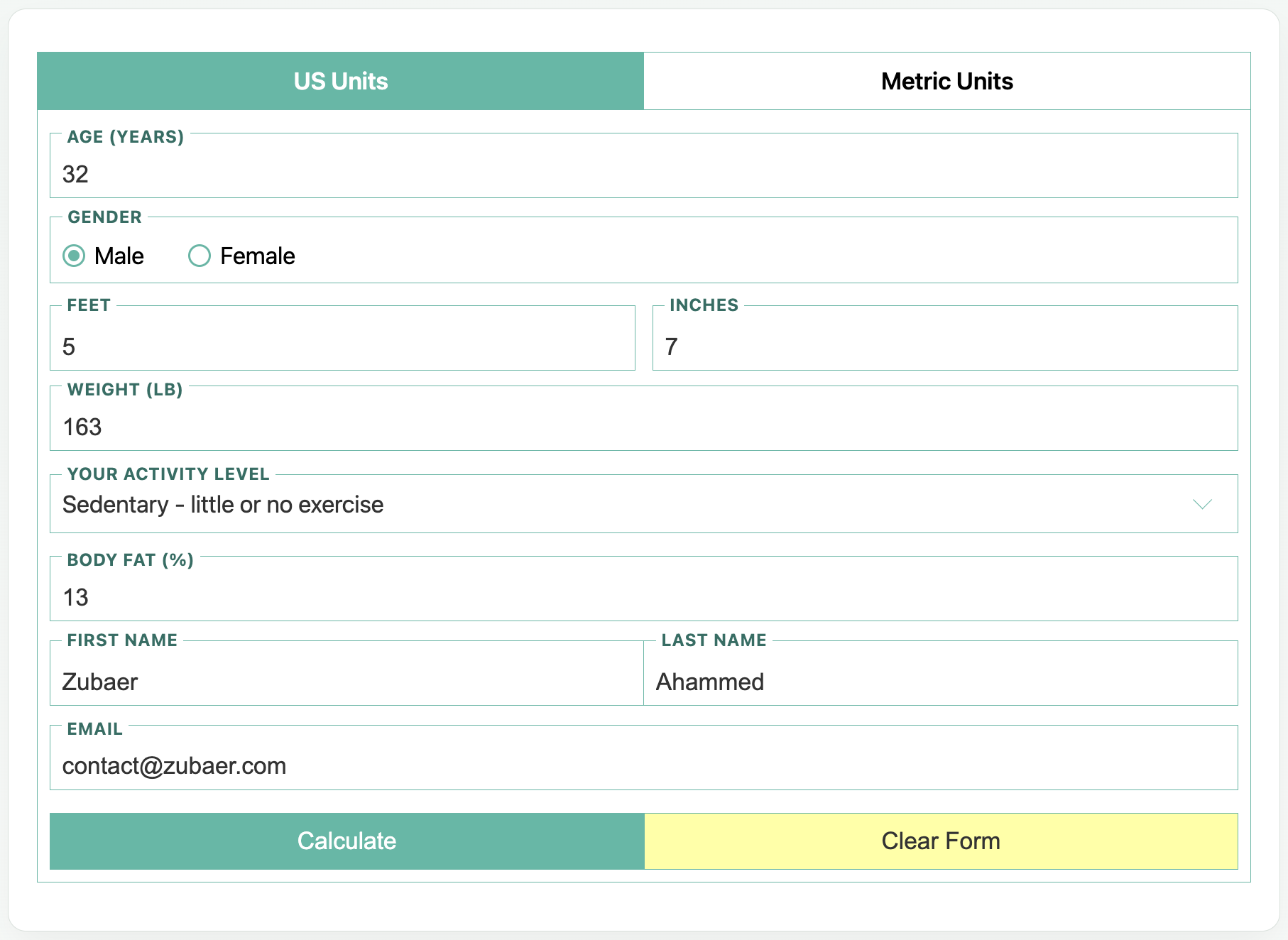
One-screen calculator form (US units) with floating labels
-
Results — BMI, BMR, TDEE snapshot cards and daily calorie targets
-
Suggest Day Plan — choose a goal (Pro preview)
-
Suggest Day Plan — food and exercise preview (Pro preview)
-
Multi-step calculator — About you (Pro preview)
-
Multi-step calculator — results stage (Pro preview)
-
Look & feel settings
-
Email templates and Tools settings backup (Pro preview)
About this plugin
GDPR-ready: Optional privacy consent before storing calculator logs — turn it on under Behaviour, with a customisable consent label.
Calorie Calculator is a free WordPress calorie calculator for fitness, nutrition, health, and coaching sites. Visitors estimate daily calorie needs from age, sex, height, weight, and activity — then see clear BMI, BMR, TDEE, and lose/gain guidelines.
Embed it with a block, shortcode, Elementor widget, or classic sidebar widget. Configure layouts and colours once under Look & feel, then reuse the same calculator across pages.
Results are estimates based on averages. Encourage a balanced diet and sensible activity alongside the numbers.
Why add a calorie calculator?
Interactive tools keep visitors on the page longer and turn curiosity into leads. Optional name and email fields store private Calculator Logs in wp-admin, and Free can notify you or fire a webhook when a log is created.
Science behind the numbers
Free uses the Mifflin–St Jeor equation for basal metabolic rate (BMR), then an activity multiplier for total daily energy expenditure (TDEE / maintain calories). BMI uses height and weight and shows a category label. Results always name the formula used.
What Free results include
- BMI with category (underweight, normal, overweight, or obese)
- BMR — calories at rest
- TDEE — calories to maintain weight for the selected activity level
- Lose / gain calorie targets (for example 0.5 kg / 1 lb per week)
- Goal display as lose/gain lines or a single goal dropdown
How to use
- Install and activate Calorie Calculator.
- Add the Calorie Calculator block, shortcode
[calorie_calculator], Elementor widget, or classic widget. - Units default to both US and Metric; you can show only one.
- Pick a layout: Modern, Card, Plain HTML (theme-friendly), or Classic — or set a site-wide default under Look & feel.
- Optionally show Name and Email fields to store calculator logs.
Using shortcodes
- Default:
[calorie_calculator] - In PHP/themes:
<?php echo do_shortcode( '[calorie_calculator]' ); ?> - Useful Free attributes:
unit="usunit/metricunit/both"(defaultboth)template="general/bootstrap-general/plain/old"(omit to use the Look & feel default)show_name_field="true/false"(defaulttrue)show_email_field="true/false"(defaulttrue)show_firstname_only="true/false"(defaultfalse)goal_ui="lines/dropdown"(default follows Behaviour, otherwiselines)
- Example:
[calorie_calculator unit="metricunit" template="general"]
Tip: open Calorie Calculator → Embed for a shortcode builder with live preview and Copy.
Calculator logs
When name and/or email fields are used, submissions can be stored as private Calculator Logs (including BMI and basal BMR). Open Calorie Calculator → Logs to review them. Logs are not publicly queryable.
Look & feel (Free)
Under Calorie Calculator → Look & feel you can:
- Set the site-wide default layout (Modern, Card, Plain HTML, or Classic)
- Choose a base font size (small / normal / large)
- Set primary and alert / error colours (defaults match the Modern teal + yellow brand)
Behaviour (Free)
Under Calorie Calculator → Behaviour you can:
- Choose the default goal display: lose/gain lines or a single goal dropdown
- Require a GDPR / privacy consent checkbox before a log is stored (customisable label)
- Send an outbound webhook (Zapier / Make / n8n Catch Hook) when a log is created
- Optionally email the admin when a calculator log is stored
Tools (Free)
Under Calorie Calculator → Tools you can:
- Export / import settings (and restore defaults) for migration or support
- Copy a system info report for support threads (no secrets)
Pro locked previews
Settings also show locked Pro tabs (Formula & goals, Labels, Integrations, Email, Foods & exercises) so you can preview upgrades without leaving Free. The calculator itself remains fully usable on Free.
Pro version
Calorie Calculator Pro adds PDF download, email results, email-required lead gate, macronutrient breakdown, mailing-list integrations, foods and exercises tables, body fat / Katch–McArdle, Labels overrides, multi-step form flow, and premium support.
Questions
- What is Calorie Calculator?
A free WordPress plugin that embeds a calorie calculator (block, shortcode, Elementor, or classic widget) so visitors can estimate daily calorie needs and see BMI, BMR, TDEE, and simple lose/gain targets.
- How do I add the calculator to a page?
Use the Calorie Calculator block, paste
[calorie_calculator], add the Elementor widget, or place the classic widget in a sidebar. The Embed tab can generate a shortcode with a live preview.- On which basis are the values calculated?
Free uses the Mifflin–St Jeor equation for BMR, then an activity factor for TDEE (maintain calories). BMI is calculated from height and weight. Results are estimates, not medical advice.
- Does the Free version include BMI, BMR, and TDEE?
Yes. Free results show BMI (with category), basal BMR, and TDEE alongside lose/gain calorie targets. Pro adds extras such as macros, PDF/email delivery, and more formulas.
- Is the Free calculator actually usable, or only a Pro teaser?
Free is fully usable for embedding and calculating. Some admin tabs are locked Pro previews so you can see what upgrades unlock — they do not block the Free calculator on the front end.
- Can I choose US or Metric units?
Yes. Show US, Metric, or both (default). Set it per shortcode/block/widget with
unit="usunit",unit="metricunit", orunit="both".- How do I change colours and layout?
Open Calorie Calculator → Look & feel. Choose Modern, Card, Plain HTML, or Classic, set base font size, and pick primary / alert colours. You can also override layout per shortcode with
template.- Can I collect emails or leads with the Free version?
Yes. Optionally show Name and Email fields; submissions can be stored as private Calculator Logs. Under Behaviour you can require GDPR consent, email the admin, and send an outbound webhook (Zapier / Make / n8n).
sandywp / also on the shelf
Try another plugin

3.3 · 700+ installs
Add a free simple customizable BMI Calculator to your web site.

BMI Adult & Kid Calculator
5.0 · 600+ installs
BMI calculator for adults and children, with age and sex based results for kids. Add it with a block or a shortcode.

3.5 · 200+ installs
BMR and BMI calculators for your site with blocks or shortcodes: estimate resting calorie needs and body mass index.…
Spin up a real WordPress site in seconds.
Test plugins, build a demo, hand a client a link — then squash it and start again. No local setup, no Docker.