sandywp / plugins / calculate-bmr

Calculate BMR and BMI
BMR and BMI calculators for your site with blocks or shortcodes: estimate resting calorie needs and body mass index. Mobile-friendly.
Ready in seconds.
v1.6.1 200+ installs WP 5.5+ PHP 7.0+
What you get inside
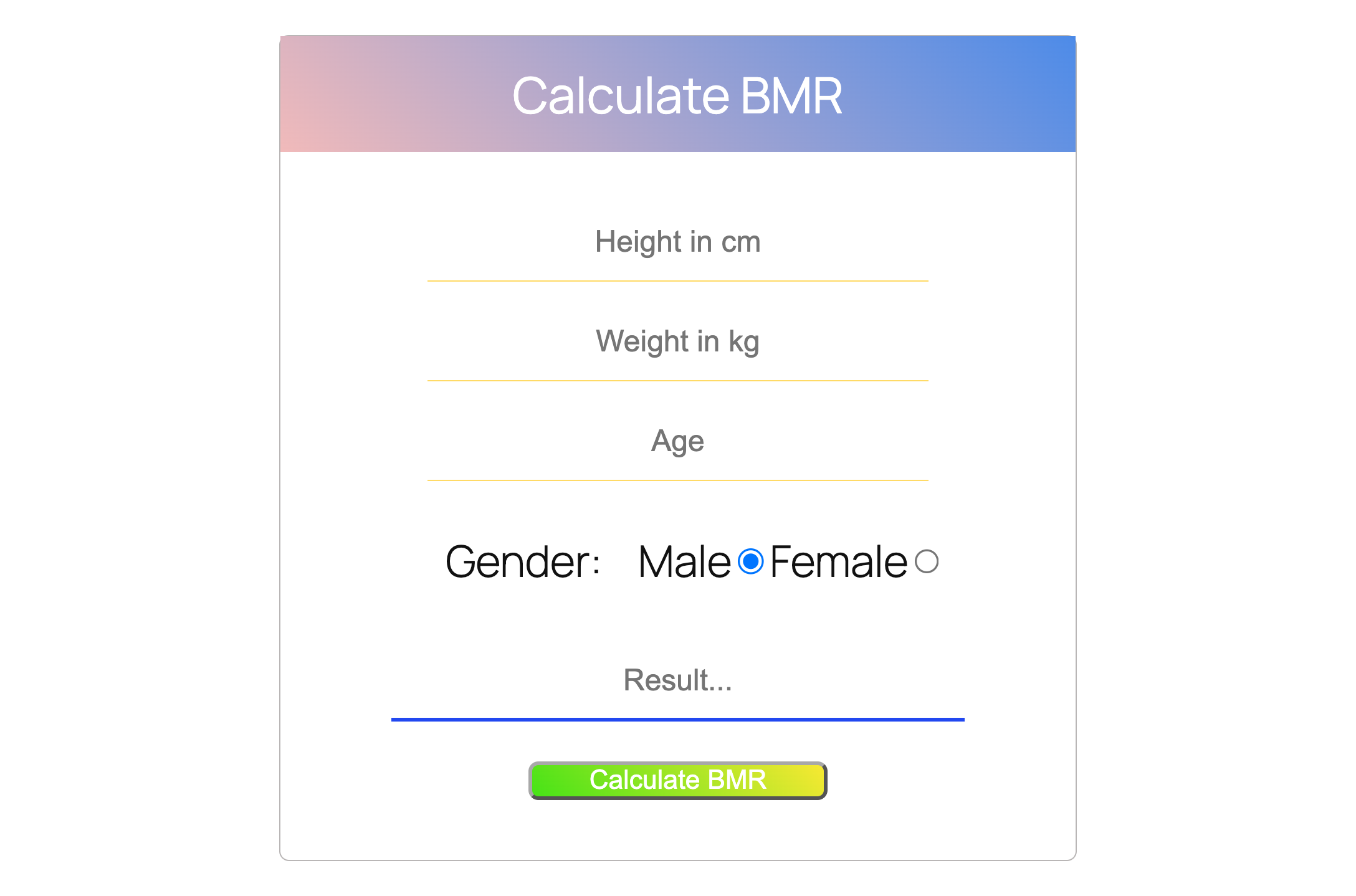
4 screens-
The BMR calculator form.
-
BMR result in calories per day.
-
The BMI calculator shortcode.
-
The BMR Calculator block in the block editor.
About this plugin
Calculate BMR and BMI adds two simple health calculators to your WordPress site. Use the BMR calculator to estimate how many calories the body burns at rest each day, and the BMI calculator to find a body mass index and weight category from height and weight. Each calculator has its own Gutenberg block and shortcode, so you can show one or both, wherever you need them.
Features
- BMR calculator: estimates basal metabolic rate in calories per day from height, weight, age and sex
- BMI calculator: body mass index from weight and height, with a simple weight category
- Two Gutenberg blocks (“BMR Calculator” and “BMI Calculator”) with a live preview, plus two shortcodes; use either one or both
- Translation-ready
- Mobile-responsive layout
- Metric inputs (kilograms and centimetres)
- Results appear instantly in the browser, no page reload
- No settings to configure
How to use
In the block editor, add the “BMR Calculator” or “BMI Calculator” block (Widgets category). Or add the shortcode for the calculator you want to a page or post:
[bmr_shortcode]

[bmi_shortcode]
You can place either shortcode more than once on the same page.
What the calculators do
BMR (basal metabolic rate) is the number of calories your body needs at rest to keep vital functions running. The BMR calculator uses the Mifflin-St Jeor equation: 10 x weight (kg) + 6.25 x height (cm) – 5 x age (years), then + 5 for men or – 161 for women.
BMI (body mass index) is weight in kilograms divided by height in metres squared. The BMI calculator shows the number and labels it as thin (18.4 or below), normal (18.5 to 25) or overweight (above 25).
Who it is for
Health, fitness and wellness blogs, personal trainers, nutrition coaches and anyone who wants to give visitors a quick way to estimate their resting calorie needs and BMI.
Disclaimer
The results are estimates for general information only and are not medical advice.
Questions
- How do I add the BMR calculator to a page?
In the block editor, add the “BMR Calculator” block. Or paste
[bmr_shortcode]into the page or post content, or into a shortcode block in the block editor. For the BMI calculator use the “BMI Calculator” block or[bmi_shortcode].- Which formula does the BMR calculator use?
The Mifflin-St Jeor equation: for men 10 x weight in kg + 6.25 x height in cm – 5 x age + 5, for women the same with – 161 at the end. The result is shown in calories per day.
- What do the BMI categories mean?
The calculator shows “Thin” for a BMI of 18.4 or below, “Normal” from 18.5 to 25 and “Overweight” above 25. BMI is only a screening figure and does not take muscle mass or body composition into account.
- Can I show only one of the calculators?
Yes. The two shortcodes are independent, so use only the one you need.
- Does it support imperial units?
Not yet. The calculators take kilograms and centimetres.
- Are there any extra settings?
No extra settings are required for this version.
- Are there translations available?
The plugin is translation-ready; translations can be contributed on translate.wordpress.org.
- Does the plugin collect or send visitor data?
No. The calculations run in the visitor’s browser and the values entered are not stored or sent anywhere.
sandywp / also on the shelf
Try another plugin

3.3 · 700+ installs
Add a free simple customizable BMI Calculator to your web site.

BMI Adult & Kid Calculator
5.0 · 600+ installs
BMI calculator for adults and children, with age and sex based results for kids. Add it with a block or a shortcode.

5.0 · 100+ installs
A simple calculator to show your users BMI (Body Mass Index)
Spin up a real WordPress site in seconds.
Test plugins, build a demo, hand a client a link — then squash it and start again. No local setup, no Docker.