sandywp / plugins / buttons

Buttons – Build Floating, Social Share & Print Buttons Easily
Easily build floating, social share, and print buttons in WordPress. Engage visitors, increase clicks, and let users share or print pages instantly.
Ready in seconds.
v1.2 100+ installs WP 5.5+ PHP 7.4+
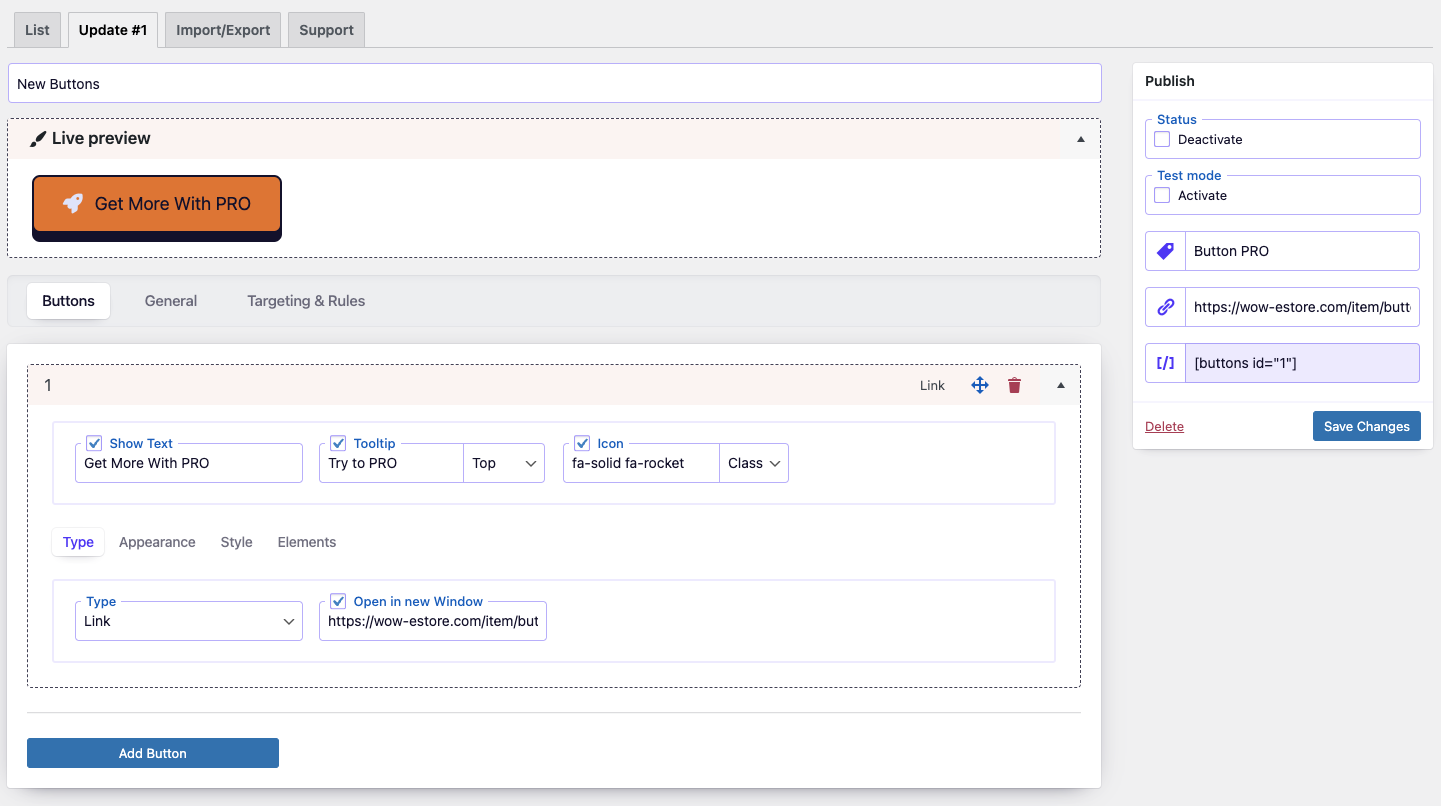
What you get inside
2 screens-
Buttons Dashboard
-
Button appearance on Front-end
About this plugin
The Buttons for makes it simple to create and manage beautiful, interactive buttons. Whether you need standard call-to-action buttons, floating action buttons, social sharing buttons, or print buttons, this plugin gives you full control over design, placement, and functionality.
Customize your buttons with live preview, icons, and flexible styling. Place buttons anywhere — before/after content, inside posts with shortcodes, or fixed on the screen as floating buttons. Built-in social sharing and print features help you boost engagement, improve navigation, and make content more interactive.
Key Features
🎨 Design and Customization
- Live Builder Interface: Design and preview buttons in real time with an intuitive builder.
- Comprehensive Styling: Adjust colors, size, text, backgrounds, borders, and effects.
- Icon Integration: Use Font Awesome 7 or add custom icons.
- Flexible Placement: Insert buttons via shortcode, before/after content, or fixed on screen.
⚡ Enhanced Button Functionality
- Unlimited Buttons: Create as many buttons as your site needs.
- Duplication Tool: Save time by cloning existing buttons.
- Targeted Linking: Add login, logout, registration, password reset, or custom links.
- Social Sharing Buttons: Share content across Facebook, Twitter, LinkedIn, Pinterest, WhatsApp, and more.
- Print Button: Allow visitors to instantly print your pages with one click.
- Email Share Button: Let users send page links via email.
- Floating Buttons: Keep key actions visible while scrolling.
- One-Click Enable/Disable: Manage button visibility with ease.
- Test Mode: Preview buttons privately before publishing.
- Open Links in New Window: Control how links behave on click.
- Organized Navigation: Use custom tags to group and find buttons quickly.
The Buttons is an all-in-one tool for creating engaging, functional buttons in WordPress. From call-to-action and floating buttons to social share and print buttons, it helps you drive interaction, boost clicks, and improve user experience.
Questions
- Can I Use the Plugin on a Multisite Network
Yes, you can, but you need to activate the plugin separately on each subsite.
- How Do I Add Icons to My Buttons
The Buttons plugin seamlessly integrates with Font Awesome, allowing you to effortlessly add thousands of beautiful icons to your buttons. Simply search the Font Awesome library (Font Awesome: https://fontawesome.com/icons) and use the icon class to incorporate it into your button design.
- Support
Please use WordPress support forum to ask any query.Please use WordPress support forum to ask any query.
sandywp / also on the shelf
Try another plugin

Buttonizer – Floating Menus, Sticky Buttons, & Popup Builder
4.5 · 70K+ installs
Floating Menus, Sticky Buttons, & Popup builder. WhatsApp Chat, Facebook Messenger, Telegram, Live Chat, Call, SMS, Email…
Sticky Buttons – Floating Buttons Builder
3.7 · 10K+ installs
Increase user engagement by incorporating sticky buttons that highlight relevant information on your website.

5.0 · 4K+ installs
Floating button that opens the WhatsApp chat to the technical support on turn. It allows asign the work schedule up to 2…
Spin up a real WordPress site in seconds.
Test plugins, build a demo, hand a client a link — then squash it and start again. No local setup, no Docker.