sandywp / plugins / ads-txt

Ads.txt Manager
Create, manage, and validate your ads.txt and app-ads.txt from within WordPress, like any other content asset.
Ready in seconds.
v1.4.6 100,000+ installs WP 6.6+ PHP 7.4+
What you get inside
3 screens-
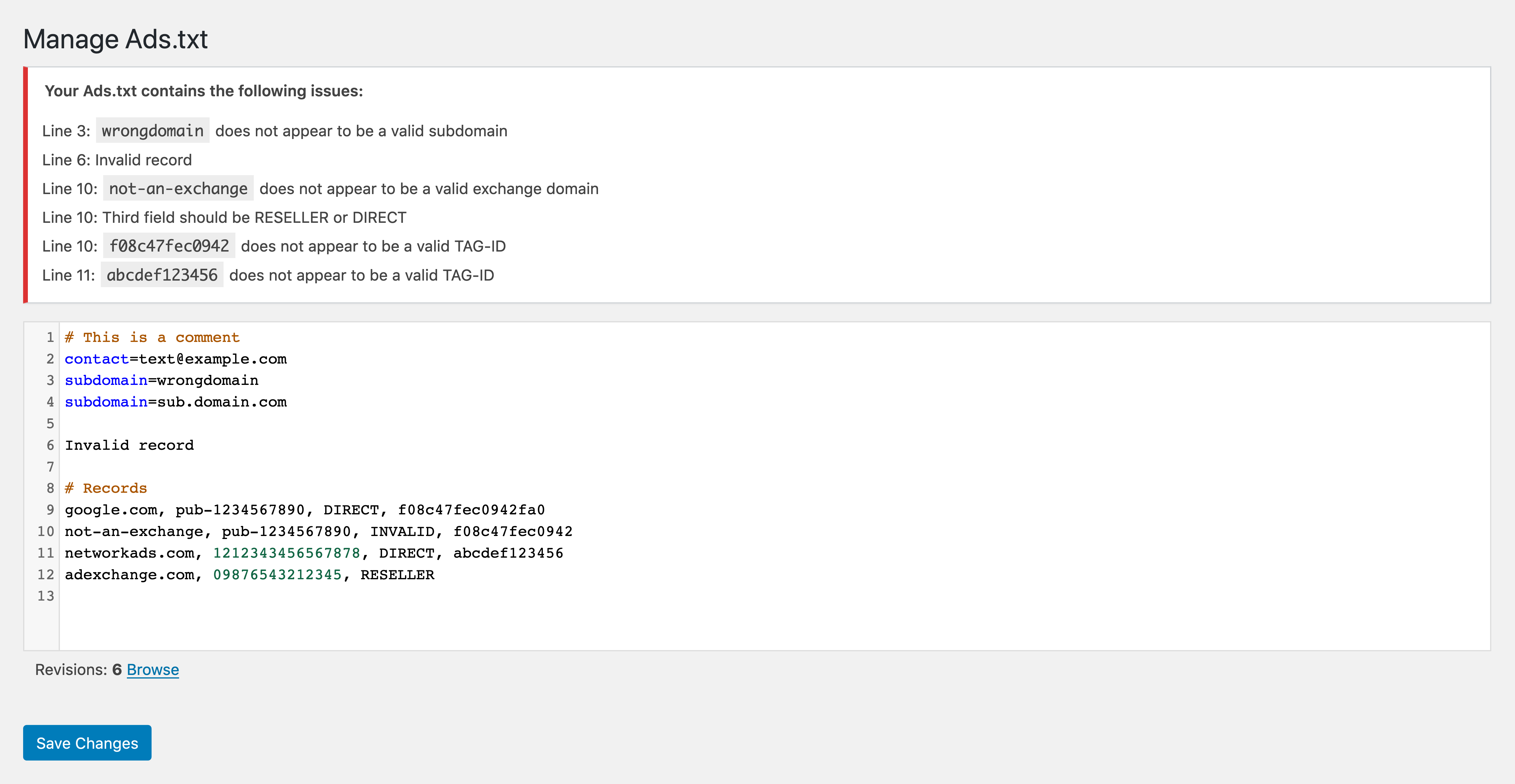
Example of editing an ads.txt file with errors and a link to browse ads.txt file revisions.
-
Example of comparing ads.txt file revisions.
-
Example of comparing two disparate ads.txt file revisions.
About this plugin
Create, manage, and validate your ads.txt and app-ads.txt from within WordPress, like any other content asset. Requires PHP 7.4+.
What is ads.txt?
Ads.txt is an initiative by the Interactive Advertising Bureau to enable publishers to take control over who can sell their ad inventory. Through our work at 10up with various publishers, we’ve created a way to manage and validate your ads.txt file from within WordPress, eliminating the need to upload a file. The validation baked into the plugin helps avoid malformed records, which can cause issues that end up cached for up to 24 hours and can lead to a drop in ad revenue.
Use ads.txt for website advertising inventory and app-ads.txt for advertising inventory within mobile or connected TV apps.
Technical Notes
- Requires PHP 7.4+.
- Ad blockers may break syntax highlighting and pre-save error checking on the edit screen.
- Rewrites need to be enabled. Without rewrites, WordPress cannot know to supply
/ads.txtwhen requested. - Your site URL must not contain a path (e.g.
https://example.com/site/or path-based multisite installs). While the plugin will appear to function in the admin, it will not display the contents athttps://example.com/site/ads.txt. This is because the plugin follows the IAB spec, which requires that the ads.txt file be located at the root of a domain or subdomain.
What about ads.cert?
We’re closely monitoring continued developments in the ad fraud space, and see this plugin as not only a way to create and manage your ads.txt file but also be prepared for future changes and upgrades to specifications. Ads.cert is still in the extremely early stages so we don’t see any immediate concerns with implementing ads.txt.
Can I use this with multisite?
Yes! However, if you are using a subfolder installation it will only work for the main site. This is because you can only have one ads.txt for a given domain or subdomain per the ads.txt spec. Our recommendation is to only activate Ads.txt Manager per-site.
Questions
- What is the difference between ads.txt and app-ads.txt?
ads.txt is used to authorize companies that sell advertising on your website.
app-ads.txtserves the same purpose for advertising shown inside mobile apps, connected TV apps, and other app-based platforms. If you only monetize your WordPress website, you generally only needads.txt. You needapp-ads.txtonly if you also publish and monetize an app.- Where do I report security bugs found in this plugin?
Please report security bugs found in the source code of the Ads.txt Manager plugin through the Patchstack Vulnerability Disclosure Program. The Patchstack team will assist you with verification, CVE assignment, and notify the developers of this plugin.
sandywp / also on the shelf
Try another plugin

Ad Inserter – Ad Manager & AdSense Ads
4.9 · 300K+ installs
Manage Google AdSense ads, banners, ad rotation, sticky widgets, AMP ads, ads.txt, tracking, header and footer code, PHP code,…

4.3 · 20K+ installs
Easily manage, and schedule ads on your WordPress site with AdRotate. Support for Google AdSense, Amazon, and custom banners.…

Quads Ads Manager for Google AdSense
4.9 · 20K+ installs
Ads & AdSense plugin supporting Media.net, DFP, ads.txt, Web Stories ads, click fraud protection, revenue sharing, and ad…
Spin up a real WordPress site in seconds.
Test plugins, build a demo, hand a client a link — then squash it and start again. No local setup, no Docker.