sandywp / plugins / admin-command-palette

Admin Command Palette
Optimize WordPress admin navigation with a modal window to search for and navigate directly to WordPress admin pages.
Ready in seconds.
v1.0.2 60+ installs WP 3.0.1+

What you get inside
2 screens-
The Admin Command Palette in action.
-
The Admin Command Palette settings page.
About this plugin
The Admin Command Palette (ACP) is a modal window in the WordPress Admin that live searches admin content, which saves you many clicks and page loads. You can:
- Search for and navigate to user-generated content (Posts, Pages, Users, etc.).
- Search for and navigate to WordPress Admin Pages (All Posts, Add New Post, etc.).
- Perform WordPress Admin actions via the ACP or a keyboard shortcut (Publish, Add Media, View Post, etc.).
This plugin brings about a new level of efficiency to WordPress admin user interactions: it’s like the difference between going over a mountain via a pass, versus going through a mountain via a tunnel. The tunnel is always more direct, more efficient, and more straightforward than the pass.
Questions
- Installation Instructions
- Upload
admin-command-paletteto the/wp-content/plugins/directory. - Activate the plugin through the ‘Plugins’ menu in WordPress.
- Use the keyboard shortcut “shift+shift” to activate the search modal window.
- See Frequently Asked Questions for further setup instructions.
- Upload
- Settings
You can customize the plugin settings on the Admin Command Palette settings page in the WordPress Admin. (Settings -> Admin Command Palette)
- Threshold (Default: .3): this determines how closely a search query must match in order to return an item as a result. 0.0 must be a perfect match, 1.0 will match anything.
- Max Results per Section (Default: 5): a max number of results per content type.
- Group Results by Type: Results can be displayed one of two ways. The default is to display results in a flat list, ordered by closest match. Selecting this option displays results grouped by their content type, e.g., all the posts, pages, tags, categories, etc. will be grouped under individual subheadings.
- Included Post Types (Default: none): Select post types from this checkbox group to include them in the search. All registered post types except for navigation menu items are included in this list.
- Included Taxonomies (Default: none): Select taxonomies from this checkbox group to include them in the search. All registered taxonomies are included in this list.
- Clear Content Cache: The data for this plugin is generated and loaded into the page from a cache that gets automatically cleared whenever new content is added. You can use this button to clear the cache manually.
- How does the search determine a match?
The live search compares the search term against titles, e.g., a post title, an admin page title, or an admin action title, using the Fuse.js library to find results.
- Keyboard Shortcuts
The ACP comes with some built-in keyboard shortcuts to make actions in the WordPress admin easier. You do not need to open the ACP in order to use the shortcuts.
- ␛ – Clear input focus
- ⇧+s – Primary button click
- ⇧+p – Preview
- ⇧+t – Trash
- ⇧+v – Open Post/Page in New Tab
- ⇧+n – Add New Post/Page
- ⇧+f – Set Featured Image
- → – Pagination: next page
- ← – Pagination: previous page
- ⇧+→ – Pagination: last page
- ⇧+← – Pagination: first page
sandywp / also on the shelf
Try another plugin
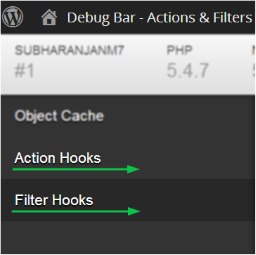
Debug Bar Actions and Filters Addon
4.5 · 400+ installs
Displays all the hooks( Actions and Filters ) for the current request in Debug Bar panel.

5.0 · 100+ installs
Supercharge the WordPress admin panel with additional bulk actions to manage your content
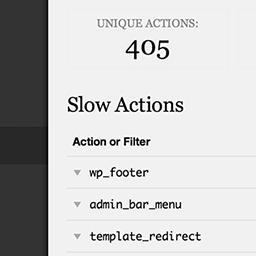
4.8 · 100+ installs
Easily find out which actions and filters are the slowest during a page load.
Spin up a real WordPress site in seconds.
Test plugins, build a demo, hand a client a link — then squash it and start again. No local setup, no Docker.