sandywp / plugins / 301-redirects

301 Redirects & 404 Error Log
Create & manage 301 redirects. Easily test redirects. Includes 404 error log.
Ready in seconds.
v1.05 30,000+ installs WP 4.0+ PHP 5.2+
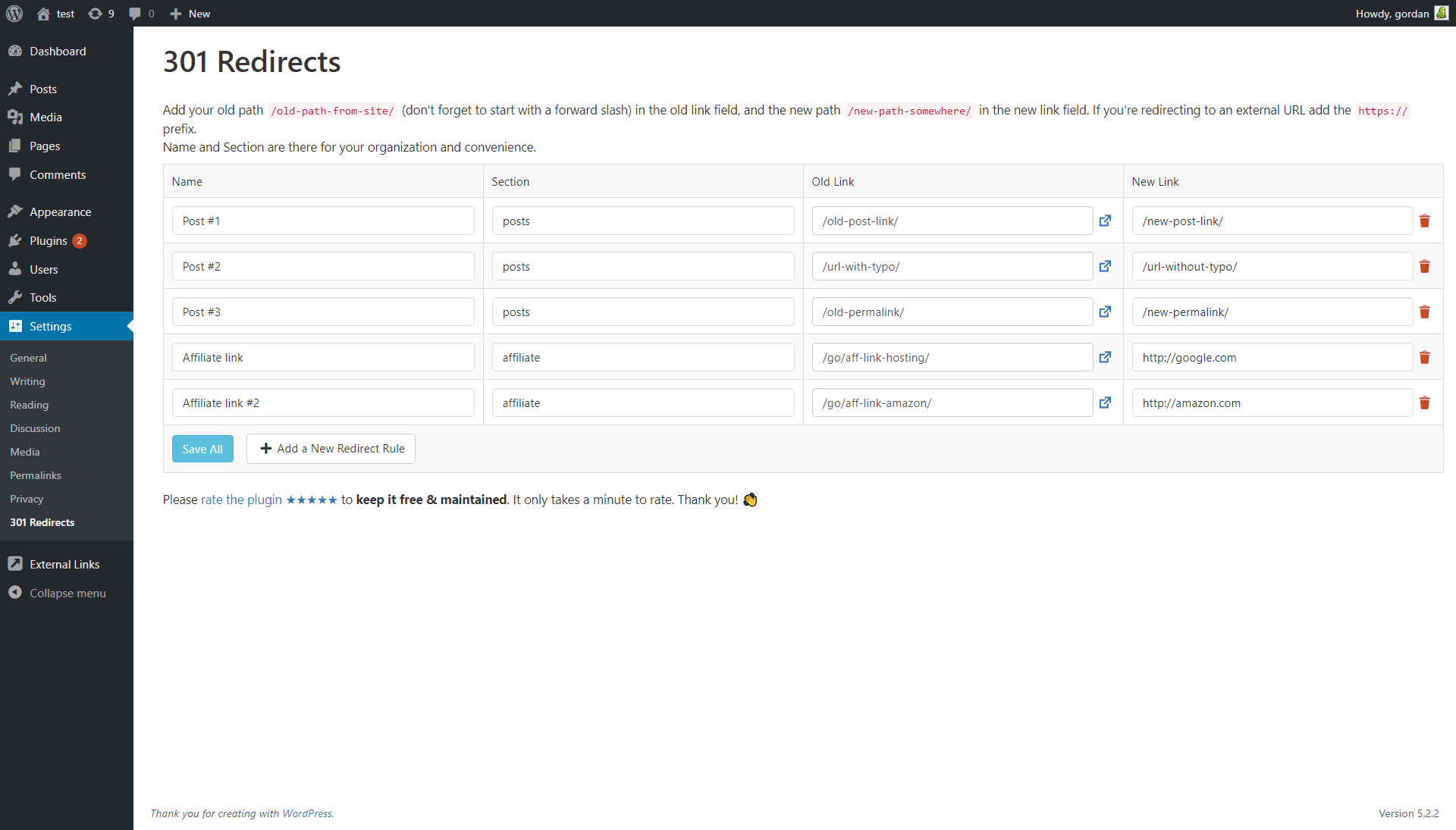
What you get inside
1 screen-
Just add title, section, old link & new link to redirect URLs.
About this plugin
A perfect plugin for creating a new site from an old site or changing the domain name, and managing all of the redirects and broken URLs by using redirection.
Find the link to 301 Redirects in the main Settings menu.
404 error log can be found on the same page, and on the admin dashboard.
301 Redirects plugin creates a new table in the WP database called ‘WP_PREFIX_ts_redirects’ that stores all of your redirect rules and redirections. On plugin deactivation the table is not deleted. When you delete the plugin then the redirection table is deleted forever.
Why is the 404 error log limited to the last 50 errors?
By default, the 404 error log is limited to the last (chronologically) fifty 404 errors. Since the 404 log doesn’t use a custom database table for storage but rather an array saved in WP options, 50 is a safe number that ensures the 404 log works on all sites, that it doesn’t take up too much space in the database and that it doesn’t slow down the site.
The code imposes no limits on the log size and you can easily overwrite the default limit by using the 301_redirects_max_404_logs filter or by using the following code snippet to raise the limit to 200:
add_filter('301_redirects_max_404_logs', function($log_max) { return 200; }, 10, 1);
GDPR compatibility
We are not lawyers. Please do not take any of the following as legal advice.
301 Redirects does not use any 3rd party services or CDNs. It does create a 404 error log which saves the following info when a non-existing (404) page is opened: timestamp of the event, URL of the 404 page, user agent based on the user agent string from the user’s browser. No IP related data or any other identifiable user data is saved or processed. Based on that, we feel it’s GDPR compatible, but again, please, don’t take this as legal advice.
Questions
- How to disable this plugin?
Just use standard Plugin overview page in WordPress admin section and deactivate it or rename plugin folder /wp-content/plugins/301-redirects over FTP access.
- Will it slow my site down?
No, it won’t. It’s only loaded on the pages it protects.
- How can I report security bugs?
You can report security bugs through the Patchstack Vulnerability Disclosure Program. The Patchstack team help validate, triage and handle any security vulnerabilities. Report a security vulnerability.
sandywp / also on the shelf
Try another plugin

301 Redirects – Redirect Manager
4.7 · 300K+ installs
Manage 301 & 302 redirects. Simple redirection & redirects validation. Includes redirect stats & 404 error log.

Simple 301 Redirects By BetterLinks – Easy WordPress Redirect Manager for…
3.8 · 100K+ installs
Simple 301 Redirects provides an easy method of redirecting requests to another page on your site or elsewhere on the web.

404 to 301 – Redirect Manager, 301 Redirection, 404 Error Logs & 404…
4.7 · 100K+ installs
Redirect manager for 301, 302 and 307 redirection. Monitor and fix 404 errors, log every broken link and protect your SEO after a…
Spin up a real WordPress site in seconds.
Test plugins, build a demo, hand a client a link — then squash it and start again. No local setup, no Docker.