sandywp / plugins / yayextra

YayExtra
WooCommerce Extra Product Options
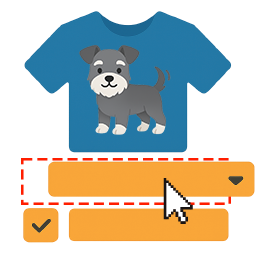
YayExtra – Product Options for WooCommerce lets you add customizable options and extra fields to your products.
Ready in seconds.
v2.0.3 1,000+ installs WP 6.2+ PHP 7.2+

What you get inside
8 screens-
Extra product options on WooCommerce product page
-
Add custom swatches with additional prices
-
Dropdown and checkbox fields
-
Number input fields with validation rules
-
Bulk-assign option sets to products
-
Add conditional logic to keep your product pages neat and smart
-
Quickly set up flexible conditions with and/or rules
-
Add extra charges by percentage or fixed amount
About this plugin
YayExtra – Product Options for WooCommerce lets you add customizable options and extra fields to your products.
Perfect for stores that sell personalized, configurable, or add-on products.
What you can do with YayExtra:
- Add custom product options to any WooCommerce product
- Offer personalization fields (name, message, notes, etc.)
- Create product add-ons from existing products
- Collect extra information from customers before checkout
- Improve product pages and increase order value
👉 Check it out: YayExtra – Woo Product Options Pro
Works great for selling:
- Custom apparel
- Personalized gifts
- Configurable products
- Service add-ons
- Print-on-demand items
- Value-added services
Build better product pages. Offer more choices. Sell more with YayExtra.
📌 Documentation | Quick Demo | Admin Test Drive
⚡️ FEATURES
Powerful Custom Product Options
YayExtra supports many WooCommerce product field types to serve your diverse use cases:
- Allow customers to input text, number, email, etc.
- Add radio buttons to the original product
- Enable checkbox to allow for privacy policy acknowledgement
- Add button rows to customize the base product
- Add one time fee in percentage or fixed amount
- Add multiple fees to multiple product options
- Display the subtotal for the selected extras
Multiple Options in an Option Set
You can add many product custom fields in the same group. Related options can be displayed next to each other or vertically. A product field can trigger the display of the next product field.
Apply Product Options in Bulk
A group of product fields can be applied to all products, a group of products in a specific category, a group of products with a specific tag, or hand-picked products.
Developer-Friendly
This product options plugin allows using hooks for before_calculate_totals function to modify the cart item line total.
WooCommerce Conditional Variations
YayExtra allows you to create conditional logic that can be combined with the existing custom options. Conditional logic shows the next product fields if the user selects a specific option value.
Let’s suppose that you sell car parts, so when the customer chooses to have “Accessories” then related options like “Front door items” or “Replacement kit” can be shown on the current product page. Otherwise, if the customer doesn’t check the “Accessories” checkbox, then those options will not show up, which will keep your product page neat and clear.
💡 Want to sell more with every order? Meet YayBoost – Sales Booster for WooCommerce 🎉
It adds powerful upsell and cross-sell features to your WooCommerce store: free shipping nudge, product recommendations, order bumps, and post-purchase offers that convert. Try free version here ↗
💎 PREMIUM-ONLY FEATURES
Advanced Product Addons
Multiple field types are built in the premium version:
- Image swatches
- Button (multi selectable)
- Swatches (multi selectable)
- Date picker
- Time picker
- File Upload
Grouping and Bundling Products
Similar to “related products,” you can easily use an existing product as a swatch or option for another product.
- Assign the “Custom Stickers” product as an additional option for a range of “Bag” products.
- Offer a “Matched Cap” as an optional add-on for a “Baseball T-Shirt” to create a coordinated set.
- Quickly set up product bundles and upsell opportunities to maximize sales.
🔑 ENHANCED SETTINGS
Each field type comes with various elements to help you enhance the extra product options:
- Required field: Require the customer to select an option or enter the information so it can be passed through in the order (Free)
- Placeholder: Add help text or expected value to be entered in the field (Free)
- Set as default: Enable a specific option value to be selected upon product page load (Free)
- Custom image: Use uploaded swatch image to show on product featured image (Premium-only)
- File upload: Add a single or multiple file uploads, make file uploads mandatory or optional, and many other options.
- File upload: Allow specific file formats like PNG, JPG, PDF, DOC, XLS, etc.
Questions
- I got issues. How can I get support?
Please create a topic or contact us to get help. We’re sure to resolve the glitch!
To quickly get the answers, please attach screenshots of currently active WooCommerce plugins on your website.- How can I change the position of the section of extra product options on my product page??
In most cases, the added custom product fields will be displayed below the short description and above Add to cart button. If you wish to change its position, you can overwrite the template structure.
- Can I use an existing product as an option for another product?
Yes, this feature is called Linked Product in YayExtra Pro settings. You can upgrade to WooCommerce Extra Product Options Pro to start cross-selling and upselling today!
sandywp / also on the shelf
Try another plugin

Extra Product Options For WooCommerce | Custom Product Addons and Fields
4.9 · 30K+ installs
WooCommerce Extra Product Options plugin lets you add product addons (custom products field) of 20 different field types to your…

WowAddons – Product Addons and Product Options With Custom Fields
5.0 · 4K+ installs
Product addons for WooCommerce is the ultimate plugin that lets you add extra product options, product fields, and WooCommerce…
Extra Product Options Builder for WooCommerce
4.8 · 2K+ installs
The most customizable extra product options builder for WooCommerce. You will love how many fields and features the free version…
Spin up a real WordPress site in seconds.
Test plugins, build a demo, hand a client a link — then squash it and start again. No local setup, no Docker.