sandywp / plugins / wp-force-ssl

WP Force SSL & HTTPS SSL Redirect
Enable SSL & HTTPS redirect with 1 click! Add SSL certificate & WP Force SSL to redirect site from HTTP to HTTPS & fix SSL errors.
Ready in seconds.
v1.70 80,000+ installs WP 4.6+ PHP 5.2+
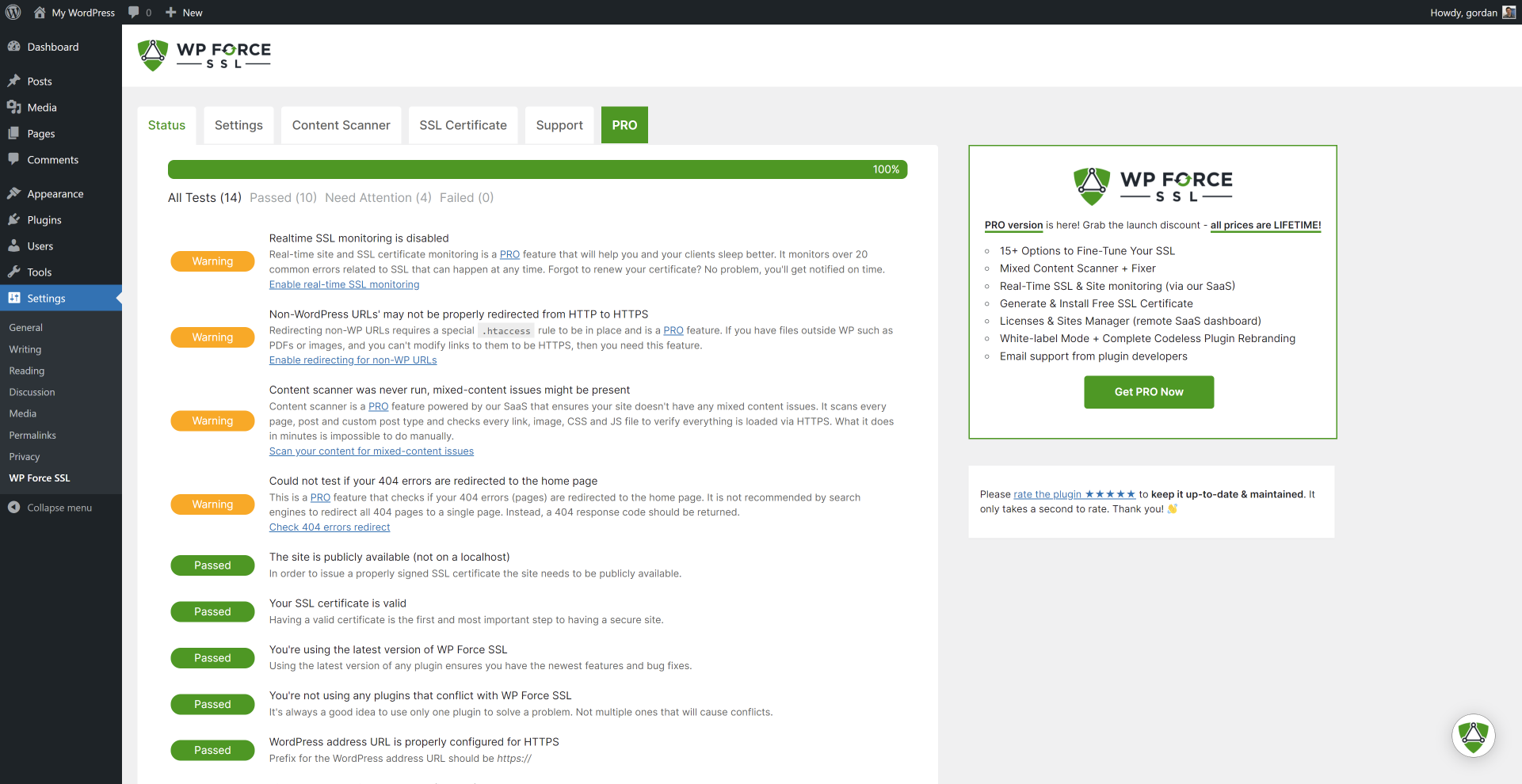
What you get inside
3 screens-
Built-in tests verify your SSL configuration
-
SSL settings
-
SSL certificate tester
About this plugin
WP Force SSL helps you redirect insecure HTTP traffic to secure HTTPS and fix SSL errors without touching any code. Activate Force SSL and everything will be set and SSL enabled. The entire site will move to HTTPS using your SSL certificate. It works with any SSL certificate. It can be free SSL certificate from Let’s Encrypt or a paid SSL certificate.
How to add SSL & enable SSL? Most hosting companies support the free SSL certificate from Let’s Encrypt, so login to your hosting panel and add SSL certificate. You’ll see a button labeled “Add SSL Certificate” or “Add Let’s Encrypt Certificate” and after that it’s 1 click to have the SSL enabled on your site with WP Force SSL. If that doesn’t work get WP Force SSL PRO and it’ll generate free SSL certificate for your site. And will regenerate SSL certificate every 90 days.
Access WP Force SSL settings via the main Settings menu -> WP Force SSL.
SSL Tests available in the plugin
- is site on localhost?
- check SSL certificate
- check SSL certificate expiry date
- is latest version of Force SSL used?
- are known incompatible SSL plugins active?
- is WP address URL set for SSL?
- is WP home URL set for SSL?
- is SSL monitoring enabled (pro feature)
- is HTTPS redirection working?
- is file redirection working (pro feature)
- is HSTS enabled?
- check mixed-content issue (pro feature)
- is htaccess available & writable?
- is 404 redirection enabled (pro feature)
Settings
- redirect HTTP to HTTPS
- fix mixed-content (pro)
- enable HSTS
- force secure cookies (pro)
- cross-site scripting protection (pro)
- expect CT header
- X-Frame options
- show WP Force SSL menu in admin bar
- show WP Force SSL widget in admin dashboard
SSL certificate testing tool
WP Force SSL comes with an SSL certificate testing tool. It tests if the SSL certificate is valid, properly installed & up-to date.
Need support?
We’re here for you! Things get frustrating when they don’t work so make sure you open a support topic in the official Force SSL forum. We answer all questions within a few hours!
External Assets
A big thank you to SweetAlert2 authors which we use to make alerts nicer. And to DepositPhotos for the lovely header image.
Questions
- Who is this plugin for?
For anyone who has an SSL certificate installed on their site and wants to be sure all content is accessed (and redirected if needed) via a secure connection.
- Do I need an SSL certificate for this to work?
Yes, you do need an SSL certificate. If you don’t have one you can buy WP Force SSL PRO which will generate an SSL certificate for free.
- After activating WP Force SSL, do I need to do anything else?
No, nothing. After activating WP Force SSL, the main option “redirect SSL” will already be active. What you can do is use our tests to make sure everything related to SSL is working.
- How can I report security bugs?
You can report security bugs through the Patchstack Vulnerability Disclosure Program. The Patchstack team help validate, triage and handle any security vulnerabilities. Report a security vulnerability.
sandywp / also on the shelf
Try another plugin

4.2 · 100K+ installs
The plugin allows an automatic redirection to the "HTTPS" version/URL of the site. Make your site SSL compatible easily.

SSL Zen — SSL Certificate Installer & HTTPS Redirects
4.9 · 10K+ installs
Free SSL certificate for WordPress — install a Let's Encrypt SSL, force HTTPS, fix mixed content and redirect HTTP to HTTPS. No…

4.1 · 8K+ installs
A fix for mixed content! This Plugin creates protocol relative urls by removing http + https from links. Works in Front- and…
Spin up a real WordPress site in seconds.
Test plugins, build a demo, hand a client a link — then squash it and start again. No local setup, no Docker.