sandywp / plugins / woocommerce-payments

WooPayments
Integrated WooCommerce Payments
Securely accept credit and debit cards on your WooCommerce store. Manage payments without leaving your WordPress dashboard. Only with WooPayments.
Ready in seconds.
v11.1.0 800,000+ installs WP 6.0+ PHP 7.4+
What you get inside
4 screens-
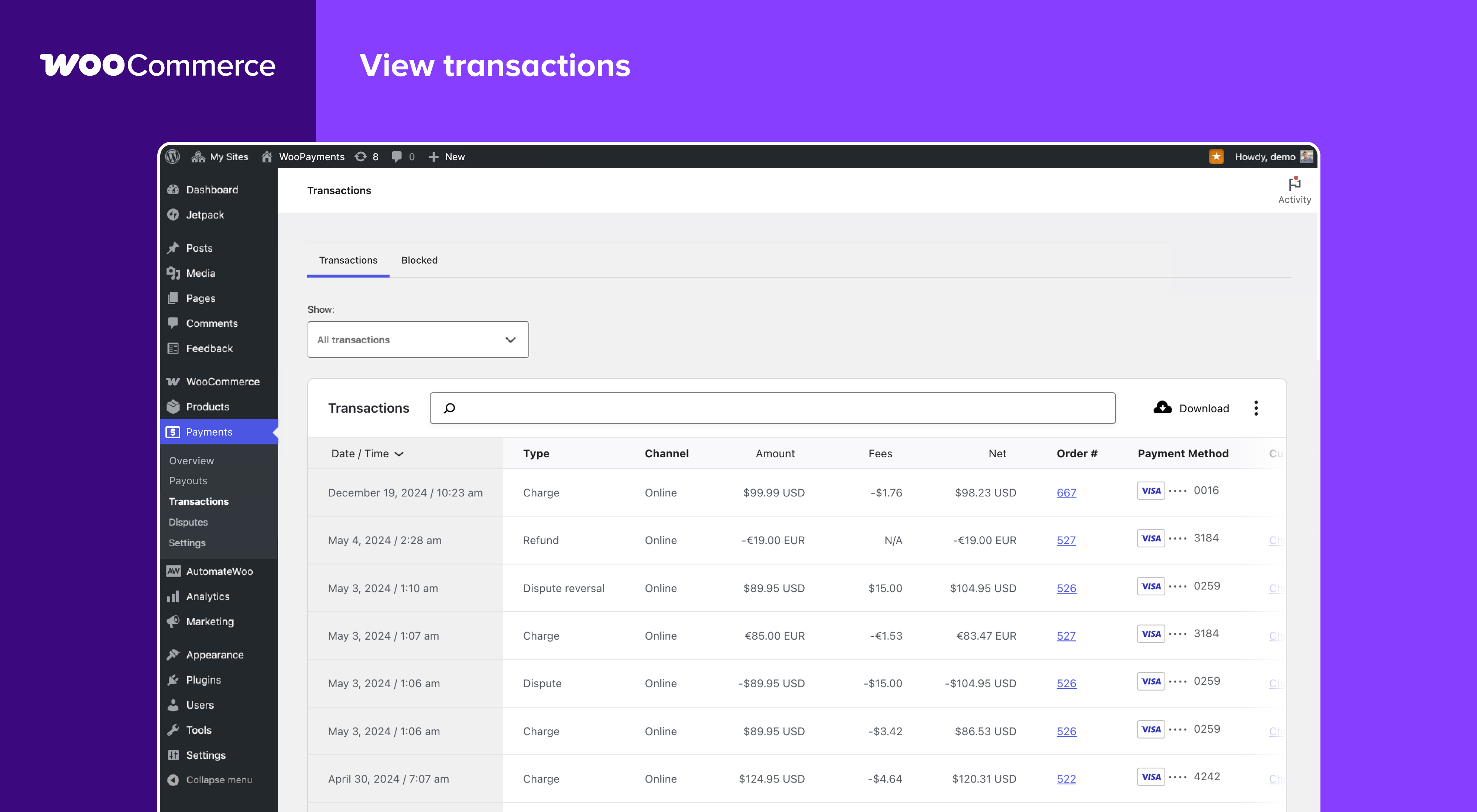
View Transactions
-
View Transaction Details
-
Track Payouts
-
Manage Disputes
About this plugin
Payments made simple, with no monthly fees – designed exclusively for WooCommerce stores.
Securely accept major credit and debit cards, and allow customers to pay you directly without leaving your WooCommerce store. View and manage transactions from one convenient place – your WordPress dashboard.
See payments, track cash flow into your bank account, manage refunds, and stay on top of disputes without the hassle of having to log into a separate payment processor.
Manage transactions from the comfort of your store
Features previously only available on your payment provider’s website are now part of your store’s integrated payments dashboard. This enables you to:
- View the details of payments, refunds, and other transactions.
- View and respond to disputes and chargebacks.
- Track payouts into your bank account or debit card.
Pay as you go
WooPayments is free to install, with no setup fees or monthly fees. Our pay-as-you-go pricing model means we’re incentivized to help you succeed! Read more about transaction fees.
Supported by the WooCommerce team
Our global support team is available to answer questions you may have about WooPayments installation, setup, or use. For assistance, open a ticket on woocommerce.com.
Getting Started
Requirements
- WordPress 6.0 or newer.
- WooCommerce 7.6 or newer.
- PHP 7.3 or newer.
Try it now
To try WooPayments (previously WooCommerce Payments) on your store, simply install it and follow the prompts. Please see our Startup Guide for a full walkthrough of the process.
Questions
- What countries and currencies are supported?
If you are an individual or business based in one of these countries, you can sign-up with WooPayments. After completing sign up, you can accept payments from customers anywhere in the world, as long as they are paying with a supported currency.
We are actively planning to expand into additional countries based on your interest. Let us know where you would like to see WooPayments launch next.
- Why is a WordPress.com account and connection required?
WooPayments uses the WordPress.com connection to securely communicate with our payments server. This is necessary for WooPayments to function correctly, so it’s not possible to use WooPayments without connecting. Please see this document for more information.
Note that you do not need to host your site itself on WordPress.com, nor do you need to host any site on WordPress.com at all. You only need an account.
Note that you do not need to host your site itself on WordPress.com. You only need an account on WordPress.com to establish the connection. You can create a WordPress.com account at this link.
- How do I set up a store for a client?
If you are a developer or agency setting up a site for a client, please see this page of our documentation for some tips on how to install WooPayments on client sites.
- How is WooPayments related to Stripe?
WooPayments is built in partnership with Stripe Stripe. When you sign up for WooPayments, your personal and business information is verified with Stripe and stored in an account connected to the WooPayments service. This account is then used in the background for managing your business account information and activity via WooPayments. Learn more.
- Are there Terms of Service and data usage policies?
You can read our Terms of Service and other policies here.
sandywp / also on the shelf
Try another plugin

Payment Plugins for Stripe WooCommerce
4.8 · 100K+ installs
Accept Credit Cards, Google Pay, ApplePay, Afterpay, Affirm, ACH, Klarna, iDEAL and more all in one plugin for free!

Payment Gateway for Redsys & WooCommerce Lite
4.9 · 20K+ installs
Add Redsys Gateway, BIZUM, and Apple/Google Pay redirection to WooCommerce. Lite version of the premium Redsys plugin on…

FunnelKit Payment Gateway for Stripe WooCommerce
4.9 · 20K+ installs
FunnelKit Payment Gateway for Stripe WooCommerce is an integrated solution that lets you accept payments on your online store for…
Spin up a real WordPress site in seconds.
Test plugins, build a demo, hand a client a link — then squash it and start again. No local setup, no Docker.