sandywp / plugins / woo-razorpay

Razorpay for WooCommerce
Start accepting payments in minutes with 100% digital onboarding & feature filled Razorpay payment gateway with the WooCommerce plugin.
Ready in seconds.
v4.8.7 100,000+ installs WP 3.9.2+ PHP 7.4+
What you get inside
3 screens-
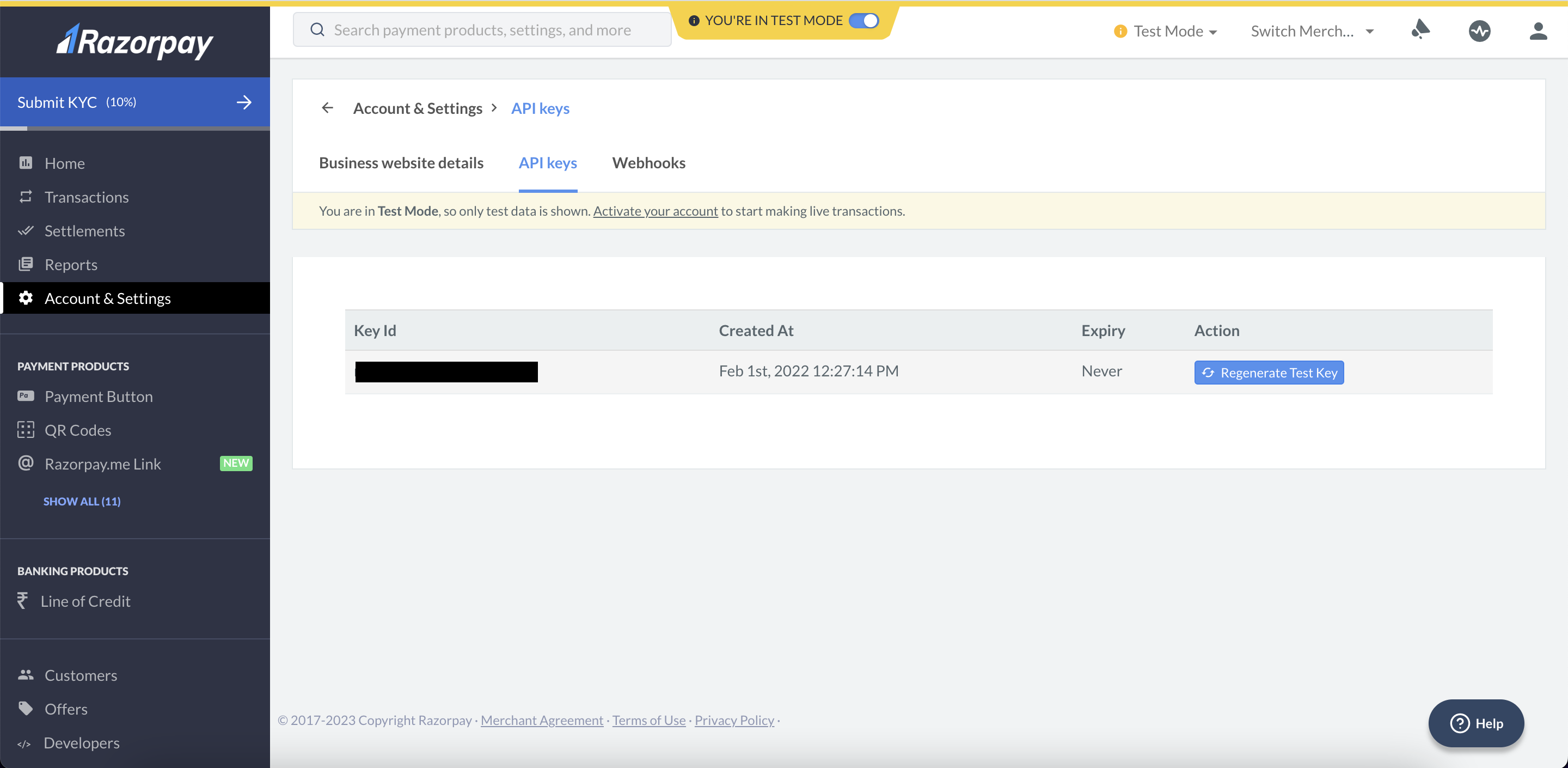
Razorpay Payment Gateway for WooCommerce API keys.
-
Razorpay Payment Gateway for WooCommerce Plugin settings.
-
Razorpay Payment Gateway for WooCommerce Plugin Payments checkout.
About this plugin
Allows you to accept credit cards, debit cards, netbanking, wallet, and UPI payments in India and FPX, eWallets, Duitnow in Malaysia.
This is the official Razorpay payment gateway plugin for WooCommerce. A system designed to handle end-to-end payments. Accept payments via 100+ payment modes – domestic & international credit & debit cards, EMIs, paylater, net banking, UPI & mobile wallets including JioMoney, Mobikwik, Airtel Money, FreeCharge, Ola Money and PayZapp in India, and FPX, Duitnow and eWallets including GrabPay, Touch N Go, Boost in Malaysia, with the WooCommerce plugin.
Get a feature-filled and easy to integrate checkout with cards (Visa, MasterCard, American Express, UnionPay etc) saved across businesses so that customers can pay seamlessly everywhere, both domestic and international. This plugin allows for refunds, works across all browsers, and is compatible with the latest WooCommerce. Boost conversions with international customers paying in their local currency. Keep your data safe with robust security that comes with PCI DSS Level 1 compliance.
This is compatible with WooCommerce>=4.0, including the new 9.0 release. It has been tested up to the 9.1.2 WooCommerce release.
BENEFITS OF USING RAZORPAY
-
Get started in minutes with seamless onboarding – Razorpay registration link via 100% digital KYC for Indian businesses and easy onboarding for Malaysia businesses
-
Boost customer conversions with superior checkout experience on fast-growing UPI in India and Duitnow in Malaysia
-
Enjoy industry leading success rate & avoid drop offs with seamless payment flow
-
Razorpay has no setup fees, no monthly fees, no hidden costs: you only get charged when you earn money! Earnings are transferred to your bank account as per settlement cycle.
-
Razorpay supports the WooCommerce Subscriptions extension via Razorpay Subscriptions Plugin for WooCommerce and When a customer pays for a subscription item, you can accept recurring payments for the same on your WooCommerce-enabled WordPress site.
-
Razorpay has Affordability Widget to spread awareness about the affordability-based payment options before they reach checkout. You can integrate Razorpay Affordability Widget with your WooCommerce website to influence your customer’s purchase decisions before they reach checkout by displaying various affordable payment options and offers.
COUNTRIES SUPPORTED
Razorpay is available for Store Owners and Merchants in
– India
– Malaysia
Dependencies
- WordPress v3.9.2 and later
- Woocommerce v4.0 and later
- PHP v5.6.0 and later
- php-curl extension
Configuration
- Visit the WooCommerce settings page, and click on the Checkout/Payment Gateways tab.
- Click on Razorpay to edit the settings. If you do not see Razorpay in the list at the top of the screen make sure you have activated the plugin in the WordPress Plugin Manager.
- Enable the Payment Method, name it Credit Card / Debit Card / Internet Banking (this will show up on the payment page your customer sees), add in your Key id and Key Secret.
- The Payment Action should be set to “Authorize and Capture”. If you want to capture payments manually from the Dashboard after manual verification, set it to “Authorize”.
Support
Visit razorpay.com for support requests.
License
The Razorpay WooCommerce plugin is released under the GPLv2 license, same as that
of WordPress. See the LICENSE file for the complete LICENSE text.
Questions
- Where can I find Razorpay documentation for Razorpay WooCommerce plugin?
For help setting up and configuring, please refer to our documentation.
- Does Razorpay for WooCommerce support webhooks?
Yes, please see https://github.com/razorpay/razorpay-woocommerce/wiki/Webhooks for more details
- Does Razorpay for WooCommerce support both production mode and test / sandbox mode for testing?
Yes, it does – production and Test (sandbox) mode is driven by the API keys you use with a checkbox in the admin settings to toggle between both.
- How do I enable Multi-currency support or Accept payments in international currencies
You can accept International payments from your customers in more than 100 foreign currencies using our Payment Gateway. Please get multi-currency enabled for your account. Once you have it enabled, you can install any plugin
version higher than 2.0.0, which comes with native multi-currency support.- How can I exclude Draft orders from WooCommerce analytics reports?
Please follow the below steps:
1. Click on the ‘Analytics’ settings in the WooCommerce dashboard menu.
2. Go to the ‘Excluded statuses’ section and select the checkbox for ‘Draft’ orders under the ‘Unregistered statuses’ section.- Does this support recurring payments / subscriptions?
Yes. WooCommerce Subscriptions extension and Razorpay Subscriptions Plugin for WooCommerce installed along with Razorpay WooCommerce plugin will support subscription on your WooCommerce supported WordPress website
Spin up a real WordPress site in seconds.
Test plugins, build a demo, hand a client a link — then squash it and start again. No local setup, no Docker.