sandywp / plugins / unbloater

Unbloater
Remove unnecessary code, nags and bloat from WordPress core and certain plugins.
Ready in seconds.
v1.7.0 5,000+ installs WP 4.2+ PHP 7.2+
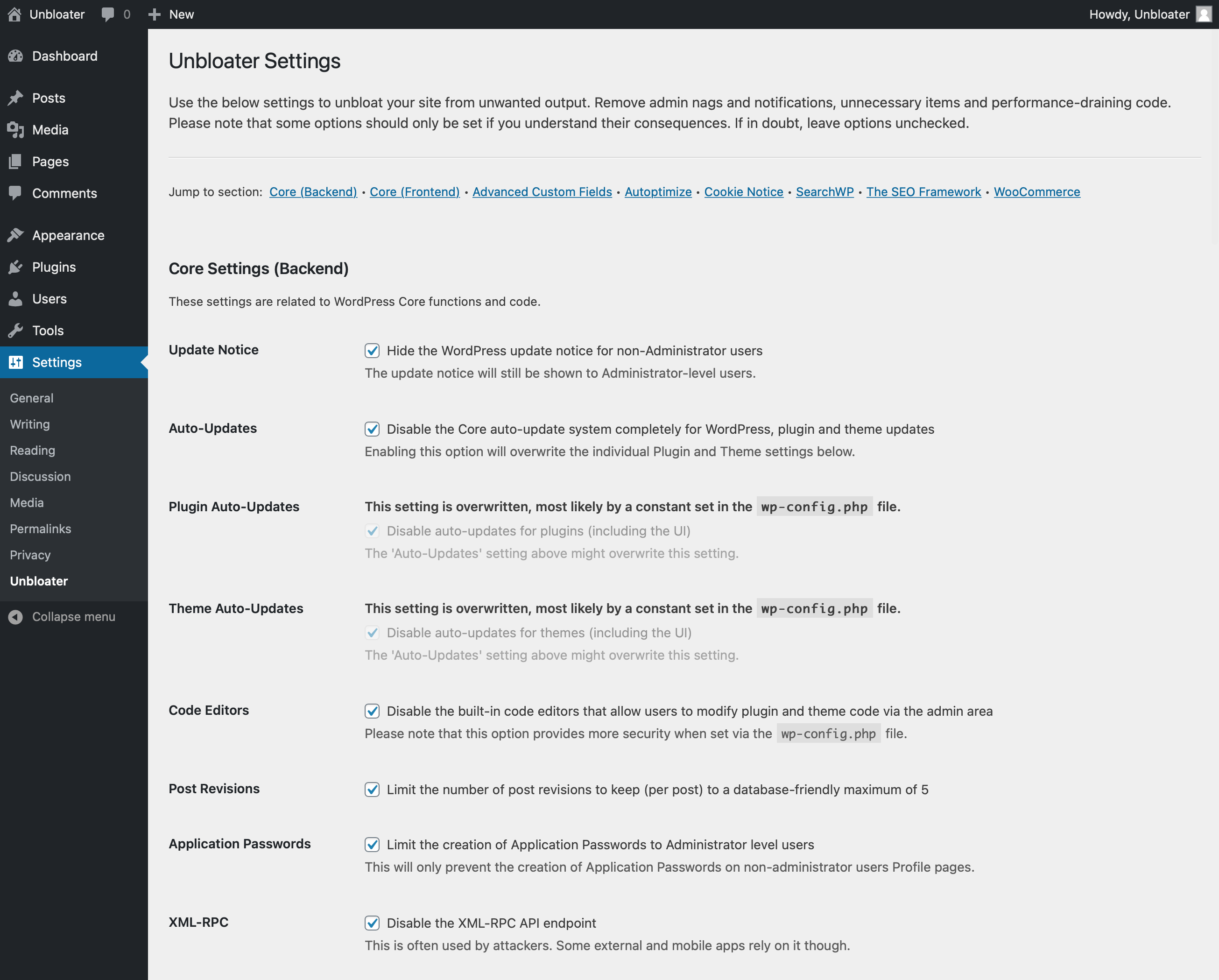
What you get inside
1 screen-
Plugin settings (see description for all available options)
About this plugin
Unbloater is a simple and minimalist interface for cleaning up your WordPress admin dashboard and site code from unnecessary and not needed items. It mostly uses filters and actions to achieve fast and clean results. The settings screen is clean by itself, no additional styling or branding – that’s what the plugin stands for.
This plugin evolved out of my personal need to clean up sites for clients. The available options, especially for third party plugins, may therefore be biased. They might also be developer-focused in that the results work towards a cleaner site for non-technical users.
Included Options
Unbloater currently integrates 50+ options:
Core (Backend):
- Hide update notice for non-admin users
- Disable core auto-updates
- Disable theme auto-updates
- Disable plugin auto-updates
- Disable installation of bundled items (e.g. default themes) during Core upgrades
- Disable code editors
- Limit post revisions
- Limit creation of Application Passwords to admins
- Disable Application Passwords
- Disable admin email confirmation screen
- Remove Command Palette admin bar item
- Disable Command Palette
- Disable XML-RPC API
- Remove WordPress ‘W’ admin bar item
- Remove admin footer text
Core (Frontend):
- Remove generator tag
- Remove script/style version parameter
- Remove WLW Manifest link
- Remove RSD link
- Remove shortlink
- Remove feed generator tag
- Remove feed links
- Remove feeds
- Remove DNS prefetch to s.w.org
- Remove jQuery Migrate script
- Remove emoji styles and scripts
- Load comment script only when needed
- Remove recent comments inline style
- Prevent auto-linking URLs in comments
- Reduce Heartbeat interval
- Normalize favicon
- Normalize login logo title
- Normalize login logo URL
- Disable login language selector
Block Editor / Gutenberg:
- Deactivate Block Directory
- Deactivate Core Block Patterns
- Deactivate Template Editor
- Auto-close Welcome Guide
- Auto-exit Fullscreen Mode
Third party plugins:
- Advanced Custom Fields: Remove admin interface
- Autoptimize: Remove admin bar item
- Autoptimize: Remove imgopt notice
- Rank Math: Remove admin bar item
- Rank Math: Whitelabel (removes head comments and admin footer credit)
- Rank Math: Remove sitemap credit
- Rank Math: Remove link class
- SearchWP: Remove stats widget
- SearchWP: Remove stats link
- SearchWP: Remove admin bar item
- SearchWP: Move top-level menu item to bottom
- SearchWP: Remove top-level menu item
- The SEO Framework: Remove plugin indicator
- The SEO Framework: Move metabox to ‘side’ context
- WooCommerce: Remove ‘Connect your store’ notice
- WooCommerce: Remove all notices
- WooCommerce: Remove cart fragment scripts
- WooCommerce: Remove SkyVerge dashboard
- Yoast SEO: Remove admin bar item
- Yoast SEO: Remove plugin indicator
- WP Rocket: Remove admin bar item
- WP Rocket: Whitelabel footprint
- WP Rocket: Remove Imagify ads
- Redis Cache: Remove admin bar item
Third party options will only be shown when the applicable plugin is installed and activated.
Questions
- Will you add support for plugin x?
Probably not. This plugin is biased towards my personal needs, thus integrating what I need in client projects. I do not plan to add options for just any plugin out there, since that would kind of work against a clean plugin and site for myself.
sandywp / also on the shelf
Try another plugin

5.0 · 30K+ installs
Patch wp2shell instantly by Disabling REST API access.

The Off Switch (formerly WP Avoid Slow)
5.0 · 200+ installs
Disable unused WordPress features and remove bloat. 120 switches for performance, security and WooCommerce — pure PHP, no…

5.0 · 70+ installs
Improve the loading speed of your website by removing bloat and unused features (formerly named Better Speed)
Spin up a real WordPress site in seconds.
Test plugins, build a demo, hand a client a link — then squash it and start again. No local setup, no Docker.