sandywp / plugins / ultimate-cursor

Ultimate Cursor
Interactive and Animated Cursor and Background Effects Toolkit
Add custom animated mouse cursors with text, icons, images and shapes, plus stunning background effects. Live preview, no code needed.
Ready in seconds.
v2.4.0 3,000+ installs WP 6.0+ PHP 7.4+

What you get inside
8 screens-
General Settings — Select Cursor Type 📊 – Choose Text, Image, Icon, Shapes, or Animated cursor from one central dashboard.
-
Multiple Cursor Configurations 🎯 – Create and manage different cursor setups for pages, selectors, and elements (Pro).
-
Text Cursor Settings ✏️ – Replace the pointer with custom text and preview it live in the settings panel.
-
Image Cursor Settings 🖼️ – Upload any image as your cursor with a real-time preview.
-
Icon Cursor Library 🎨 – Pick from a built-in icon library and see your selection instantly in the preview.
-
Shapes Cursor Selection 🔷 – Choose from geometric shape cursors with dot, circle, star, arrow, and more.
-
Splash Cursor Settings 💥 – Configure fluid splash size and force with an interactive live preview.
-
Bubble Cursor Settings 🫧 – Add playful bubble animations that follow cursor movement.
About this plugin
🔗 Try the interactive demo → Test every cursor type and background effect live in your browser before you install.
The custom cursor and background effects toolkit trusted by 3,000+ WordPress websites
Transform your WordPress website and captivate your audience with Ultimate Cursor, the all-in-one solution for creating custom cursors and stunning background effects. Replace the default mouse pointer with animated cursors, dynamic icons, interactive text, engaging images, and geometric shapes — and pair them with animated background effects — all from a live-preview dashboard, with no coding required.
Ultimate Cursor works with every theme and with Elementor, Gutenberg, WPBakery, Divi, and other page builders. Whether you want to strengthen your brand identity, guide visitors with interactive feedback, or simply make your site unforgettable, you can style, preview, and publish a custom mouse cursor in minutes.
Unlock every feature with Ultimate Cursor Pro.
✨ New in 2.3.0 — Interactive Hover
Your cursor now reacts to the page. When visitors hover links, buttons, or form fields, the cursor can:
✅ Scale up smoothly with configurable speed and size
✅ Change color and glow to highlight the interactive element
✅ Snap magnetically toward the element’s center (Pro)
✅ Show contextual labels — “Open”, “Play”, “Type” — right inside the cursor (Pro)
✅ Blend with the page using CSS blend modes, and target your own CSS selectors (Pro)
Plus 9 brand-new cursor shapes (Pro): Blob, Squircle, Sparkle, Seal Badge, Octagon, Pin, Play, Asterisk, and Shield — 25 shapes in total.
🎯 Key Features of Ultimate Cursor
-
Advanced Animated Cursor Effects: Transform your website with cutting-edge cursor animations including bubble effects, snowflake patterns, splash cursors, character cursors, rainbow trails, and dynamic cursor follow text functionality.
-
Comprehensive Cursor Type Library: Access an extensive collection of cursor styles including image cursors, icon cursors, shaped cursors, click spark effects, click particles, and countless other animated cursor variations.
-
Interactive Visual Feedback: Enhance user interactions with interactive hover effects, click spark animations, particle burst effects, and responsive cursor transformations that react to user movements and clicks.
-
Dynamic Character & Text Integration: Implement character cursors and cursor follow text features that create engaging storytelling elements and interactive guidance throughout your website.
-
Stunning Visual Effects: Deploy rainbow cursor trails, snowflake animations, bubble cursors, and splash effects that add magical, eye-catching elements to every mouse movement.
-
Stunning Icon Library: Replace the standard cursor with 113 built-in icons — the whole library is free. From custom designs to classic arrows, create an interactive element that grabs your visitors’ attention.
-
25 Geometric Shape Cursors: From a minimal dot-and-ring to hearts, stars, blobs, squircles, pins, and shields — modern shape cursors with customizable colors, sizes, and borders.
-
Seamless Integration with WordPress Page Builders: Built to work with Elementor, Gutenberg, WPBakery, Divi, and other page builders — no template changes needed.
-
Performance-Optimized Animations: Effects are code-split and loaded only when used, so your site stays fast. Cursor and background animations are GPU-accelerated for smooth 60fps motion.
-
Selective Animation Application: Apply specific cursor effects to entire site, specific pages, CSS selectors, or HTML elements for targeted visual impact — see multiple cursor targeting in action (Pro).
-
Accessibility Built In: Custom cursors are automatically hidden on touch devices, and animations respect the visitor’s reduced-motion preference.
-
Translation Ready: The full dashboard and frontend are translatable — bring Ultimate Cursor to your audience in any language.
🌟 Background Effects Features
-
Antigravity Background Effect: Create mesmerizing floating particle animations that defy gravity, adding depth and movement to your website sections with customizable particle density, speed, and colors.
-
Pillar Background Effect: Implement stunning vertical light pillar animations that create a dynamic, architectural visual effect perfect for hero sections, landing pages, and feature showcases.
-
Customizable Animation Settings: Fine-tune background effect parameters including animation speed, particle count, color schemes, opacity levels, and interaction behaviors.
-
Section-Specific Application: Apply different background effects to specific sections, pages, or elements for targeted visual enhancement without affecting overall site performance (Pro).
-
Responsive Background Animations: All background effects are fully responsive and optimized for mobile, tablet, and desktop devices ensuring consistent visual experiences across all screen sizes.
🆓 Free vs Pro
Free forever:
✅ Text, image, icon, shape, and animated cursor types
✅ 5 geometric shape cursors
✅ Splash, bubble, click spark, click particles, character, and rainbow effects with core controls
✅ Antigravity and Light Pillar background effects
✅ Live preview dashboard
Ultimate Cursor Pro adds:
✅ Interactive Hover — hover scale, colors, glow, magnetic attraction, cursor labels, blend modes, and custom CSS selector targeting
✅ Multiple Cursor Configurations — different cursors for different pages, sections, or elements
✅ Element-Specific Targeting — apply cursors to specific pages, CSS selectors, or HTML elements
✅ 20 additional shape cursors — including the new Blob, Squircle, Sparkle, Pin, and Shield
✅ Advanced Animation Controls — fine-tune every effect: trail emojis, snowflake characters, spark colors, particle speed, image hotspots, and more
✅ Premium Background Controls — intensity, quality, display position, and multiple background configurations
✅ Priority Support — get expert help when you need it most
✅ 14-Day Money-Back Guarantee — try Pro completely risk-free
Questions
- How do I change the mouse cursor on my WordPress site?
Install Ultimate Cursor, open the Ultimate Cursor menu in your dashboard, choose a cursor type (text, image, icon, shape, or animated effect), customize it with the live preview, and save. Your custom cursor is live immediately — no code or CSS needed.
- Will Ultimate Cursor slow down my website?
No. Ultimate Cursor is optimized for performance: scripts load only when an effect is enabled, effects are code-split so visitors download only what your configuration uses, and animations are GPU-accelerated for smooth 60fps motion.
- Does it work with all themes and page builders?
Yes. Ultimate Cursor is compatible with all properly-coded WordPress themes and page builders including Elementor, Gutenberg, WPBakery, Divi, and more.
- Does the custom cursor show on phones and tablets?
Touch devices have no mouse cursor, so Ultimate Cursor automatically hides itself there to keep your mobile experience clean. Background effects remain fully responsive on all devices.
- What is Interactive Hover?
Interactive Hover (Pro) makes your cursor react when visitors point at links, buttons, and form fields: it can scale up, change color, glow, get pulled magnetically toward the element, and even display a contextual label like “Open” or “Play” inside the cursor.
- What’s the difference between the free and pro versions?
The free version includes all five cursor types, five shapes, core effect controls, and both background effects. Pro adds Interactive Hover, multiple cursor configurations, element/page/selector targeting, 20 extra shapes, advanced per-effect customization, premium background controls, and priority support.
- Can I apply different cursors to different parts of my website?
Yes. With Pro you can create multiple cursor configurations and target them at specific pages, CSS selectors, or HTML elements — for example one cursor site-wide and a different one over your portfolio grid.
- What background effects are available?
Ultimate Cursor includes Antigravity (floating particles) and Light Pillar (glowing vertical light) effects. Both are customizable and can run site-wide or, with Pro, on specific pages and sections.
sandywp / also on the shelf
Try another plugin
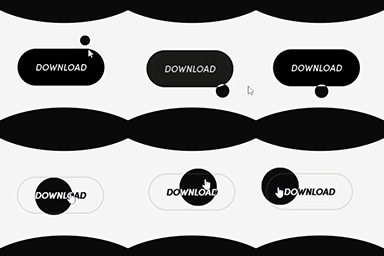
4.5 · 1K+ installs
Custom Cursor For WP - Help you to customize your WordPress website cursor or mouse pointer and It's very easy to use.
Spin up a real WordPress site in seconds.
Test plugins, build a demo, hand a client a link — then squash it and start again. No local setup, no Docker.