sandywp / plugins / typekit-fonts-for-wordpress

Adobe Fonts (formerly Typekit) for WordPress
Integrate the Adobe Fonts service into your WordPress website or blog to use a range of over 25,000 high-quality fonts.
Ready in seconds.
v1.10.1 10,000+ installs WP 6.0+
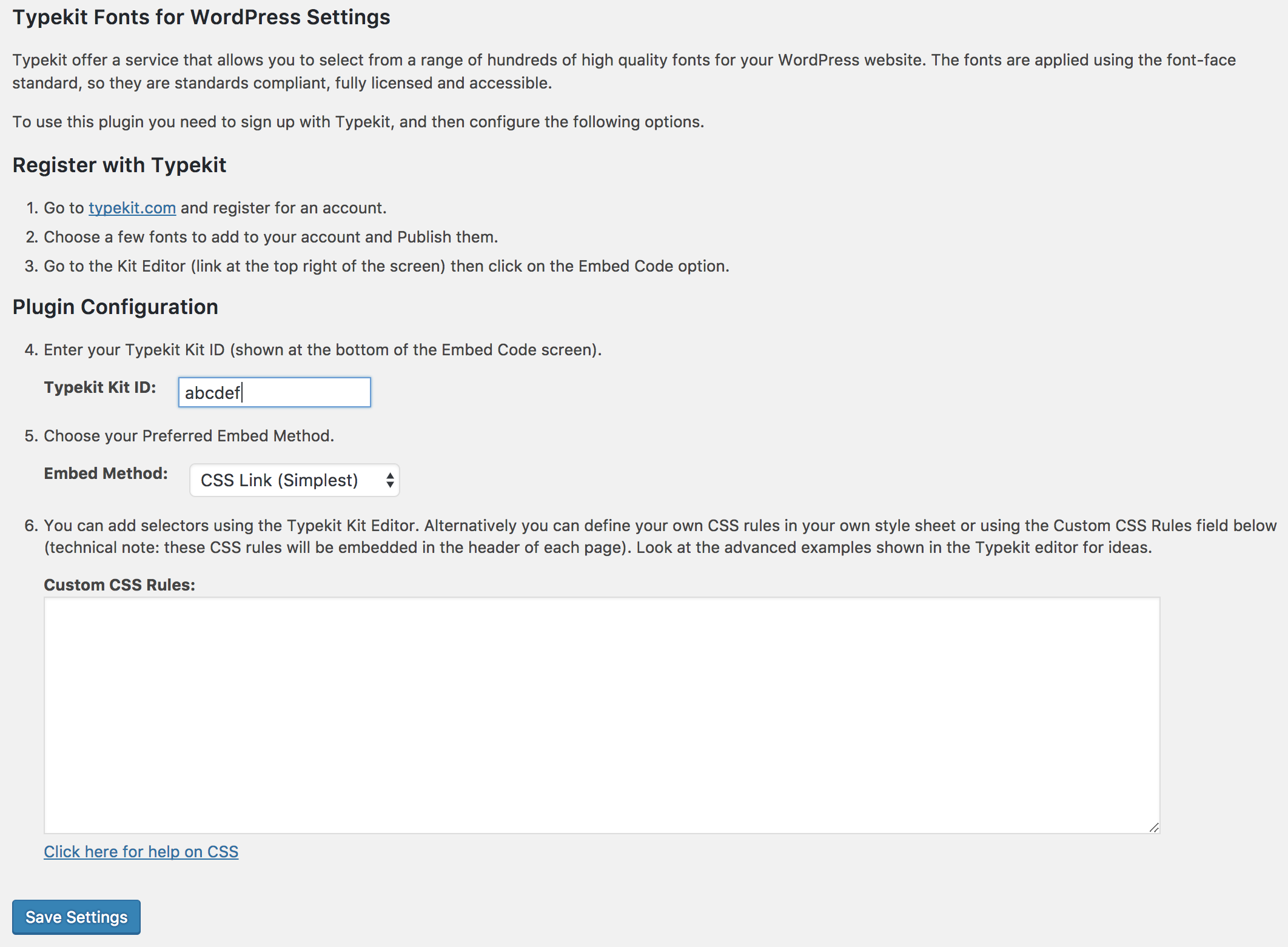
What you get inside
2 screens-
Settings/configuration page
-
Detailed inline help
About this plugin
Embed and use Adobe Fonts (https://fonts.adobe.com) in your WordPress website without having to edit your theme!
Adobe Fonts offers a service that allows you to select from a range of over 25,000 high-quality fonts for your WordPress website. The fonts are applied using the font-face standard, so they are standards compliant, fully licensed, and accessible.
To use this plugin, you need to sign up with Adobe Fonts, install this plugin, and then either configure some Adobe Fonts selectors or define your own CSS rules. Adobe Fonts selectors provide a quick and easy way to get fonts enabled on your site. Using your own CSS rules (as explained in Adobe Fonts’ Advanced tips) gives you more control and lets you access additional attributes such as font-weight. This plugin allows you to create your own CSS rules that use Adobe Fonts without the need to edit/upload CSS style sheets.
Detailed instructions are available on the plugin’s settings page.
This plugin by default uses Adobe Fonts’ CSS embed code (https://blog.typekit.com/2017/11/16/new-on-typekit-load-web-fonts-with-css/). However, if you prefer, you can use the asynchronous JavaScript embed.
Compatible with WordPress Multisite.
Available Languages
- Japanese – 日本語 (ja)
Other Languages
If you would like to translate this plugin into another language, please visit the translate.wordpress.org site (https://translate.wordpress.org/projects/wp-plugins/typekit-fonts-for-wordpress). Thank you!
Questions
- Where can I get help?
There are detailed instructions on the plugin’s settings page. See screenshot #2 for more information.
- Is this plugin secure?
Yes, see the plugin’s description for more information.
- Which web browser(s) does Adobe Fonts support?
Please see this page (https://helpx.adobe.com/fonts/using/browser-os-support.html) for information on web browser support.
sandywp / also on the shelf
Try another plugin

DataPocket – Connect product data with your design tools
5.0 · 200+ installs
Sync product feeds into your design tools and create on-brand assets with real-time data. DataPocket brings your product data…

10+ installs
The Flash Media Playback plugin allows you to easily embed a video component hosted by Adobe based on the Open Source Media…

10+ installs
Automatically switch to an alternate theme for Apple iOS devices (iPod, iPhone, iPad).
Spin up a real WordPress site in seconds.
Test plugins, build a demo, hand a client a link — then squash it and start again. No local setup, no Docker.