sandywp / plugins / string-locator

String locator
Find and edit code or texts in your themes and plugins
Ready in seconds.
v2.6.7 100,000+ installs WP 4.9+
What you get inside
4 screens-
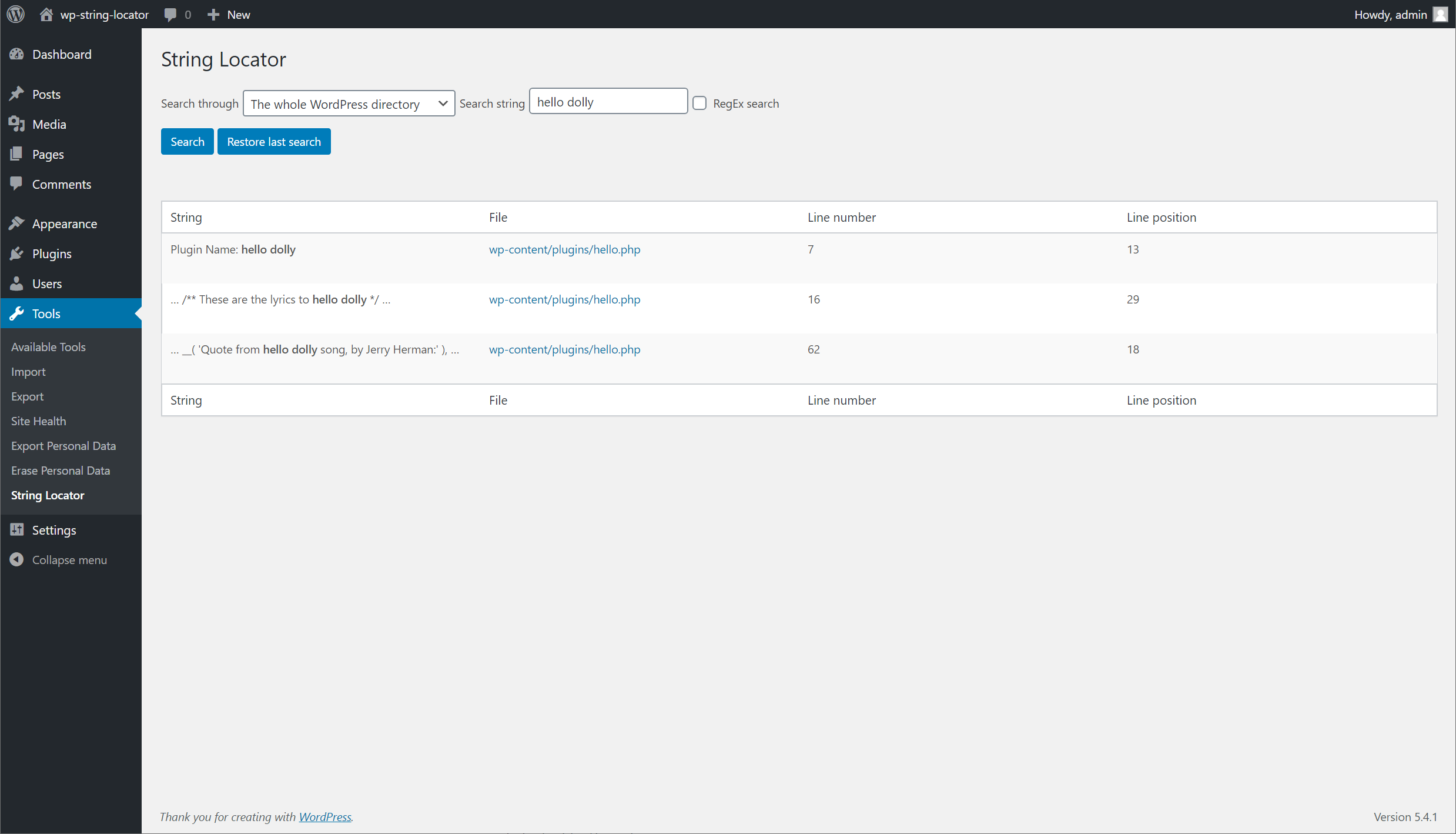
Searching WordPress for the string hello dolly.
-
Search screen when editing is disabled.
-
Having clicked the link for one of the results and being taken to the editor in the browser.
-
Smart-Scan has detected an inconsistency in the use of braces.
About this plugin
When working on themes and plugins you often notice a piece of text that appears hardcoded into the files, you need to modify it, but you don’t know what theme or plugin it’s in, and certainly not which individual file to look in.
Easily search through your themes, plugins or even WordPress core and be presented with a list of files, the matched text and what line of the file matched your search.
You can then quickly make edits directly in your browser by clicking the link from the search results.
By default a consistency check is performed when making edits to files, this will look for inconsistencies with braces, brackets and parenthesis that are often accidentally left in.
This drastically reduces the risk of breaking your site when making edits, but is in no way an absolute guarantee.
Create a replica of your live site a.k.a – WordPress Staging site before testing substitutions.
Questions
- Will Smart-Scan guarantee my site is safe when making edits?
Although it will do it’s best at detecting incorrect usage of the commonly used symbols (parenthesis, brackets and braces), there is no guarantee every possible error is detected. The best safe guard is to keep consistent backups of your site (even when not making edits).
As of version 1.6, the plugin will check your site health after performing an edit. If the site is returning a site breaking error code, we’ll revert to the previous version of the file.
- My search is failing and I am told that my search is an invalid pattern
This error is only related to regex searches, and is based off how PHP reads your regex string.
When writing your search string, make sure to wrap your search in forward slashes (
/), directly followed by any modifiers like case insensitive (i) that you may want to use.
sandywp / also on the shelf
Try another plugin

3.1 · 10K+ installs
Search and replace content into pages and posts

Find My Blocks – Locate blocks on your site
4.8 · 4K+ installs
Find My Blocks will search and list all the blocks used across your WordPress site.

CM Search And Replace – Optimize content edits with a powerful search and…
4.2 · 2K+ installs
Search and replace words, phrases, and HTML within your website posts and pages.
Spin up a real WordPress site in seconds.
Test plugins, build a demo, hand a client a link — then squash it and start again. No local setup, no Docker.