sandywp / plugins / stops-core-theme-and-plugin-updates

Easy Updates Manager
Manage all your WordPress updates, including individual updates, automatic updates, logs, and loads more. This also works very well with WordPress Mul …
Ready in seconds.
v9.0.22 300,000+ installs WP 5.1+ PHP 5.6+
What you get inside
8 screens-
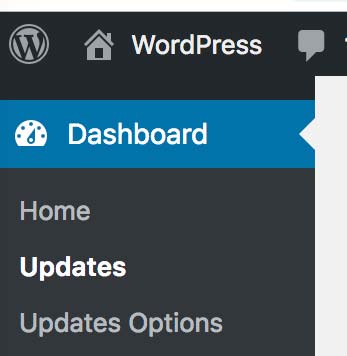
Single site install settings page location
-
Multisite install settings page location
-
General Tab with main options
-
Plugins tab with individual options allowed
-
Themes tab with individual options allowed
-
Logs feature
-
Premium logs feature
-
Advanced tab
About this plugin
Easy Updates Manager is a light yet powerful plugin that allows you to manage all kinds of update- both on your single site install, or in WordPress Multisite. With a huge number of settings for endless configuration, Easy Updates Manager is an obvious choice for anyone wanting to take control of their website updates.
Free Features Include
- Disable all updates with one click
- Enable automatic updates with one click
- Deeply customize your automatic update settings
- Use logs to determine what and when something is updated
- Hide plugin and theme updates (if custom developed)
- Select which plugins and themes can be automatically updated
- Disable core, plugin, theme, and translation updates
- Force Updates to check that automatic updates are working
- Integrate with UpdraftPlus
- Configure email notification settings
- And much more…
Go Premium
Visit easyupdatesmanager.com to upgrade to our premium features.
Premium features include:
- Safe mode: ensures updates are compatible with your WordPress version and your server’s PHP version
- Schedule for automatic updates: runs the updates when you want them to avoid any downtime
- External logging – Get alerts when new updates have been logged
- Anonymization – Control what is sent to the WordPress API
- Delayed updates – Delay automatic updates in the case of hotfixes and frequent releases
- Auto backups: integrates with UpdraftPlus and take a backup before your site is updated
- UpdraftCentral: fully integrates with UpdraftCentral
- Log clearing schedule: keeps your logs table under control and deletes entries according to your own schedule
- Import/Export settings: exports your settings from one site to another for quick configuration
- Email notification of updates: gives you weekly or monthly reports of pending updates
- White label: disables notices and customizes what the client sees
- Check plugins: runs a check of plugins that have been removed from the WordPress Plugin Directory
- Webhook: integrates with third-party services to run automatic updates via cron or even Zapier
- Export logs: exports logs for printing, or downloads a CSV or JSON file for a date range
- Version control protection: prevent updates from occurring to plugins and themes under version control
For more information on Easy Updates Manager Premium, check out our website at easyupdatesmanager.com.
Translations
If you want to contribute to the translation, please visit our translation section. We appreciate all the translation help we can get.
Questions
- Do you support older WordPress versions?
Version 6.x.x should support WP versions 4.0 and up. Version 4.7.0 should support WP versions 2.3 – 4.0.
Since WordPress is constantly changing, this plugin will always strive to support the latest version of WordPress. As there are many security vulnerabilities reported, please always keep WordPress as up-to-date as possible.
Unfortunately, we do not support older versions of WordPress or the non-current release of this plugin.
- How do I change the WordPress update notification e-mail?
Go to the General tab in our settings. You can enter a single email address, or multiple if you comma-separate them.
- Automatic Updates
Check out our video on how the automatic updating works in WordPress.
https://vimeo.com/291084023
- How Do I Enable Logging?
Check out our video on how logs work.
- Does Easy Updates Manager work with third-party plugins and themes?
Since third-party providers use custom update mechanisms, we cannot always guarantee that they will work with Easy Updates Manager. Most will, but there are a number of common mistakes that plugin authors can make.
- Additional Information and FAQ
For additional information and FAQs for Easy Updates Manager check out our website.
sandywp / also on the shelf
Try another plugin

4.8 · 10K+ installs
Disables the theme, plugin and core update checking, the related cronjobs, plugin/theme update health checks and notification…

Disable Updates for WordPress Core, Plugins and Themes
4.8 · 10K+ installs
Disables the WordPress update checking and notification system for all core, plugin and theme updates.

Disable Updates – Updates Manager, Disable Automatic Updates, Disable All…
4.5 · 10K+ installs
Disable updates and automatic updates for WordPress core, plugins, and themes, with the option to disable plugin or theme updates…
Spin up a real WordPress site in seconds.
Test plugins, build a demo, hand a client a link — then squash it and start again. No local setup, no Docker.