sandywp / plugins / sticky-side-buttons

Sticky Side Buttons
Flexible button creator allowing you to stick floating buttons to the side of your site.
Ready in seconds.
v2.0.3 10,000+ installs WP 5.0+ PHP 7.4+
What you get inside
7 screens-
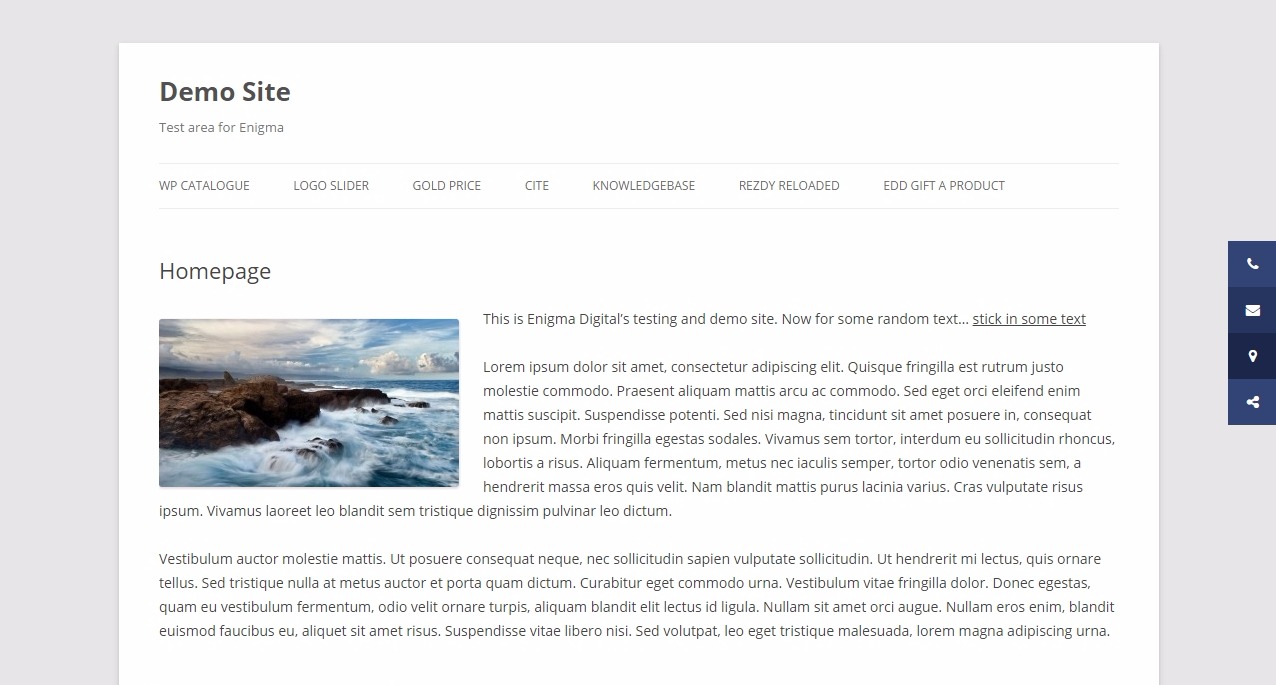
Sticky Side Buttons in action: IN
-
Sticky Side Buttons in action: OUT
-
Sticky Side Buttons backend button creator
-
An example site using Sticky Side Buttons
-
An example site using Sticky Side Buttons
-
An example site using Sticky Side Buttons
About this plugin
This simple button creator lets you create one or more floating buttons that stick to the side of your site as the user scrolls.
Use it for sticking information like:
- Phone number
- Email address
- Social icons
- Store locations
Configuration options include:
- Button position > left or right
- Rollover style > darken or lighten
- Animation style > none, slide or icons only
- Disable on mobile (optional)
- Customise button icons, text, link, and colors easily
- Show on: Front Page, Pages, Posts, Custom Post Types (checkboxes)
Demo
- Click here for out-of-the-box demo. You can see the buttons to the right of the screen, in ‘slide’ mode.
Questions
- My sticky side buttons are covered by some other element. What should I do?
In the plugin settings there is a field where you can define z-index for the buttons. An element with a higher z-index is always in front of an element with a lower z-index. If you have tried a high z-index in that setting but your buttons still aren’t showing, it is likely that your theme has a very high z-index specified somewhere. This is not great practise, but is sometimes done in complex themes with lots of layered design elements, and also with page builders. As a last resort you can use CSS to force override the z-index for your buttons:
#ssb-container { z-index: 9999 !important; }- Where can I get support for this plugin?
If you’ve tried all the obvious stuff and it’s still not working please request support via the forum. Remember to include a link to your site, and a full description of the issue plus the steps you’ve already taken to try to solve it.
- Can I contribute to this plugin?
Absolutely! Please create a pull request on GitHub here.
sandywp / also on the shelf
Try another plugin

4.0 · 40K+ installs
Take complete control over the WordPress content editor.

Qty Increment Buttons for WooCommerce
5.0 · 9K+ installs
Adds professionally looking "-" and "+" quantity increment buttons around product quantity field on WooCommerce pages.

4.0 · 9K+ installs
Easy Media Download allows you to embed download buttons on your WordPress site. Add file download functionality with this…
Spin up a real WordPress site in seconds.
Test plugins, build a demo, hand a client a link — then squash it and start again. No local setup, no Docker.