sandywp / plugins / social-pug

Hubbub Lite
Fast, free social sharing and follow buttons
Your content is worth sharing. Let's makes it easier!
Ready in seconds.
v1.36.3.1 30,000+ installs WP 5.3+ PHP 7.2.24+
What you get inside
4 screens-
Inline-Content social sharing buttons output
-
Floating Sidebar social share buttons output
-
Floating Sidebar social share buttons configuration page
-
Before and After Content social sharing buttons configuration page
About this plugin
Your content is worth sharing. Let’s make it easier.
Hubbub gives you simple, customizable social share and follow buttons that work right out of the box. No coding, no clutter. Just an easy way for visitors to share your content to tons of popular social media platforms, like Facebook, Pinterest, X, Threads, and more. Unlock additional growth features when you register for free or upgrade.
What’s in Hubbub Lite:
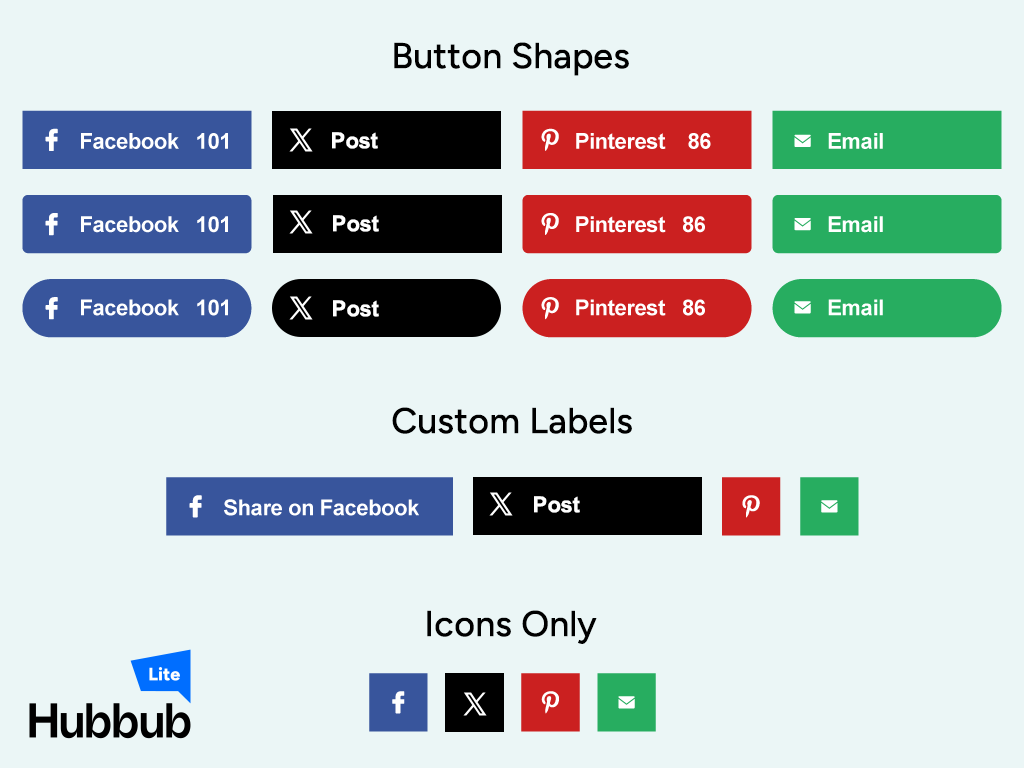
⏩️ Add social share buttons: Above your content, below your content. Add social share buttons wherever they make the most sense.
📍 Floating social share sidebar: A tidy little toolbar that sticks with your readers as they scroll.
📊 Show off your share counts: Social proof that shows visitors how many people love your content.
🖼️ Crisp social icons: Hubbub uses SVG icons so everything looks clean and sharp, on every screen, in every size.
📈 Engagement Stats dashboard – Get a quick look at the most-shared content across your entire site. Plus, find out how many times your content has been saved by email when you get Hubbub Pro+!
Unlock Hubbub Lite for even more features, free!
Register your copy of Hubbub Lite and get the following features:
🌐 17+ more platforms for sharing: Flipboard, Threads, Reddit, WhatsApp, Tumblr, and more (including email sharing).
📥 Follow buttons: Grow your followers on other platforms by linking your audience directly to Instagram, YouTube, Twitch, Behance, Apple Podcasts, Spotify and more.
What’s in Hubbub Pro when you’re ready for more
📍 Additional Pinterest options: Get specific with how your audience shares your content to Pinterest using hidden images, image hover buttons, and more.
📸 Control your social previews: Customize the titles, descriptions, and images that show up when someone shares your post.
📱 Sticky mobile footer bar: Buttons stay right where readers can tap them, perfect for readers on mobile devices.
🎯 Pop-up share buttons: Trigger a sharing pop-up based on actions or timing (it’s subtle, not spammy).
📈 Show off your most-shared posts: Add a widget that spotlights your most-shared content, automatically.
👋 Best-in-class support: Provided by the helpful team of Nerds at NerdPress.
And more!
What’s in Hubbub Pro+ when you’re ready to go beyond Pro
📧 Save This: Grow your mailing list by inserting a highly customizable form into your content so visitors can save your content to their inbox.
🔍 Find & Fix: See which blog posts are missing social sharing info and quickly update them without opening the full post.
💡 Learn more about Hubbub Pro and Pro+
Website and Documentation
Made with ❤️ and ☕ by NerdPress.
Questions
- What social sharing buttons are supported?
We currently support Facebook, Twitter, Pinterest and LinkedIn as social sharing buttons in Hubbub Lite. Hubbub Pro adds many more social media networks.
- Can I customize the social information that is being shared on social media?
Hubbub Lite will use the post’s title and featured image to populate what is being shared on social platforms. Hubbub Pro gives publishers full control of the exact text and images that are shared. Please visit our website and check out Hubbub Pro.
- Will your social sharing plugin slow down my website?
No. Both Hubbub Lite and Pro are lightweight and built with efficiency in mind. And we will continue to work hard at making Hubbub speedy and reliable.
- Can I place the social share buttons on custom post types?
Yes! You can place social share buttons on any custom post type that your WordPress installation has registered.
- Can I import my data from other social sharing plugins?
Hubbub Pro has additional add-ons for migrating data from a few popular alternative plugins. Please see our website for the latest plugins we support.
- Where do I report security bugs found in this plugin?
Please report security bugs found in the source code of the Social Pug plugin through the Patchstack Vulnerability Disclosure Program. The Patchstack team will assist you with verification, CVE assignment, and notify the developers of this plugin.
sandywp / also on the shelf
Try another plugin

4.3 · 40K+ installs
A simple plugin that enables you to add share buttons to all of your posts and/or pages.

Simple Social Media Share Buttons – Social Sharing for Everyone
4.8 · 20K+ installs
This Social Share Plugin adds advanced social media sharing buttons to your WordPress sites, such as Facebook, WhatsApp, X,…

4.6 · 10K+ installs
Lightweight social sharing and follow buttons for WordPress. Fast, flexible, and easy to use.
Spin up a real WordPress site in seconds.
Test plugins, build a demo, hand a client a link — then squash it and start again. No local setup, no Docker.