sandywp / plugins / simple-image-sizes

Simple Image Sizes
This plugin lets you create custom image sizes for your site. Override your theme sizes directly on the Media settings page, regenerate thumbnails, an …
Ready in seconds.
v3.2.6 60,000+ installs WP 3.5+ PHP 8.0+
What you get inside
3 screens-
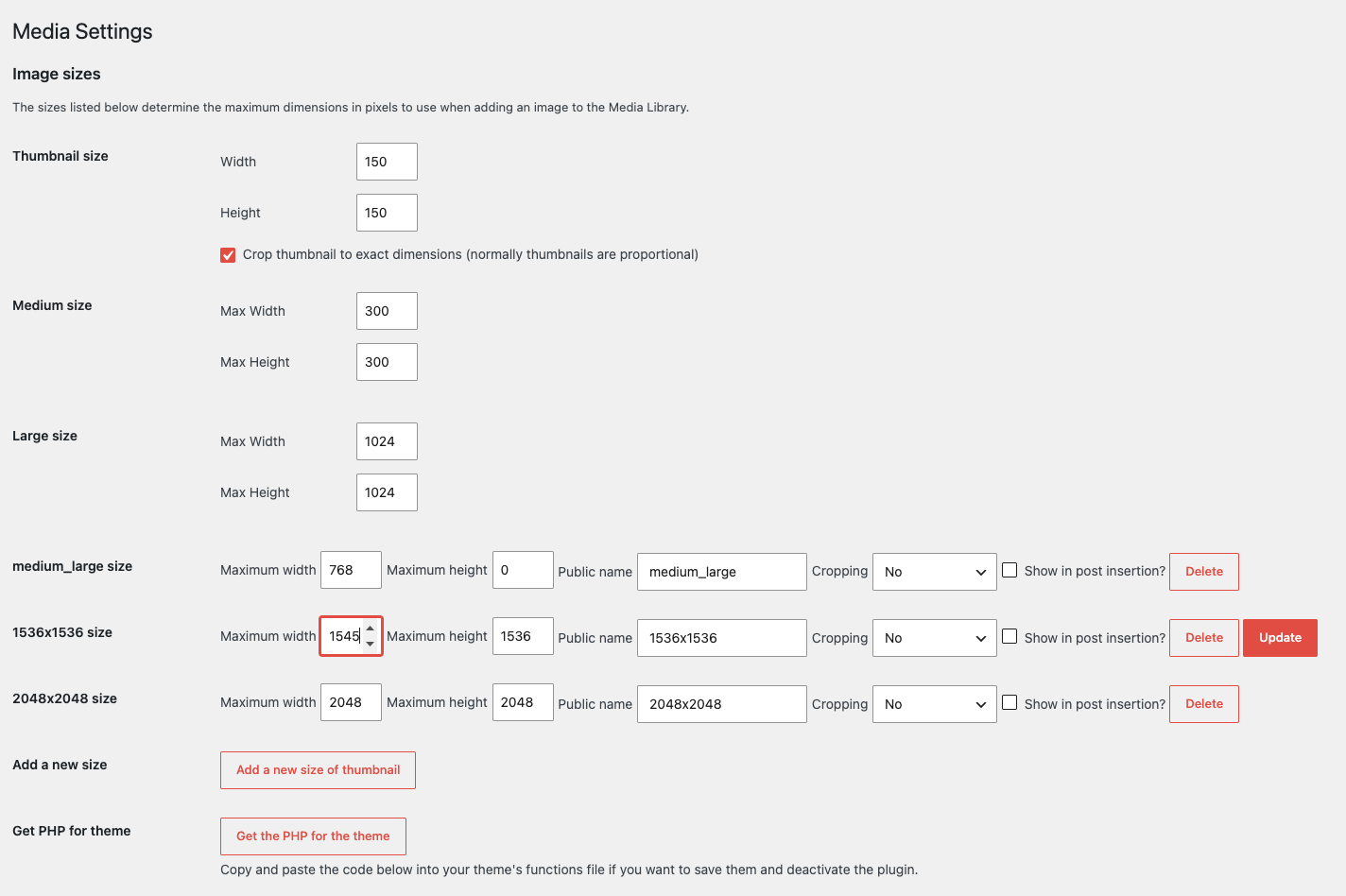
Settings page
-
Get PHP for the theme
-
Choose the sizes to regenerate and regenerate them
About this plugin
This plugin lets you create custom image sizes for your site. Override your theme sizes directly on the Media settings page, regenerate thumbnails, and copy add_image_size PHP for your theme.
ℹ️ Simple Image Sizes, a Mediapapa product
Simple Image Sizes will always remain free. It is actively maintained by me (Nicolas Juen). I’m also building Mediapapa, a complementary plugin focused on understanding and organizing your media library. More on these changes
Features
- Insert images in posts at the right size using your custom sizes.
- Control whether each size appears in the “Insert media” size dropdown.
- Regenerate thumbnails in bulk from Settings → Media, and pick which sizes to rebuild.
- Copy generated
add_image_sizePHP for your theme when you want to keep sizes and deactivate the plugin. - Regenerate from the Media library: one file at a time or with list bulk actions.
- Regenerate from a single attachment’s edit screen.
- Approximate end time and clearer feedback while bulk regeneration runs.
Questions
- Where can I add image sizes?
Go to Settings → Media, then you can add an image size. You have to add a unique custom name without any spaces or special chars.
The best is to use something like my-custom-size.
Then you have several fields for configuring the image size, the width, the height, cropping.
And then you can choose if the image is displayed on the media insertion or not ( this will be displayed on the dropdown list ).- Who maintains this plugin?
Nicolas Juen, the original author, continues to lead maintenance together with the Mediapapa Team.
- How does Simple Image Sizes relate to Mediapapa?
Simple Image Sizes focuses on creating and regenerating image sizes. Mediapapa focuses on understanding and organizing your media library (usage, cleanup, duplicates, and related workflows).
sandywp / also on the shelf
Try another plugin

4.4 · 5K+ installs
A great WordPress plugin which helps you to choose a unique image for each menu page.

70+ installs
Create images on demand

5.0 · 10+ installs
Custom blogger images adds extra image sizes & golden ratio proportions to your Wordpress themes.
Spin up a real WordPress site in seconds.
Test plugins, build a demo, hand a client a link — then squash it and start again. No local setup, no Docker.