sandywp / plugins / show-ip-address

Show IP Address
Let visitors check the IP address your website sees, with optional hostname, browser, and referrer details. Add a shortcode to a page, post, or widget …
Ready in seconds.
v2.0.0 900+ installs WP 5.8+ PHP 7.4+
What you get inside
4 screens-
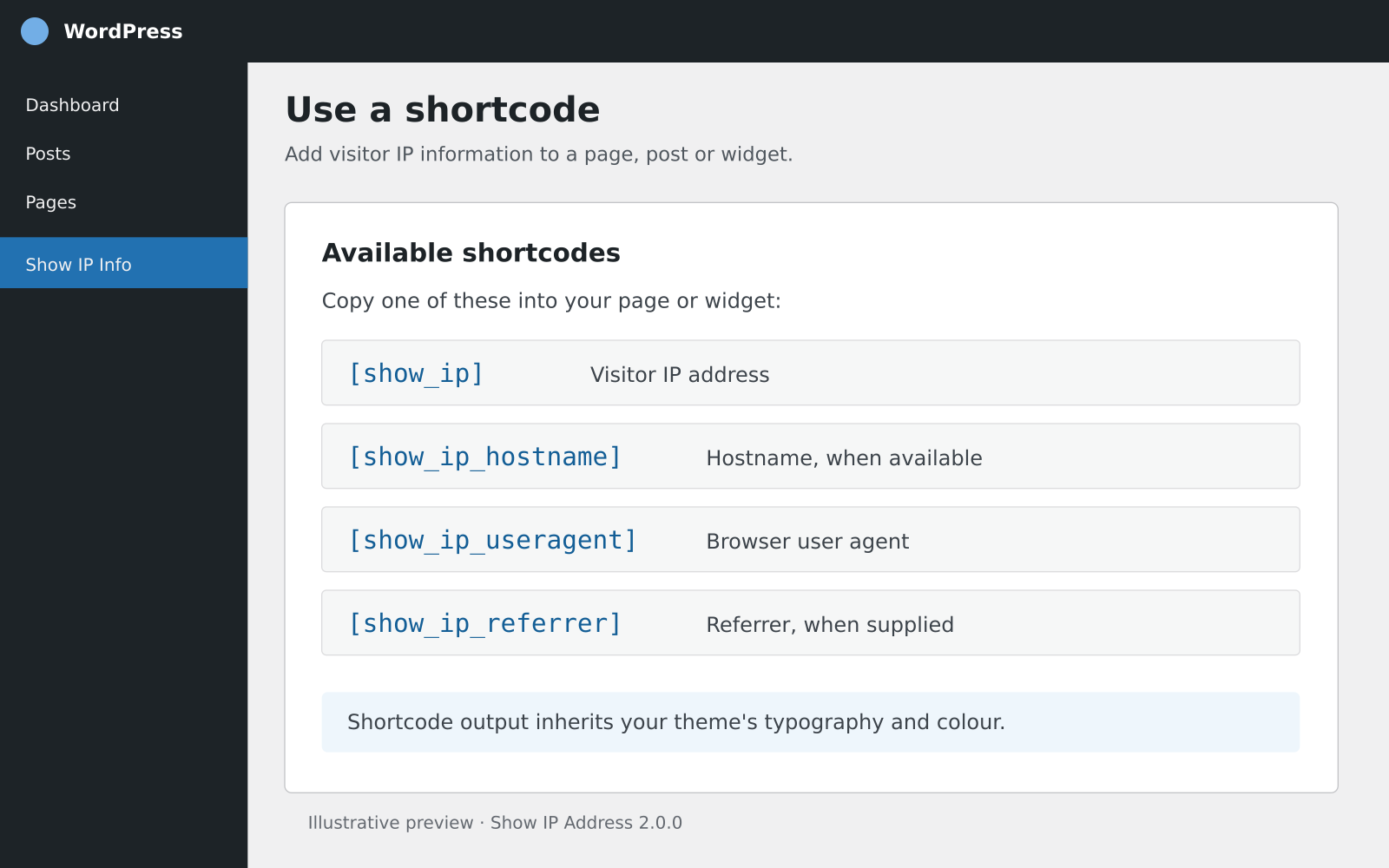
Illustrative preview of the shortcode list.
-
Illustrative preview of the dashboard widget.
-
Example of adding a shortcode to a page.
-
Illustrative preview of proxy and privacy notes.
About this plugin
Show IP Address provides a small set of shortcodes for displaying request information. It does not store visitor information or call a third-party IP lookup API.
The default shortcode output is loaded from this site’s own WordPress REST API. This avoids putting one visitor’s IP address into HTML that may be served to other visitors by a full-page cache. If a host or security plugin blocks the REST API, the shortcode displays an unavailable message rather than a potentially incorrect cached address.
By default, the plugin uses the address seen by the web server (REMOTE_ADDR). If a site is behind a proxy or CDN, this may be the proxy’s address. Forwarded headers are not trusted automatically because they can be forged unless the proxy is configured to set them securely. Hosting providers or site developers can add trusted proxy support with the show_ip_address_client_ip filter.
Shortcodes
[show_ip]— Display the visitor’s IP address.[show_ip_hostname]— Display the reverse-DNS hostname when available. This performs a DNS lookup only when requested.[show_ip_useragent]— Display the browser user-agent string when supplied.[show_ip_referrer]— Display the referrer URL when supplied. Browsers and privacy settings may omit it.
All shortcodes accept mode="server" for server-rendered output, for example [show_ip mode="server"]. Use this only on pages excluded from full-page caching; otherwise a cache may show one visitor’s details to another.
Shortcodes render with the CSS class show-ip-address and a field modifier such as show-ip-address--ip. The plugin adds no global styles, so typography and colour inherit from the active theme. You can target these classes in your theme stylesheet if desired.
Compatibility
The plugin uses WordPress core APIs, PHP, and a same-site REST request. It has no third-party IP lookup API, custom database table, shell command, or host-specific server dependency. The optional hostname shortcode uses the host’s DNS resolver when requested. The dynamic shortcode requires JavaScript and access to the site’s WordPress REST API. If that request is blocked, the plugin reports that the information is unavailable.
PHP 7.4 is the minimum code compatibility level. PHP 7.4 is end-of-life; use a PHP version that still receives security updates from your hosting provider. WordPress.org recommends PHP 8.3 or newer.
Privacy
The plugin does not store the displayed visitor details. The visitor IP is returned to that same visitor by a public, read-only endpoint on the current site. Site owners remain responsible for their own privacy notices and server/CDN logging.
sandywp / also on the shelf
Try another plugin

4.3 · 100K+ installs
Performance plugin from the WordPress Performance Team, which is a collection of standalone performance features.

Server Info – System Health & Diagnostics Suite
3.8 · 3K+ installs
Inspect WordPress, PHP, database, caching, SSL, and server health from one administrator-only dashboard.

90+ installs
Detect performance bottlenecks in WooCommerce stores and monitor checkout, cart, and order timing metrics. All data is stored…
Spin up a real WordPress site in seconds.
Test plugins, build a demo, hand a client a link — then squash it and start again. No local setup, no Docker.