sandywp / plugins / shariff

Shariff Wrapper
Shariff provides share buttons that respect the privacy of your visitors and follow the General Data Protection Regulation (GDPR).
Ready in seconds.
v4.6.22 30,000+ installs WP 4.9+ PHP 7.4+
What you get inside
5 screens-
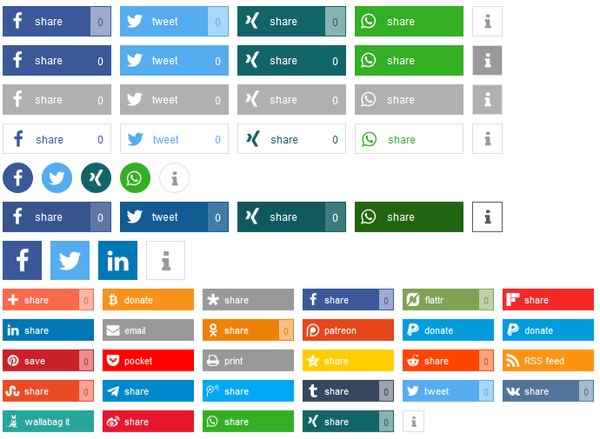
Differently styled share buttons.
-
Basic options.
-
Design options.
-
Advanced options.
-
Statistic options.
About this plugin
The “original” share buttons automatically transmit data of your visitors to the social network sites as soon as they visit your website. They do not need to click on a share button for this and therefore have no choice, if they want their data to be send. The German computer magazine c’t has developed “Shariff” (ʃɛɹɪf) that follows the General Data Protection Regulation (GDPR – Regulation (EU) 2016/679). This plugin adapts the Shariff concept and provides an easy to use solution for WordPress. We currently support
31 services in 25 languages:
Bitcoin, Bluesky, Buffer, Diaspora, Facebook, Flipboard, Info, Linkedin,
mailto, Mastodon, Mewe, Mix, Odnoklassniki, Patreon, Paypal, Paypal.me,
Pinterest, Pocket, Printer, Reddit, RSS, SMS, Telegram, Threema, Tumblr,
Twitter, VK, Wallabag, Weibo, Whatsapp, Xing
For more information about the Shariff project check out the original GitHub project and read about the project itself c’t information page (in German).
You can automatically add share buttons to posts, pages, the main blog page, product sites and many more as well as use it as a widget or add the shortcode [shariff] manually to your pages or themes.
Questions
- Can I use the Shariff buttons in my theme?
Yes. Simply use the shortcode function:
do_shortcode(‘[shariff]’)
You can use all options of the shorttag as described on the help tab in the plugin settings.- Can I use the total amount of shares in my theme?
Yes. You can use
do_shortcode('[shariff services="totalnumber"]')to simply output the total amount of shares for a post in the loop. It will return the number itself wrapped in a<span class="shariff-totalnumber"></span>in order for the shariff.js to update the count. Also only cached data is used, in order to not slow down your site.- Is there an action hook to use the share counts every time they get updated?
Yes. You can use
function your_awesome_function( $share_counts ) {
// $share_counts is an array including all enabled services,
// the timestamp of the update and the url of the post.
// do stuff
}
add_action( ‘shariff_share_counts’, ‘your_awesome_function’ );
WARNING: This hook will get called A LOT. So be sure you know what you are doing.- How can I configure the widget?
It uses the same options that have been configured on the plugin options page. However, you can put in a shorttag that overwrites the default options. It has the same format as you use in posts. Take a look at the help section of the plugin options page for more information.
- Can I change the options on a single post?
A: Yes. You can change all options using the shorttag in the Shariff meta box on the right side of the post edit screen.
- Why are shares not listed?
A: Shariff tries to protect the privacy of your visitors. In order to do this, the statistics have to be requested by your server, so social networks only see a request of your server and not from your visitor. However, we do not know, if you want this. Therefore it is not enabled by default.
- How can I show the share counts?
Enable it on the plugin options page in general or add
backend="on"to the shariff shorttag in your post.- I still do not see share counts
Please have a look at the status tab on the plugin options page. It states whether share counts are enabled and if there is a problem with a service. Please also keep in mind that the plugin has a minimum refresh time of 60 seconds and that each service has their own cache as well.
sandywp / also on the shelf
Try another plugin

GDPR Cookie Compliance – Cookie Banner, Cookie Consent, Cookie Notice for CCPA,…
4.6 · 300K+ installs
Cookie notice banner for GDPR, CCPA, EU cookie law, data protection and privacy regulations and other cookie law and consent…

OMGF | GDPR/DSGVO Compliant, Faster Google Fonts. Easy.
4.7 · 300K+ installs
The original Google Fonts self-hosting plugin. Automagically caches your fonts locally — no configuration (or brains) required!

Disable and Remove Google Fonts | GDPR & DSGVO friendly
4.5 · 100K+ installs
Improve frontend performance by disabling Google Fonts. GDPR and DSGVO friendly.
Spin up a real WordPress site in seconds.
Test plugins, build a demo, hand a client a link — then squash it and start again. No local setup, no Docker.