sandywp / plugins / sharethis-follow-buttons

ShareThis Follow Buttons
Add responsive social follow buttons to your WordPress site in minutes with ShareThis.
Ready in seconds.
v1.4.9 400+ installs WP 5.9+
What you get inside
3 screens-
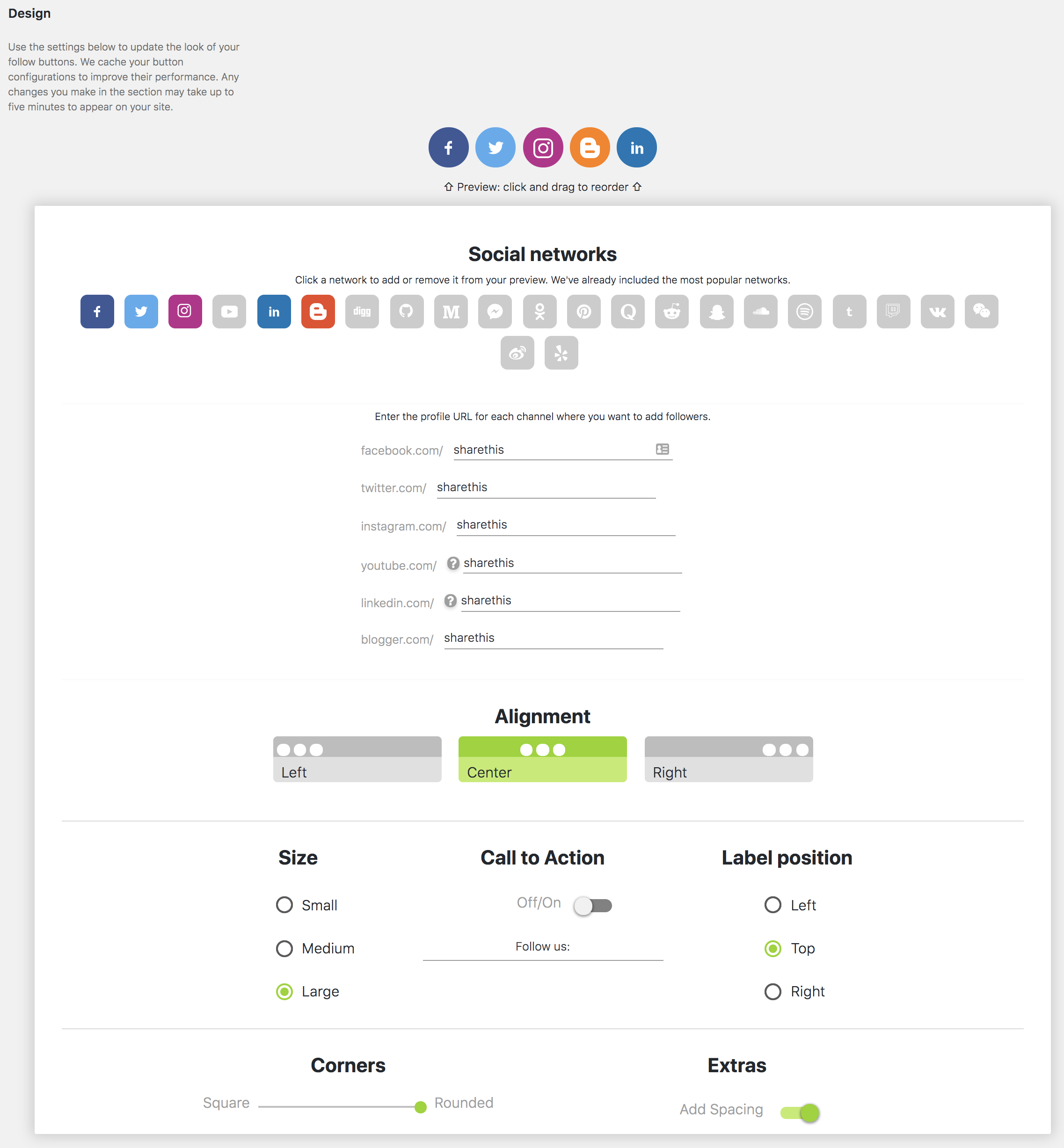
Set up your Follow Buttons
-
Configure Follow Button settings
-
Mobile responsive Follow Buttons
About this plugin
ShareThis Follow Buttons helps you grow your audience by making it easy for visitors to connect with your social profiles across the web.
Display clean, responsive follow buttons anywhere on your WordPress site with a simple setup process and flexible customization options. The plugin is mobile friendly, lightweight, and designed to work seamlessly with modern WordPress themes.
With just a few clicks, you can add social follow buttons that encourage visitors to engage with your brand across popular social platforms.
Features
- Fast and simple installation
- Mobile responsive design
- Easy configuration inside WordPress
- Connect to existing ShareThis properties
- Lightweight and optimized for performance
- Compatible with modern WordPress themes
- Gutenberg block support
- Supports a growing list of social networks
Supported Social Networks
- Twitter / X
- YouTube
- TikTok
- Bluesky
- Mastodon
- Truth Social
- Gettr
- Parler
- Strava
- ResearchGate
- Google Scholar
- And more
Better Together with Share Buttons
Increase engagement even further with the ShareThis Share Buttons plugin:
https://wordpress.org/plugins/sharethis-share-buttons
Share Buttons and Follow Buttons work seamlessly together and provide a complete social engagement solution for your website.
Existing ShareThis User?
If you previously installed ShareThis manually using embedded JavaScript, remember to remove any hardcoded ShareThis scripts and follow button containers after activating the plugin.
Privacy
By creating an account with ShareThis, you agree to our Terms of Use:
https://sharethis.com/publisher-terms-of-use/
ShareThis may collect interaction data related to button usage and engagement.
Read our Privacy Policy here:
https://sharethis.com/privacy/
Questions
- Do Follow Buttons work on mobile devices?
Yes. ShareThis Follow Buttons are fully responsive and optimized for mobile devices, tablets, and desktops.
- Do I need the Share Buttons plugin for this plugin to work?
No. ShareThis Follow Buttons works as a standalone plugin.
- Can I connect an existing ShareThis account?
Yes. During setup you can connect to an existing ShareThis property and automatically sync your settings.
- Does the plugin support Gutenberg?
Yes. The plugin includes Gutenberg block support for adding Follow Buttons directly inside posts and pages.
- What should I do if I previously installed ShareThis manually?
Remove any manually embedded ShareThis JavaScript snippets and hardcoded Follow Button containers after activating the plugin to avoid duplicate buttons.
sandywp / also on the shelf
Try another plugin

4.6 · 10K+ installs
Lightweight social sharing and follow buttons for WordPress. Fast, flexible, and easy to use.

4.0 · 20+ installs
A simple plugin that enables you to add follow buttons to all of your posts and/or pages.
-
Easily add Follow us social icons anywhere on your site using a shortcode or widget. Fully customizable from a simple,…

Spin up a real WordPress site in seconds.
Test plugins, build a demo, hand a client a link — then squash it and start again. No local setup, no Docker.