sandywp / plugins / related-posts-for-wp

Related Posts for WordPress
The best WordPress plugin for related posts. Simple, flexible, powerful algorithm, and built-in caching. Fully setup with only 1 click!
Ready in seconds.
v2.3.0 10,000+ installs WP 5.0+ PHP 7.2+
What you get inside
5 screens-
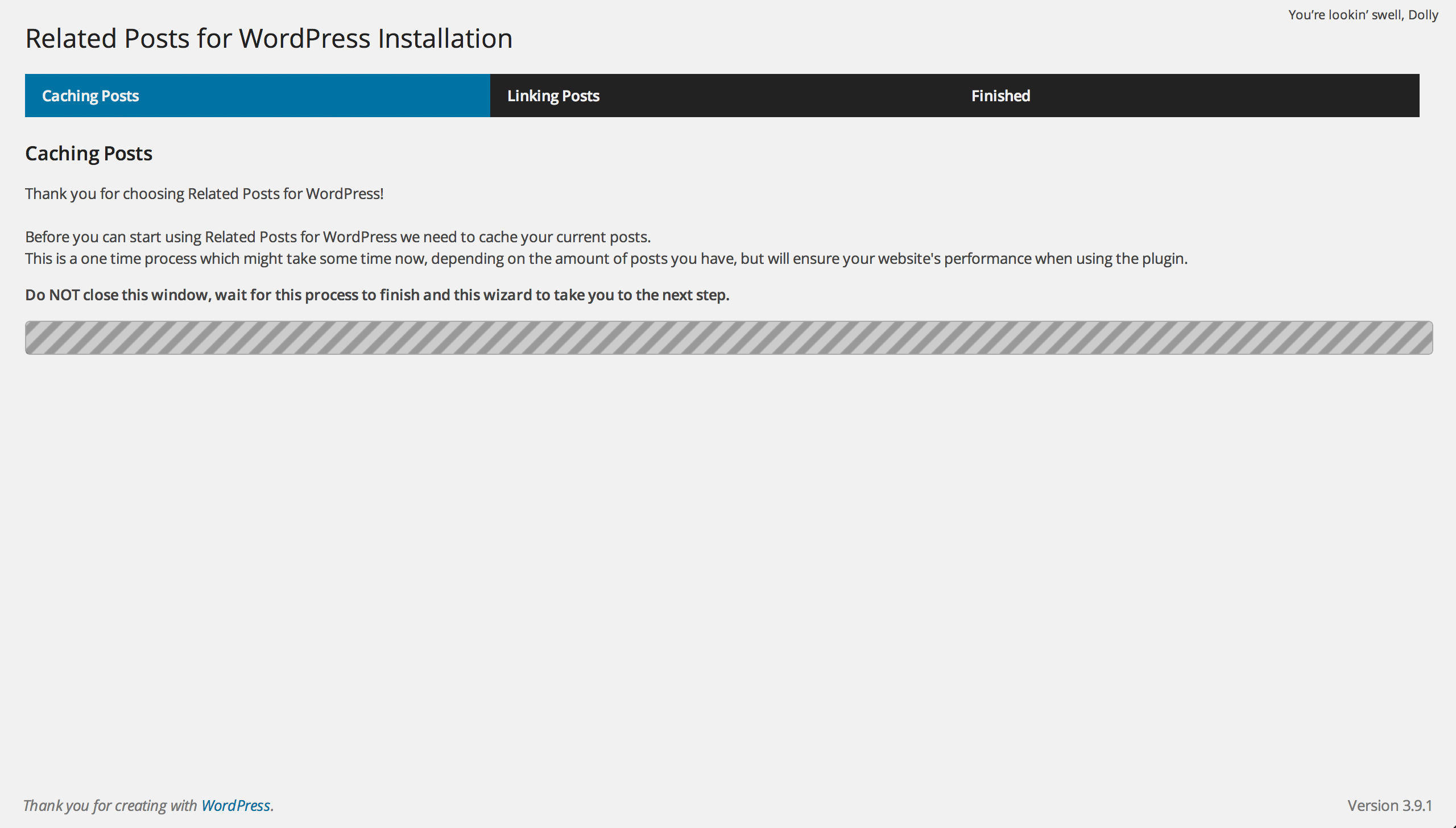
After activating Related Posts for WordPress, our wizard will automatically start. The first step is indexing and caching your posts.
-
The second step of the wizard is linking related posts for your existing content! You can of course also skip this step.
-
That's it! With one click you are good to go!
-
A new meta box is added to your post edit screens allowing you to link related posts, we will sort them on what we think is related (where top is most related).
-
Related posts are automatically added below your posts!
About this plugin
Related Posts for WordPress
Related Posts for WordPress offers you the ability to link related posts to each other with just 1 click!
Our installation wizard will do all the hard work for you, simply activate the plugin, set the amount of posts that should relate and press the button. Related Posts for WordPress will do the rest. Relating posts in WordPress has never been this easy!
Fully tested and working on PHP 5.3 and up (including PHP 8, 8.1, 8.2, 8.3 & 8.4)!
Related Posts for WordPress Premium
There’s an even better version of this plugin that comes with the following extra features:
- Full Styling Control With Our Configurator
- Cross Custom Post Type Support
- Overwritable templates
- Custom Taxonomy Support
- Adjustable Weights
- WordPress Network / Multisite support
- Keep manually created links
- Priority Email Support
Related Posts for WordPress won’t lag your server!
We believe having related posts shouldn’t slow down your website. That’s why Related Posts for WordPress creates its own cache and does all the heavy lifting in the admin panel, offering you quality related posts while keeping your website fast!
Automatically link posts to each other
After installing the plugin you will be taking to a wizard that will analyze your posts and link them to each other based on what we think is related. This means you can install Related Posts for WordPress on your website that has thousands of posts and create related connections on the fly, without any manual work!
Manually add, edit or remove
Everyone makes mistakes, so do we. That’s why you can easily modify all automatically created related posts. Simply navigate to the post that has incorrect related posts attached to it, select the correct related post and you’re done.
Shortcode
Related Posts for WordPress has a related post shortcode allowing you to display related posts on any position within your content.
Widget
Related Posts for WordPress has a related post widget allowing you to display related posts in any sidebar you’d like.
More information
- Visit the Related Posts for WordPress website
- Other WordPress plugins by Barry Kooij
- Contact Barry on Twitter: @barry_kooij
- If you’re a dev, follow or contribute to the Related Posts for WordPress plugin on GitHub
Questions
- Related Posts for WordPress Premium
There’s an even better version of this plugin that comes with the following extra features:
- Cross Custom Post Type Support
- Multiple Related Post Styles
- Overwritable templates
- Custom Taxonomy Support
- Adjustable Weights
- WordPress Network / Multisite support
- Keep manually created links
- Priority Email Support
- Where’s the settings screen?
Settings > Related Posts.
- Can the displaying of excerpt be disabled?
Yes, set the excerpt length to 0 in the Related Posts for WordPress settings screen.
- Is there any way to custom CSS ?
Yes, it’s in the Related Posts for WordPress settings screen.
- Can the automatically outputted CSS be disabled?
Yes, clear the CSS field in the Related Posts for WordPress settings screen.
- Is there a theme function so I can output this list anywhere in my theme I want?
Yes, you can use
rp4wp_children();.
More information on the theme function can be found here.- Is there a shortcode?
Yes. To display your related posts via a shortcode use:
[rp4wp]- Can I limit the amount of related posts in the shortcode?
Yes. Use the limit attribute, for example
[rp4wp limit=1]for one related post.
Spin up a real WordPress site in seconds.
Test plugins, build a demo, hand a client a link — then squash it and start again. No local setup, no Docker.