sandywp / plugins / pz-hatenablogcard
Pz-HatenaBlogCard
This plug-in to display a link in the article by using the "Hatena blog card".
Ready in seconds.
v1.3.0 200+ installs WP 3.0+

What you get inside
8 screens-
"Use shortcode [blogcard]"
-
"Display blogcard"
-
"Display blogcard with settings"
-
"Basic settings"
-
"Style settings"
-
"Letters settings"
-
"External link settings"
-
"Internal link settings"
About this plugin
This plug-in to display a link in the article by using the “Hatena blog card”.
In the case of internal links to view the card that is similar to “Hatena blog card”.
Displays using the “Hatena :: Favicon” (http://favicon.hatena.ne.jp) to get the favicon.
Displays using the “bookmark number of Hatena blog API” (http://b.hatena.ne.jp/entry/image/) to get the bookmark number of hatena.
CSS file are stored in a custom folder under /wp-content/Uploads.
- Released a plugin ” Pz-LinkCard ” that can external-links and internal-links also change the appearance.
https://wordpress.org/plugins/pz-linkcard/
このプラグインは、ショートコード [blogcard] で指定したURLをカード形式で表示させるものです。
外部リンクの場合には「はてなブログカード」に置き換えて表示します。
内部リンクもしくはtitleパラメータを指定した場合、オリジナルのリンクカード形式で表示します。
このとき、「Hatena::Favicon」を利用してファビコンを表示します。使用するWebAPIは設定画面にて変更できます。サムネイル画像を取得するWebAPIに設定することができます。「はてなブックマーク件数取得API」を利用してはてなブックマーク数を表示します。
また、書式を保持するために、/wp-content/Uploads フォルダ配下にスタイルシートを保存します。
後継として、「はてブカード」の置き換えでは無く、外部リンクも内部リンクもオリジナル形式で表示できる「Pz-LinkCard」を公開しました。
興味のある方は、そちらもお試しいただけると幸いです。
https://wordpress.org/plugins/pz-linkcard/
Questions
- Installation Instructions
- From your WordPress dashboard
Pluginsmenu >Add New- Search for
Pz-HatenaBlogCard - Install and Activate
- From WordPress.org
- Download
pz-hatenablogcard.zip - Upload
pz-hatenablogcardfolder to the/wp-content/plugins/directory - Activate the plugin through the ‘Plugins’ menu in WordPress
- Download
- From Popozure site
- Download ZIP file from
http://poporon.poponet.jp/pz-hatenablogcard - Upload
pz-hatenablogcardfolder to the/wp-content/plugins/directory - Activate the plugin through the ‘Plugins’ menu in WordPress
- Download ZIP file from
- A question that someone might have
An answer to that question.
sandywp / also on the shelf
Try another plugin
5.0 · 20K+ installs
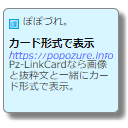
This plugin is intended to display a link in a blog card format. The goodbye to the text-only link.

5.0 · 3K+ installs
Get OGP and display blog card.

5.0 · 100+ installs
A WordPress plugin that makes it easy to create blog cards. Simply enter a URL and automatically fetch metadata to display…
Spin up a real WordPress site in seconds.
Test plugins, build a demo, hand a client a link — then squash it and start again. No local setup, no Docker.