sandywp / plugins / ooohboi-steroids-for-elementor

OoohBoi Steroids for Elementor
Boost your Elementor with some fresh and yet innovative options.
Ready in seconds.
v2.1.28 40,000+ installs WP 6.0+ PHP 7.4+
What you get inside
8 screensAbout this plugin
An awesome set of tools, options and settings that expand Elementor defaults. Instead of creating new Elementor Widgets, these act like an upgrade of existing options or the self-standing panels thing.
What is new?
Fix for the disappearing ‘Glider’ slider
- Add/remove/update preview image
- Export and Import with preview
- Works with any 3rd party plugin
- Cross-domain friendly
- WP Admin integration
- Bulk-export and bulk-import support
- Keep template name on export
Complete Full Tutorial of OoohBoi Extensions Watch Now
Questions
- How do I use OoohBoi Steroids?
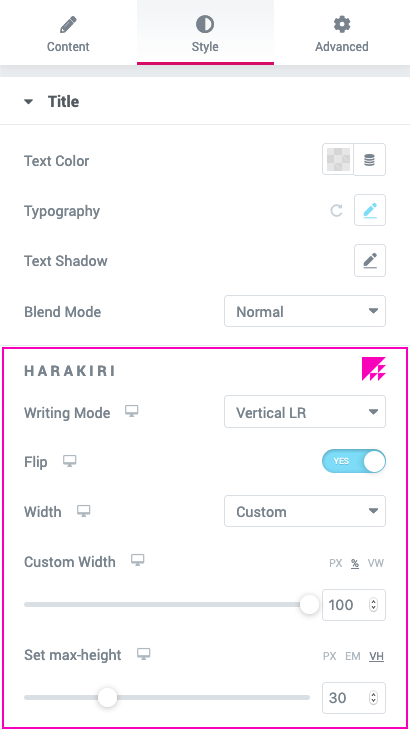
It depends on the widgets that you are editing. For example, if you are about to style Heading widget or Text Editor widget, HARAKIRI options will show up.
All the POOPART options can be found under “Advanced” tab, POOPART panel.
Rest assured, you won’t miss them because there will always be an eye-catching icon next to the set of options (or the panel title).- Do I need Elementor PRO with this add-on?
No, you don’t. It’ll work with both free version of Elementor and Elementor PRO.
- How can I report security bugs?
You can report security bugs through the Patchstack Vulnerability Disclosure Program. The Patchstack team helps validate, triage and handle any security vulnerabilities. Report a security vulnerability.
sandywp / also on the shelf
Try another plugin

4.5 · 8K+ installs
Provides qTranslate compatible ACF field types for Text, Text Area, WYSIWYG, Image and File.

Timeline Express – No Icons Add-On
700+ installs
Remove the icons associated with Timeline Express announcements.

Gravity Forms Confirmation Page List
400+ installs
Allows you see which Confirmation Pages used in each Gravity Forms. Easily to follow up forms !
Spin up a real WordPress site in seconds.
Test plugins, build a demo, hand a client a link — then squash it and start again. No local setup, no Docker.