sandywp / plugins / ocean-social-sharing

Ocean Social Sharing
Website: https://oceanwp.org/ Support: https://oceanwp.org/support/ Documentation: https://docs.oceanwp.org/ Extensions: https://oceanwp.
Ready in seconds.
v2.2.4 60,000+ installs WP 5.6+ PHP 7.4+
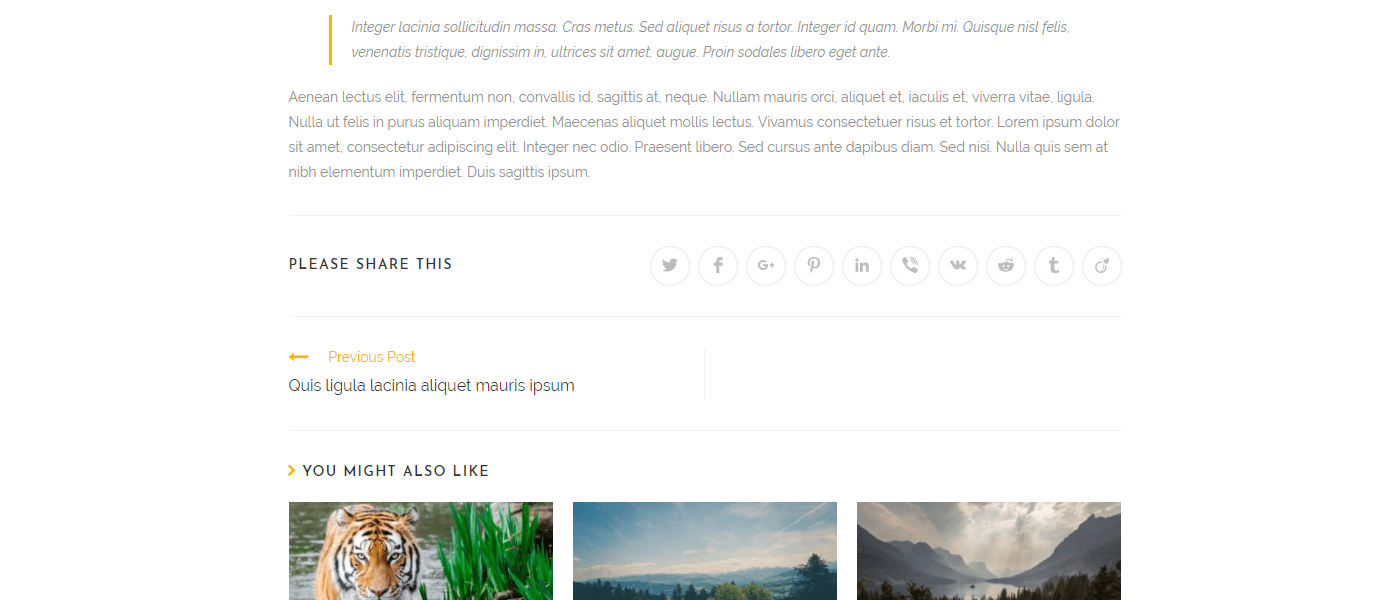
What you get inside
8 screens-
Minimal style.
-
Colored style.
-
Dark style.
-
Heading top.
-
Minimal style with names.
-
Colored style with names.
-
Dark style with names.
-
Without Heading.
About this plugin
A simple plugin to add social sharing buttons to your single blog posts.
This plugin requires the OceanWP theme to be installed.
Key Features
- Add social networks: Twitter, Facebook, LinkedIn, Google+, Pinterest, Viber, VK, Reddit, Tumblr and Viadeo.
- Alter social sharing buttons.
- Choose between three styles.
- Add social names to your sharing buttons.
- Choose the heading position.
- Add or edit the social sharing via a child theme.
Copyright
Ocean Social Sharing uses the following third-party resources:
Font Awesome Icons, Copyright Dave Gandy
License: CC BY 4.0 License – https://creativecommons.org/licenses/by/4.0/
Source: https://fontawesome.com/
Questions
- I installed the plugin but it does not work
This plugin will only function with the OceanWP theme.
sandywp / also on the shelf
Try another plugin

3.3 · 500K+ installs
The ultimate companion for OceanWP. Adds local Google Fonts, mega menus, site templates, and per-page settings for total design…

4.8 · 20K+ installs
A simple plugin to stick anything you want.

20K+ installs
Website: https://oceanwp.org/ Support: https://oceanwp.org/support/ Documentation: https://docs.oceanwp.org/ Extensions:…
Spin up a real WordPress site in seconds.
Test plugins, build a demo, hand a client a link — then squash it and start again. No local setup, no Docker.