sandywp / plugins / my-wp-login-logo

My WordPress Login Logo
My WordPress Login Logo lets you to add a custom logo in your wordpress login page instead of the usual wordpress logo and customize your login page.
Ready in seconds.
v2.5.2 10,000+ installs WP 3.0.1+
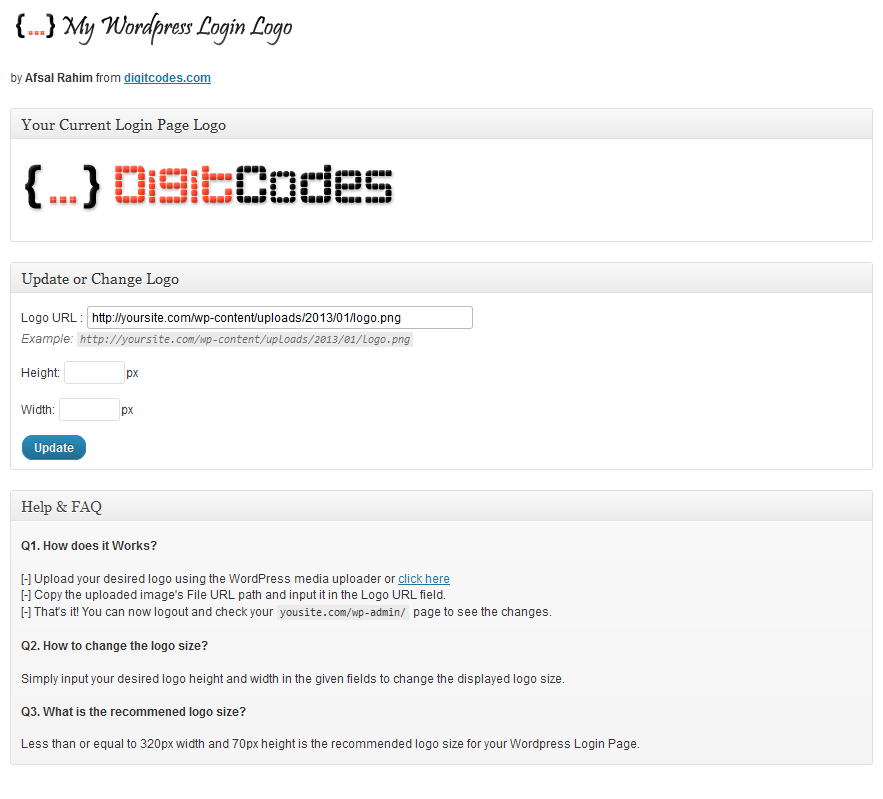
What you get inside
2 screens-
My WordPress Login Logo Settings Page
-
WordPress Login Page
About this plugin
My WordPress Login Logo lets you to add a custom logo in your wordpress login page instead of the usual wordpress logo and customize your login page.
It also allows you to specify the height and width of the logo. Apart from that you can also customize the login form by adding a custom message below login form and also provide some cool fade in effects for the login form. By adding your custom logo in your login page, you can make your website more professional and also impress the guest bloggers and other users who view these pages.
Questions
- How does it works?
- Upload your desired logo clicking the Upload Image button.
- Provide your custom height and width for the logo and press Update.
- That’s it! You can now logout and check your awesome new login page.
- How to change the logo size?
Simply input your desired logo height and width in the given fields to change the displayed logo size.
- What is the recommended logo size?
Less than or equal to 320px width and 70px height is the recommended logo size for your WordPress Login Page.
sandywp / also on the shelf
Try another plugin

5.0 · 1K+ installs
A simple and easy way to change WordPress login logo, using Change Login Page Logo plugin you can change logo image, logo width,…
Spin up a real WordPress site in seconds.
Test plugins, build a demo, hand a client a link — then squash it and start again. No local setup, no Docker.