sandywp / plugins / miniature-earth

Miniature Earth
Create interactive 3D globes with a visual editor. Add locations, routes and overlays.
Ready in seconds.
v1.0.0 WP 6.9+ PHP 7.4+
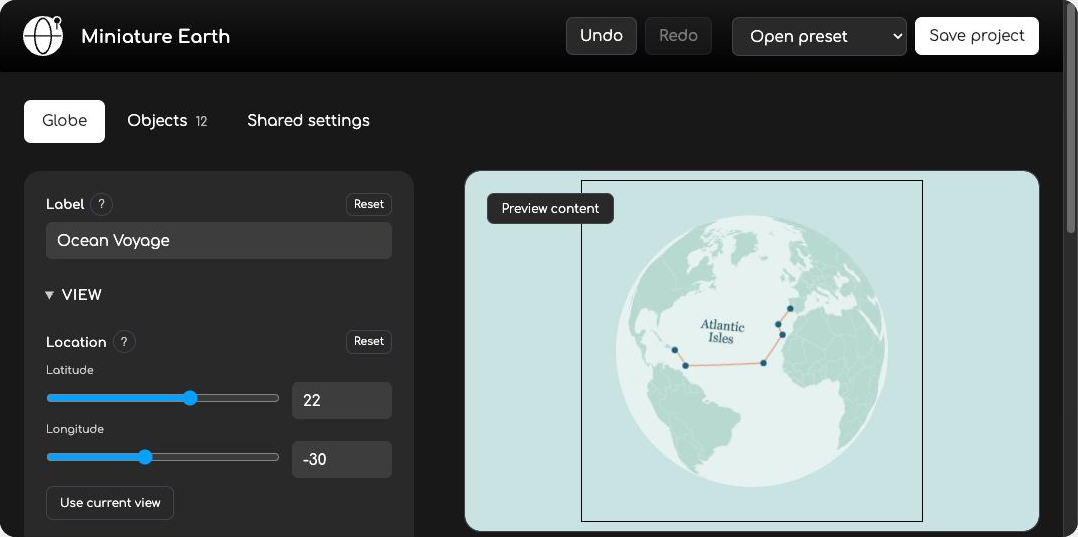
What you get inside
4 screens-
Customize your globe in the visual configurator, starting from one of 24 presets.
-
Add click content and tooltips to individual locations and test them in the preview.
-
Manage saved globes, copy shortcodes, and duplicate, import or export projects.
-
A selection of the 24 included globe presets.
About this plugin
Create interactive 3D globes for your WordPress site with a visual editor. Start from one of 24 presets, customize every aspect of your globe and create content that appears on click. Show your locations, routes or country data without writing code.
Design and save globes in the WordPress admin area, then embed them with the Miniature Earth block, a shortcode or a theme template function. Duplicate, import and export projects from your globe list.
Features
- Lightweight: a compact JavaScript globe library with WebGL rendering and no third-party runtime dependencies. Maps and other assets load separately when used.
- Privacy-friendly: supplied scripts, maps, fonts and images are served from your WordPress site. No external map service, map API key or built-in tracking.
- Accessible interactions: descriptive labels, an optional keyboard-operated location list and support for reduced-motion preferences.
- Flexible design: combine 3D markers, icons, text, HTML overlays and routes. Change maps, country colors, textures, atmosphere and backgrounds, or use your own assets.
- Responsive: globes adapt to the available space on desktop and mobile screens.
- Scripting API: extend a saved globe with property animations, live data, country statistics or custom interactions.
Questions
- How do I add a globe to a page?
Choose a saved globe in the Miniature Earth block, or copy its shortcode from the globe list into a Shortcode block, for example
[miniature_earth id="12"]. Use your own globe’s ID. Theme developers can useminiature_earth( ID );in a template.- What technology does it use, and which browsers are supported?
Miniature Earth uses modern JavaScript, ES6 modules and a web component, with GPU rendering through WebGL. The globe library has no third-party runtime dependencies. Use a current desktop or mobile browser with WebGL enabled.
- Does it require an API key or use tracking?
No map API key or external map service is required, and the globe includes no analytics or tracking. Supplied resources are hosted on your WordPress site. If you configure external asset URLs or links, those resources load from their respective hosts.
- Can I make the globe accessible?
Add meaningful labels and enable the optional location list for keyboard-operated locations. Miniature Earth supports reduced-motion preferences. Provide a text alternative for important information shown on the globe.
- Can I show streets, buildings or detailed terrain?
No. Miniature Earth is a stylized globe for locations, routes and data. It does not include street maps, 3D city models or detailed terrain.
- Where do I get coordinates for my locations?
Place objects visually in the configurator, enter coordinates from your own data, or copy latitude and longitude from a map service such as Google Maps. Miniature Earth does not convert addresses into coordinates.
- Can I use custom maps, images and 3D markers?
Yes. Choose your own assets from the WordPress media library. Use the supplied 3D meshes or convert your own OBJ models with the Mesh converter in the Developer Kit. WordPress upload restrictions apply; SVG uploads require a solution that safely validates SVG content. Converted meshes use Miniature Earth’s mesh SVG format.
- Can I extend a globe with JavaScript or use live data?
Yes. Developers can use the JavaScript API to extend a globe created in WordPress, animate properties and update existing objects. Custom scripts can load locations and values from JSON, CSV or an API without recreating the globe. These workflows require scripting beyond the visual editor.
Readable JavaScript sources and build tools are included in the plugin. See the source file mapping and rebuild instructions in LICENSING.md.
sandywp / also on the shelf
Try another plugin
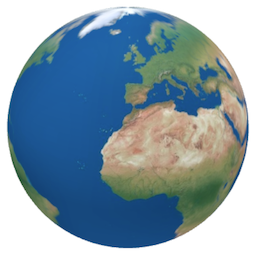
Interactive Globes – 3D World Maps
5.0 · 400+ installs
Create realistic, simplified 3D world maps with interactive elements, offering users an engaging, hands-on experience with globe…
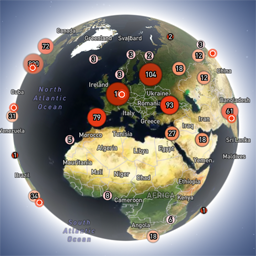
5.0 · 60+ installs
Interactive 3D globe that shows your website visitors worldwide in real time and historically, with a fast lightweight Land Cover…
-
A 3D globe of your real customers. Paid orders light up their country and reviewers appear over it as first name and last initial.

Spin up a real WordPress site in seconds.
Test plugins, build a demo, hand a client a link — then squash it and start again. No local setup, no Docker.