sandywp / plugins / metronet-reorder-posts

Reorder Posts
Quick Post Type and Page Ordering
Quickly reorder posts, pages, and custom post types using an intuitive drag-and-drop interface. Reordering supports auto-sorting and nested pages.
Ready in seconds.
v2.6.1 10,000+ installs WP 6.5+

What you get inside
3 screens-
Reorder items like posts, pages, and hierarchical post types with simple drag and drop.
-
Use the admin settings to enable post types to reorder, and perform any auto-sorting needed on the frontend.
-
Example Reorder menu showing up for pages.
About this plugin
Reorder Posts is a simple and flexible way to reorder posts, pages, and custom post types in WordPress using drag and drop. This plugin gives you full control over post ordering by leveraging WordPress’s built-in menu_order functionality, while keeping the interface fast, and intuitive. For those not familiar with code, the admin settings allows for auto-sorting based on post type. For hierarchical post types, the plugin supports nested pages.
Who is Reorder Posts For?
Reorder Posts is designed for developers and site builders who need precise control over how content is displayed. Whether you’re organizing landing pages, structuring custom post type archives, or manually controlling query output, this plugin provides a reliable way to define ordering without relying on publish dates or titles.
Once activated, the plugin adds a “Reorder” submenu to supported post types in the WordPress dashboard. For custom post types that do not have an interface, you can click a shortcut to reorder the post type from within the admin settings. From there, you can drag and drop posts, pages, and post types into the exact order you need. Changes are saved automatically, so there’s no need for a save button or extra clicks.
What Post Types and Queries Does Reordering Support?
This plugin works seamlessly with both standard posts, pages, and custom post types. It also supports hierarchical post types, allowing you to reorder and re-nest items like pages or nested content structures. This makes it especially useful for sites that rely on structured content, such as documentation, courses, or directories. For hidden post types (post types that expose no UI), you can reorder these post types from a shortcut within the Reorder Posts admin settings.
Because the plugin uses the native menu_order field, it integrates cleanly with WordPress queries. If your queries already support ordering by menu_order, your changes will appear instantly on the front-end. If not, the plugin includes advanced options in the Reorder admin settings to help override default query behavior when needed.
Reorder Posts does not auto-sort your post types on the front-end automatically unless explicitly enabled in the admin settings. Instead, it gives you the tools to define ordering while leaving implementation decisions in your hands. This makes it ideal for developers who want flexibility without unnecessary abstraction. The admin settings for auto-sorting are completely optional.
Choosing Which Post Types to Reorder
A dedicated settings panel allows you to control which post types support reordering. By default, common post types like posts and pages are enabled, while others can be toggled on as needed. If a post type is hidden, with no visibile editing interface, you can still reorder it by enabling it and clicking the Reorder shortcut next to the post type.
For more advanced use cases, developers can hook into filters to customize behavior programmatically. This includes defining which post types are reorderable or adjusting how ordering is applied across queries.
Reordering Categories, Terms, and Posts Within Categories
If you need to reorder posts within taxonomies such as categories or terms, companion add-ons are available to extend functionality even further.
- Reorder by Term – Reorders posts/pages/post types by which category they are in.
- Reorder Terms – Reorders categories, terms, and any other public taxonomy.
Major Features
Key features include:
- Drag and drop post ordering in the WordPress admin
- Support for posts, pages, and custom post types
- Hierarchical post type support with support for nested pages
- Automatic saving with no manual update required
- Developer-friendly approach using
menu_order - Advanced settings for query overrides and post type auto-sorting
Reorder Posts is best suited for users who understand how WordPress queries work or are comfortable working with WP_Query, get_posts, or pre_get_posts. If you need full control over content ordering without sacrificing performance or simplicity, this plugin provides a clean and reliable solution.
Development
You are welcome to help us out and contribute on GitHub.
Credits
This plugin was originally developed for Metronet AS in Norway.
The plugin is now independently developed by Ryan Hellyer, Ronald Huereca and Scott Basgaard.
Questions
- Where’s the settings page?
You can find the settings under Settings → Reorder Posts. The plugin works out of the box with no configuration, but the settings allow you to control which post types are enabled and access advanced options such as auto-sorting post types on the frontend.
- Where is the “save” button when re-ordering?
There isn’t one. Changes are saved automatically as you drag and drop items. This keeps the workflow fast and eliminates unnecessary steps.
If you are using nested pages or hierarchical post types, you can even drag pages from one area to another, and have it saved automatically.
- How does this plugin reorder posts in WordPress?
The plugin updates the built-in
menu_orderfield for each post. WordPress supports ordering by this field, which means you can control display order when your queries useorderby => menu_order.- Do I need to modify my queries for this to work?
In many cases, yes. Your queries need to support
menu_ordersorting. If they already do, your changes will appear immediately. If not, you may need to adjust your query arguments or use the plugin’s advanced settings to override behavior.If you are using query blocks or custom queries, just change the
orderbyparameter to work with “Menu Order.”- Does this work with custom post types?
Yes. The plugin fully supports custom post types. You can enable or disable reordering per post type in the settings panel or via filters.
- Can I reorder hierarchical content like pages?
Yes. The plugin supports hierarchical post types and allows you to re-nest items. This means you can change both order and parent-child relationships visually.
- Can I limit reordering to specific post types?
Yes. You can either use the settings screen or apply a filter to define exactly which post types should support reordering.
Here’s an example:
<?php add_filter( 'metronet_reorder_post_types', 'slug_set_reorder' ); function slug_set_reorder( $post_types ) { $post_types = array( 'my_custom_post_type', 'my_other_post_type' ); return $post_types; } ?>- Does this affect front-end display automatically or support auto-sorting?
No, the plugin doesn’t automatically enable itself to sort on the frontend. There are per-post-type settings for setting a global sort, but manually doing queries or using a query block is much more flexible.
sandywp / also on the shelf
Try another plugin
4.7 · 100K+ installs
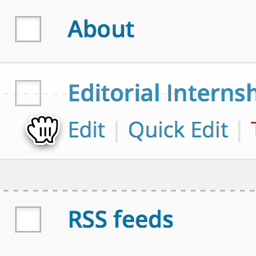
Order your pages and other custom post types that support "page-attributes" with drag and drop right from the standard page list.

5.0 · 300+ installs
Creates a 'menu_order' column to specify term order, allowing theme and plugin developers to sort term by menu order.

5.0 · 200+ installs
Expose menu order column on your dashboard listings.
Spin up a real WordPress site in seconds.
Test plugins, build a demo, hand a client a link — then squash it and start again. No local setup, no Docker.